


What Is Code Graph?
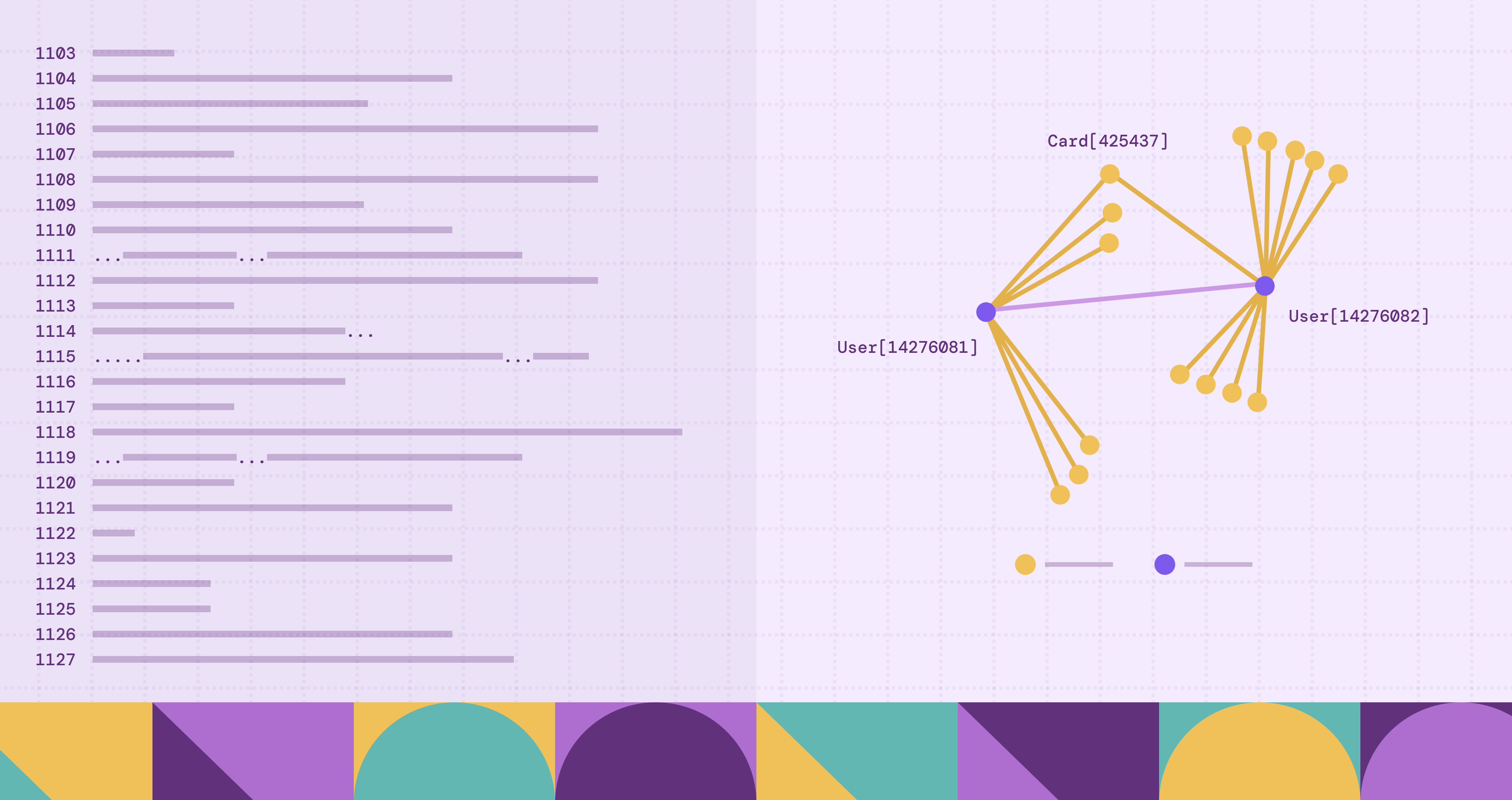
The difficulty of working with large codebases lies not in reading code, but in understanding the connections among its components. A developer may read the code and still not comprehend the system. Providing that missing view, a code graph models how components relate and how changes propagate across them. With this structure in place, engineers can reason about impact, architecture, and risk with greater certainty. This article outlines the principles behind code graphs and their role in modern software development.
What Is a Code Graph?
A code graph represents the structure of a codebase as a graph. It models code entities as nodes and their relationships as edges. This structure lets developers observe how parts of a system relate to one another without manually inspecting numerous files or tracing connections across the codebase.
A code graph typically includes nodes for major fundamental programming constructs, like files, modules or packages, functions, variables, and so on. Edges capture the relationships between these elements:
- calls – one function invokes another
- imports – a file or module imports another module
- defines – a file defines a class or function
- inherits_from – a class extends another class
- references – code references a variable or symbol
In conjunction, these nodes and edges form a connected delineation of the codebase.
A code graph captures multiple layers of structure,unlike a simple dependency graph. It can represent relationships across different abstraction levels. For example, take this simplified example:
Code graphs, differing from runtime graphs, usually represent static program structure, derived directly from the source code. The graph captures what the code declares and how symbols relate to one another, as opposed to what happens during a specific execution.
Importance of Code Graphs in Modern Software Development
Modern software systems tend to scale up beyond the comfortable limits of direct human comprehension; a contemporary codebase likely spans thousands of files, numerous services, and multiple programming languages, all interlaced by dependencies that traverse packages, repositories, and architectural layers. How do you understand a single modification that propagates through the system, unless you possess a means of examining the structure in a more systematic form?
Code graphs make that possible by elucidating the structure of the codebase; developers can query a graph that already models those connections.
Let’s say that a developer modifies a function. Then the question that follows is what depends on this change, which, in a large system, is seldom obvious. A code graph enables engineers to traverse all callers, imports, and inheritance relationships connected to that component, elucidating the potential consequences of a change with considerably greater clarity.
Code graphs also help teams maintain architectural boundaries. Large systems often enforce rules, for example, internal modules not being able to expose certain APIs. If you possess a graph representation, you can query the graph to ascertain violations.
Code graphs also help navigating unfamiliar codebases. New engineers often struggle to understand where functionality lives or how different parts of the system interact. But with a code graph, and the structural exploration it enables, engineers can follow relationships across modules, services, or libraries instead of searching blindly through files.
Code graphs also improve the precision of code intelligence tools. Semantic code search, cross-repository references, and automated refactoring, all rely on understanding relationships between symbols. A graph structure makes these relationships easier to compute and query.
How a Code Graph Is Built
At a high level, most systems build a code graph through roughly four stages:
- Source code ingestion
- Parsing and structural analysis
- Symbol resolution and semantic analysis
- Construction and storage of the graph
Source Code Ingestion
The process begins by collecting the source files that belong to a project, reading files directly from repositories, build systems, or version control systems. During this step, the system identifies a couple of particulars:
- Programming languages used in the repository
- Project boundaries and package structures
- Build configurations and dependency declarations
Build metadata, as many languages rely on build tools to resolve dependencies, can be quite important. For example, Java has Maven or Gradle, and JavaScript package manifests such as package.json. By dint of this information, the analysis system understands how modules connect across a project.
Static Code Analysis and Parsing
Static code analysis examines source code without executing it; in large repositories, the analysis can process thousands of files without runtime instrumentation.
In the first stage, parsing, a parser reads program text and produces an abstract syntax tree (AST) that represents the grammatical structure of the code. Each node in the AST corresponds to a language construct, for example, a declaration, expression, or statement.
For example, a function definition appears in the AST as a node with children describing its parameters, return type, and body. A function call appears as another node referencing the called function and its arguments.
Many languages provide mature tooling for this stage, like Go’s go/parser and go/ast packages and Python’s built-in ast module.
Parsing captures the syntactic structure of a program, but it does not completely explain how identifiers relate across files. The next stage performs semantic analysis to resolve those references.
Semantic analysis determines what each identifier refers to. For example, when the analysis comes across a function call, it must determine which function implementation that call refers to; in large projects, the same identifier may appear in multiple modules or packages.
This stage oftentimes requires symbol tables, scope rules, and type information, which the language’s compiler infrastructure provides. By resolving these references, the system builds a consistent view of how program elements relate across the entire codebase.
Graph Modeling of Code Entities and Relationships
Now that there is a program structure, the subsequent task consists in translating that structure into a graph model.
At this stage the system determines how program constructs correspond to graph elements. Source code naturally presents several layers of organization: files, modules, classes, methods, and variables among them. The modeling process decides which of these appear as nodes, and which relationships between them become edges, the intention being not merely to record elements individually, but to capture the structural relationships that bind them into a functioning system.
A method, for example, may belong to a class; the class may reside within a module; and that module may itself depend upon other modules.
Graph modeling also requires the assignment of stable identifiers to program elements. Each node must correspond to a unique entity so that references originating in different files resolve consistently. Systems often derive such identifiers from combinations of file paths, symbol names, and namespace information.
Once these entities and relationships have been systematically mapped, the analysis pipeline may assemble them into a connected graph.
Storing Code Graphs in Graph Databases
The final stage stores the constructed graph so that tools can query and analyze it efficiently. Large repositories can produce millions of nodes and relationships representing functions, classes, files, and dependencies across many services.
Graph databases provide a natural foundation for storing this data. Unlike relational databases, graph systems treat relationships as first-class elements. This design makes it considerably more efficient to traverse connections across many hops, a common operation when analyzing software systems.
For example, developers may want to trace the following:
- The chain of functions that lead to a specific API call
- All modules that depend on a shared library
- Inheritance paths across a complex class hierarchy
These queries often involve exploring long paths of relationships. Graph query languages like Cypher allow engineers to express these traversals directly.
Here you have graph engines like PuppyGraph that further simplify the analysis of these large dependency graphs by eliminating complex data movement pipelines. There’s no need of exporting analysis results into a separate graph store; systems of this kind can query graph structures directly over existing data infrastructure. Engineering teams may therefore investigate large code graphs alongside other development data without introducing additional ETL processes.
Once stored and made queryable, the code graph becomes the foundation for tools that support code navigation, architecture analysis, and large-scale dependency exploration.
Visualizing and Exploring a Code Graph
Graph Queries for Structural Exploration
The most common way to explore a code graph is through graph queries.
For example, here are some engineering questions that might be asked about a codebase:
- Which functions call this API?
- What services depend on this module?
- Which classes inherit from this base class?
- What path connects two components in the system?
Graph query languages make it possible to express these questions directly. For example, in Cypher, you compose pattern-matching queries like the following that traverse relationships across the graph.
MATCH (caller)-[:CALLS]->(target {name: "validate_token"})
RETURN caller
The query traverses the structural relationship captured in the code graph, yielding far more accurate results because the analysis utilizes resolved program structure as opposed to string matching.
Interactive Graph Visualization
Visualization tools help developers build intuition about the structure of a system. Graph visualization systems render nodes and edges through visual means so engineers can explore relationships interactively, for example:
- Files connected by import relationships
- Service dependencies across microservices
- Inheritance hierarchies in object-oriented systems
- Frequently interacting clusters of modules
Developers can expand nodes, follow edges, and inspect relationships across different layers of the system. Visual views are particularly useful when investigating unfamiliar parts of a codebase.
Large graphs often require filtering and abstraction to remain readable. Visualization tools therefore provide features like the following:
- Collapsing subgraphs representing packages or services
- Filtering by relationship type
- Limiting traversal depth
- Grouping nodes by repository or module
These capabilities help engineers concentrate on apposite portions of the graph without overwhelming them with the entire codebase structure.
Path Exploration and Dependency Tracing
Another powerful capability of code graph exploration tools is path analysis. As a developer, you will frequently need to understand how two components connect across the system.
For example:
- How a request handler eventually calls a database layer
- Which dependencies link two services
- How a security-sensitive function is reachable from external APIs
Path queries allow tools to identify the sequence of relationships that connect two nodes in the graph. This capability makes it easier to reason about complex dependency chains that span multiple modules or services.
A graph engine like PuppyGraph can execute these multi-hop traversals efficiently, irrespective of the graph containing millions of nodes and edges. Because code analysis often requires exploring deep dependency paths, the performance of graph traversal becomes an important element in developer tooling.
Integrating Graph Exploration into Developer Workflows
Code graph exploration becomes most useful when incorporated into everyday development tools. Many systems embed graph queries and visualizations directly into developer workflows, for example, IDE extensions and code search platforms. For example, an IDE plugin might allow a developer to click on a function and immediately see its call graph. A code intelligence platform might visualize the dependency structure of an entire service. It becomes materially easier to navigate the structure of the system through the code graph itself. Codebases progressively grow; so this ability to explore and visualize program structure becomes increasingly valuable for understanding how large software systems evolve.
Real-World Use Cases for Code Graphs
Many developer platforms and internal tooling systems rely on code graphs to answer questions about architecture, dependencies, and system behavior.
Change Impact Analysis
What are the likely consequences of a change within the codebase? When a developer alters a function, class, or module, you will want to ascertain which other components depend upon it. In repositories of considerable size, the answer may extend well beyond the local context, encompassing numerous services and a surprisingly large number of call sites.
A code graph helps trace such dependencies with a degree of directness that the raw source seldom affords. You can follow edges that represent function calls, imports, or inheritance relationships, and hence identify the components that rely upon a particular element of the system. You may estimate the scope and possible consequences of a modification before it proceeds further along the development pipeline.
Impact analysis assumes particular importance in monorepos and distributed microservice environments. A single internal library might support a considerable number of services, and a seemingly modest alteration, if undertaken without a clear understanding of downstream dependencies, may introduce regressions across several systems. Code graphs allow engineers to approach such changes with a more informed sense of their reach.
Architecture and Dependency Analysis
Engineering teams also use code graphs to examine the architecture of large systems. Over time, software tends to accumulate unintended dependencies between modules or services. These dependencies may violate architectural guidelines or introduce tight coupling between components.
A graph representation allows teams to inspect these relationships at scale. By exploring connections between modules, engineers can detect patterns such as circular dependencies, unexpected cross-layer calls, or services that rely on internal APIs from other teams.
Architectural analysis becomes especially valuable in organizations that maintain hundreds of services. A code graph provides a structural map of how these services interact, which helps teams enforce architectural boundaries and maintain clearer system design.
Large-Scale Refactoring
Refactoring at scale is difficult because a local change is rarely local in effect. A renamed function or relocated module does not end where it is declared; it extends through every place where it is used. In a large system, these uses are scattered across many files and services, and some will not be immediately visible.
A code graph records not only what exists, but how each element depends on others. When a symbol changes, the graph allows tools to enumerate every reference and to guide the requisite updates in a controlled manner.
This becomes especially valuable during API migrations or library reorganization. Engineers can follow the actual usage of a function across the system and confirm that each dependent component continues to behave as intended.
Security and Code Risk Analysis
Security analysis depends on understanding how execution flows through a system. An API handler, for example, may pass data through several layers before it reaches a database or authentication boundary.
A code graph allows these procedures to be traced without executing the system. It captures call relationships and data movement across functions and modules; analysts can scrutinize how input propagates and where controls may fail. The concern is not merely that an unsafe operation exists, but that it is reachable under certain conditions.
This analysis gains force when applied across the entire repository. Because the graph includes relationships between services and components, security teams can observe how risk extends past a single module. What appears isolated in code may, in fact, participate in a broader path that crosses system boundaries.
Understanding Large Codebases
Understanding an unfamiliar codebase requires seeing how parts relate. Without structure, engineers resort to searching and piecing together fragments, often with incomplete results.
A code graph presents the system as a set of connected elements. Instead of moving line by line, a developer can move along relationships, between modules, classes, and functions; and form a coherent view of the system’s organization.
Graph platforms like PuppyGraph make this exploration pragmatic at scale. Because PuppyGraph operates directly on existing data platforms, you can examine code interrelations beside build data, dependency manifests, and other engineering signals, dispensing with extra data pipelines.
The resultant account of the system’s composition and how it changes over time is more lucid. Complexity, which is otherwise diffuse, becomes observable as a pattern of connections that you can examine and, where necessary, contract.
Challenges and Limitations of Code Graphs
Handling Language Complexity and Dynamic Behavior
Modern languages permit a degree of flexibility that resists complete static description. For example, dynamic typing, reflection, and runtime composition allow the same symbol to assume different meanings under different conditions. What appears fixed in source may, in execution, be contingent.
Static analysis can approximate these behaviours, but it cannot always ascertain them. A function call constructed at runtime may not resolve to a single target; a dependency introduced through configuration may not appear in code at all. The graph, in such cases, contains edges that are provisional rather than final.
Even where types are explicit, you will have complexity. Generics, macros, and other forms of metaprogramming alter the apparent structure of the code. To model these constructs with precision requires closer alignment with compiler logic, and this increases both the cost and the fragility of the analysis.
Scaling to Large Codebases
A code graph grows in proportion to the system it represents, and often more rapidly. When analysis includes functions, variables, and fine-grained relationships, the number of nodes and edges can reach into the millions.
Queries over such graphs traverse multiple layers of relationships, often across large sections of the system. These traversals become slow and expensive without efficient storage and indexing. A more detailed graph yields stronger answers, but it also demands more from the system that maintains it.
A platform like PuppyGraph can mitigate part of this load by operating directly on existing data infrastructure; there’s no need for duplicating large datasets and separate storage pipelines. Despite such, you must evaluate how much detail is necessary, and at what cost can it be sustained.
Keeping the Graph in Sync with Code Changes
A code graph is only as reliable as its correspondence with the code it describes. Since code changes continually, the graph must do the same. A static snapshot soon becomes a historical record from a working model.
Recomputing the entire graph for each change is seldom practical. Systems therefore rely on incremental updates, identifying modified files and recalculating only the affected relationships. Although efficient, this method introduces its own difficulty: if updates are partial or misapplied, the graph may contain relationships that no longer exist or omit those that do. In such cases, the graph ceases to be a trustworthy guide.
Balancing Detail and Usability
A graph may describe a system at many levels, from coarse file dependencies to individual variable references. Greater detail, though gives more precise analysis, increases cognitive load. What is gained in completeness may be lost in clarity.
Highly detailed graphs can overwhelm users, especially when visualized. Engineers may struggle to extract meaningful insights if the graph includes too many low-level relationships. Systems must therefore provide filtering, aggregation, and abstraction mechanisms to make the graph usable.
Integration with Existing Tooling
You will often integrate code graphs into existing developer workflows, meaning connecting with tools like build systems, code search tools, and CI pipelines and make sure that data flows correctly between them.
This integration can pose challenges, more so in environments with multiple languages and heterogeneous tooling. Differences in build systems, dependency management, and repository structure can complicate the analysis pipeline. A practical code graph system must fit into the existing ecosystem without requiring major changes to how teams build and deploy software.
Conclusion
A code graph changes how you interact with a codebase and makes large systems easier to understand and safer to evolve. But you will need to apply it at scale. That means handling large graphs, running multi-hop queries, and integrating with existing data. With PuppyGraph, you can explore graph relationships without moving data or maintaining separate graph infrastructure. To see it in action, get PuppyGraph’s forever-free Developer Edition, or book a demo.

Matt is a developer at heart with a passion for data, software architecture, and writing technical content. In the past, Matt worked at some of the largest finance and insurance companies in Canada before pivoting to working for fast-growing startups.

Get started with PuppyGraph!


Developer Edition
- Forever free
- Single noded
- Designed for proving your ideas
- Available via Docker install
Enterprise Edition
- 30-day free trial with full features
- Everything in developer edition & enterprise features
- Designed for production
- Available via AWS AMI & Docker install