

AI in Customer Service: Use Cases, Benefits
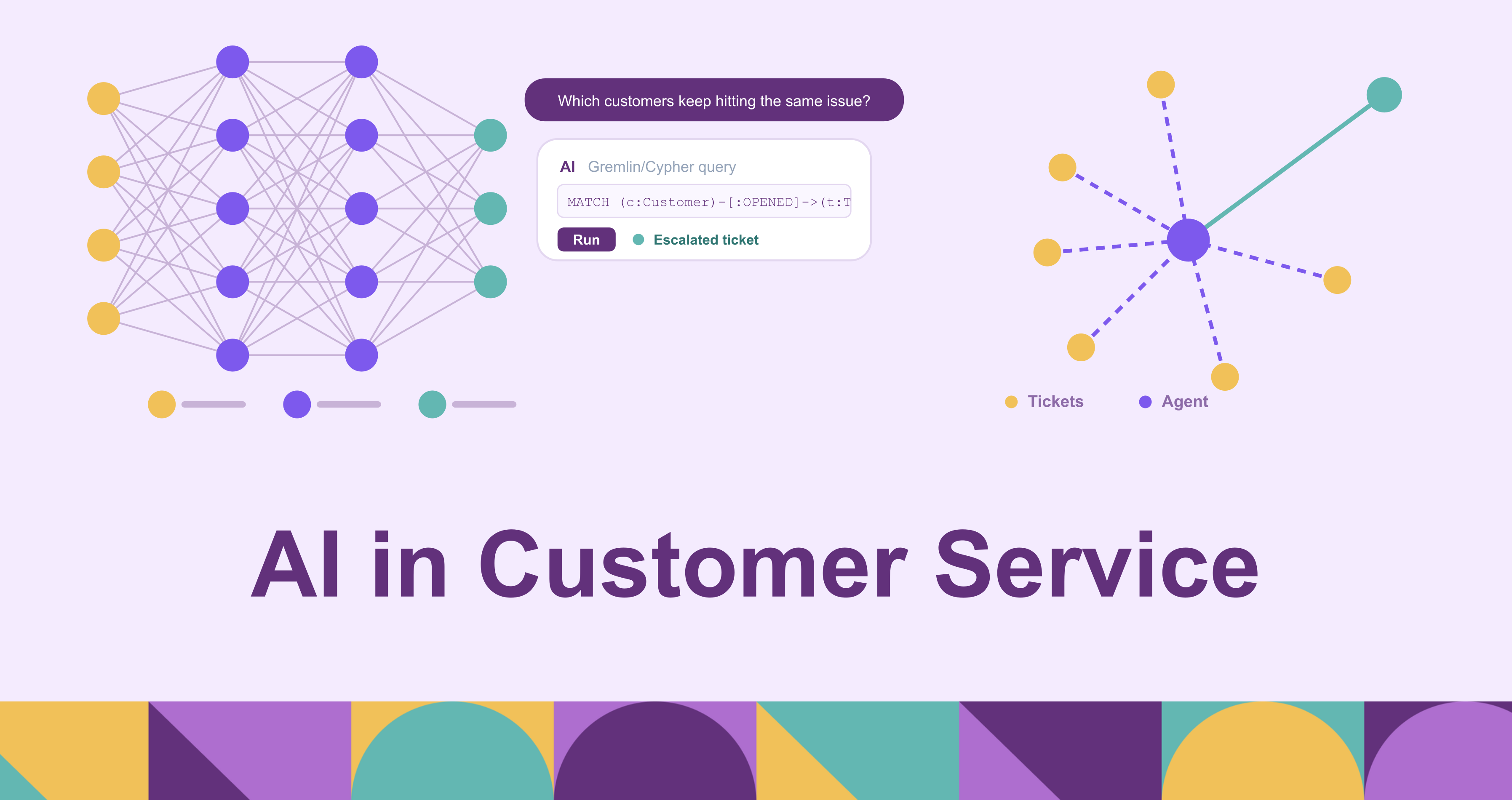
Customer service was one of the first business functions to feel generative AI, and the change runs deeper than the chatbots most people picture. AI has moved support from scripted deflection, where a bot matched a keyword and returned a canned article, to assistants that hold a multi-turn conversation and resolve a request end to end, and to copilots that sit beside human agents and make them measurably faster. The model is rarely the hard part anymore. What separates a support assistant that actually closes tickets from one that frustrates customers is the data it can reach: a model that cannot see this customer’s orders, entitlements, and history can only ever give a generic answer.
This post defines what AI in customer service means today, why support organizations are adopting it, how it changes operations day to day, the benefits it delivers, the chatbots and virtual assistants at the center of it, and seven concrete generative-AI examples. Throughout, the throughline is that AI’s payoff in support tracks how well the assistant is grounded in the customer’s real, connected data.
What is AI in customer service?
AI in customer service is the application of artificial intelligence, natural language processing (NLP), machine learning, and increasingly generative models and autonomous agents, to understand, route, assist with, and resolve customer requests across channels. It spans the fully automated (a virtual agent that answers a billing question without a human) and the assistive (a copilot that drafts a reply for a human agent to review), and it operates across chat, email, voice, social, and in-product messaging.
Under that umbrella sit a handful of building blocks that recur across every vendor and deployment. Intent detection and classification read an incoming message and decide what the customer wants, which is the entry point for everything downstream. Chatbots and virtual agents carry on the conversation with the customer directly. Agent-assist copilots work the other side of the desk, suggesting replies, surfacing relevant knowledge, and summarizing context for the human handling the ticket. Routing and triage send each request to the right queue, skill, or priority. Sentiment and intent analysis track how a customer feels and how urgent the issue is. Knowledge retrieval pulls the right answer out of a help center, documentation set, or past tickets so a response is grounded in something real rather than generated from the model’s general training alone.
None of these is new in isolation; rule-based routing and keyword chatbots have existed for years. What changed is that large language models made each block dramatically more capable at understanding open-ended language, and made it possible to chain them into an assistant that handles a request from first message to resolution. The sections that follow trace what that shift looks like in practice.
Why businesses are adopting AI for customer support
The pressures pushing support organizations toward AI are operational before they are technological. Ticket volume keeps rising as companies add channels and customers expect to reach support wherever they already are. At the same time, customers increasingly expect immediate, around-the-clock answers, and a support model that depends entirely on staffed human hours cannot meet that expectation without proportional headcount.
Cost is the second driver. Every human-handled contact carries a real per-contact cost, and support leaders are asked to hold or improve service levels while containing that cost as volume grows. AI is attractive here because it changes the unit economics: automated resolution of repetitive, low-complexity requests removes them from the human queue entirely, and assistive AI shortens the time a human spends on the requests that remain. The projected scale of this is large. Gartner predicts that by 2029, agentic AI will autonomously resolve 80% of common customer service issues without human intervention, with an associated 30% reduction in operational costs (Gartner, March 2025).
The third driver is the agent experience itself. Support roles have high turnover, and new agents take time to ramp on products, policies, and tools. A large share of an agent’s day goes to repetitive work: looking up the same account details, writing the same kinds of replies, and tagging and summarizing tickets after the fact. AI that handles the rote portion lets human agents spend their time on the judgment-heavy cases where they add the most value, which improves both the work and retention.
Taken together, these pressures explain the timing. Rising volume, 24/7 expectations, cost discipline, and a strained workforce were all true before generative AI, but earlier automation could only handle the narrowest, most scripted cases. Modern language models cleared the capability bar for handling open-ended customer language, which is what turned AI in customer service from a deflection tactic into a core part of how support organizations plan to scale. The expectation has shifted accordingly: in Zendesk’s 2025 CX Trends report, 75% of CX leaders expect 80% of customer interactions to be resolved without human intervention within the next few years.
How AI is transforming customer service operations
The clearest way to see the change is to follow a request through a support operation and notice where AI now sits. The shift is operational, not just a new tool bolted onto the old workflow.
Tier-0 deflection and self-service is the front of the funnel. A virtual agent handles the high-volume, low-complexity requests (order status, password resets, return policies, basic troubleshooting) without ever creating a ticket for a human. Done well, this is not the frustrating keyword bot of a decade ago; the assistant understands the question, retrieves the relevant answer, and resolves it.
Intelligent routing and triage handles what the front line cannot resolve. Instead of rigid menu trees, AI reads the actual content and sentiment of a request and routes it to the right team, skill, or priority, so a frustrated customer with an urgent billing problem does not wait in the same undifferentiated queue as a routine question.
Real-time agent assist changes the human agent’s experience mid-conversation. As the agent works a ticket, a copilot surfaces relevant knowledge-base articles, suggests a drafted reply, and pulls together the customer’s context, so the agent spends less time searching and more time deciding.
Post-contact automation absorbs the after-call work that used to eat agent time. AI generates the conversation summary, tags and categorizes the ticket, drafts the follow-up, and can score the interaction for quality, all of which previously fell to the agent or a separate QA team.
Knowledge management closes the loop. AI helps keep the help center current by flagging gaps where customers ask questions the documentation does not answer, and by drafting new articles from resolved tickets. Because every AI block above depends on good knowledge to retrieve, this upkeep is what keeps the rest accurate over time.
The pattern across all five is that AI is no longer a single feature at the edge of the support stack; it is distributed through the whole lifecycle of a request, from the customer’s first message to the knowledge update that makes the next request easier. That is what makes it a transformation of operations rather than an add-on.
Key benefits of AI in customer service
The operational changes above translate into a set of benefits that support leaders can plan around.
Faster resolution and lower handle time. Automated resolution closes simple requests in seconds, and agent-assist shortens the human-handled ones by removing search and drafting time. The result is lower average handle time and shorter queues without adding headcount.
24/7 availability at scale. An AI assistant answers at 3 a.m. and during a holiday spike with the same responsiveness as midday on a Tuesday. Capacity scales with demand rather than with staffing, which is what makes consistent round-the-clock coverage economically feasible.
Lower cost per contact. Removing repetitive contacts from the human queue and accelerating the rest improves the cost structure of the whole operation, letting a support org hold service levels as volume grows instead of scaling headcount linearly with it.
Consistency and accuracy. A well-grounded assistant applies the same current policy to every customer, where a large human team will inevitably vary. The accuracy caveat matters, though: consistency is only an asset when the underlying answer is correct, which is why grounding the assistant in real, current data is the precondition for this benefit rather than an afterthought.
A better agent experience. Offloading rote lookups, drafting, and after-call work lets human agents concentrate on the complex, high-empathy cases that need judgment. That is both better use of skilled people and a meaningful factor in retention.
Insight from every interaction. Because AI processes the full text of every conversation, it can surface patterns no manual sampling would catch: emerging product issues, recurring confusion, and shifts in sentiment. Support becomes a source of structured insight for the rest of the business, not just a cost center.
The common thread is that the benefits compound only when the assistant is accurate, and accuracy depends on grounding. A fast, always-on, consistent assistant that gives wrong answers is worse than no assistant at all, which is why the data layer underneath these systems is where so much of the real engineering effort goes.
7 generative AI examples in customer service
The use cases below are where generative AI is already delivering value in support organizations, beyond the customer-facing chatbot.
- Drafted reply suggestions for agents. A generative model reads the open ticket and relevant knowledge, then proposes a complete reply the human agent can edit and send. The agent stays in control of the final message while skipping the blank-page drafting step.
- Conversation summarization. At handoff or close, the model produces a concise summary of a long conversation, so the next agent (or the customer) gets the context without reading the full transcript. This is one of the highest-value, lowest-risk uses, because a summary is easy to verify at a glance.
- Knowledge-article generation. Resolved tickets become source material: the model drafts a help-center article from a successful resolution, which a knowledge manager reviews and publishes. This is how the knowledge base stays current with the questions customers actually ask.
- Multilingual support. Generative translation lets a support team respond in a customer’s language without staffing a native speaker for every market, handling both the incoming message and the outgoing reply in real time.
- Sentiment-aware tone adjustment. The model adapts a drafted response to the customer’s emotional state and the severity of the issue, softening tone for a frustrated customer or tightening it for an urgent one, so the reply fits the moment rather than reading as boilerplate.
- Post-contact QA and coaching. Instead of sampling a small percentage of interactions, AI scores transcripts at scale against quality criteria and surfaces specific coaching points for each agent, giving QA teams full coverage and agents concrete, timely feedback.
- Self-service answer synthesis. Rather than returning a list of links, the assistant synthesizes a direct answer from across multiple documents and data sources, so the customer gets the specific answer to their question instead of a search result to interpret themselves.
What these examples share is that the generative step is the easy part; the value depends on grounding the model in accurate, current, connected data. A drafted reply, a synthesized answer, or a coaching score is only as good as the customer context behind it, which is the same dependency that runs through every section of this post.
AI-powered chatbots and virtual assistants
Chatbots are the most visible face of AI in customer service, and the most searched, but the term covers two very different things. The distinction matters because it determines what the assistant can actually handle.
Rule-based bots still have a place for narrow, predictable flows where a scripted path is reliable and cheap. But the assistants driving current adoption are LLM-driven: they understand an open-ended question, hold a multi-turn conversation, call back-end systems to actually do something (look up an order, issue a refund, schedule a return), and hand off to a human with full context when the request exceeds their scope. The shift from the left column to the right is the shift from deflecting questions to resolving them.
That capability comes with a dependency that is easy to underestimate. A virtual assistant is only as good as the data it can reach, and in customer service the answer to a real question almost never lives in one place. A question as ordinary as “where is my order and am I owed a refund for the delay” touches the CRM for the account, the order and fulfillment systems for the shipment, the entitlements or contract data for what this customer is owed, and the ticket history for what has already been promised. These are relational, multi-hop questions: the answer is in how records connect across systems, not in any single document.
This is where the most common grounding approach, retrieving passages from a help center by vector similarity, hits its limit. Vector search is good at finding text that is topically similar to a question, which is why it works well for “what is your return policy.” But vectors are isolated; they do not encode the relationships that connect a customer to their orders, a shipment to its delay, or an account to its entitlements. The questions that require following those connections are exactly the ones a generic help-center answer cannot resolve, and they are a large share of what customers actually contact support about.
Retrieving over a knowledge graph rather than a flat text index is built for this kind of connected question, an approach usually called GraphRAG. It adds a graph layer to the retrieval pipeline so the assistant can traverse from a customer to their orders to the delayed shipment and back to their entitlements, returning the connected subgraph as grounded context instead of a handful of disconnected snippets. The practical obstacle has usually been that the customer data lives in operational and warehouse tables, and building the graph channel meant standing up a separate graph database and an ETL pipeline to copy that data into it, then keeping the copy fresh.
PuppyGraph instead sits as an ontology layer between the existing data and the assistant. You define a graph schema over the tables where customer, order, and entitlement data already live, in databases, warehouses, and open table formats, and that schema maps existing columns to nodes and edges with no ETL into a separate store; the data stays in place and the graph queries run against it directly. For the assistant, that schema is the contract it queries against: it issues openCypher traversals (Gremlin is also supported) and gets back the connected records as grounded context. Because the ontology is enforced at query time, a traversal that references an entity or relationship the schema does not define is rejected with structured, model-readable feedback rather than silently returning a plausible but wrong result, which keeps the assistant’s data channel free of semantic hallucinations even when the model is generating the queries. The same boundary has a useful consequence for customer data: when a support agent reads enterprise data only through this layer, its reach is bounded by what the schema exposes, so an assistant wired this way (with no side channel to the raw stores) cannot traverse to data the ontology does not surface for it. This deployment shape, a graph over existing tables with no separate database to keep in sync, is in production at companies including Coinbase, Dawn Capital, and Prevalent AI.
The point is not that the graph channel replaces vector retrieval or the help center; topical questions are still best served by text search. It is that the assistant’s ceiling is set by the data it can reach, and the relational, cross-system questions that dominate real support are the ones a connected, grounded data layer is built to answer.
Conclusion
AI has changed customer service from a function measured by how many contacts it deflects to one measured by how many it resolves, and from a cost center to a source of insight on every interaction. The benefits are real and compounding: faster resolution, around-the-clock scale, lower cost per contact, more consistent answers, better work for human agents, and structured insight from conversations that used to disappear after the ticket closed. But each of those benefits rests on the same precondition. An assistant is only as good as the data it can reach, and the questions that matter most in support are relational and spread across systems, so the design effort that most shapes how well these systems perform is the grounding layer underneath them, not the model on top.
Try the forever-free PuppyGraph Developer Edition and book a demo with the team to see how openCypher and Gremlin queries run over warehouse and lakehouse tables, with no graph-specific ETL, giving a support assistant an ontology-grounded view of the connected customer data it answers from.

Sa Wang is a Software Engineer with exceptional mathematical ability and strong coding skills. He holds a Bachelor's degree in Computer Science and a Master's degree in Philosophy from Fudan University, where he specialized in Mathematical Logic.


