

5 Unity Catalog Limitations and How to Overcome Them
Unity Catalog can centralize governance for a Databricks environment, but its coverage depends on how workloads reach the data. A table appearing in the catalog does not establish that every external application uses the same permissions or that every transformation appears in lineage. Those distinctions matter when planning integrations, investigating dependencies, and migrating existing workloads.
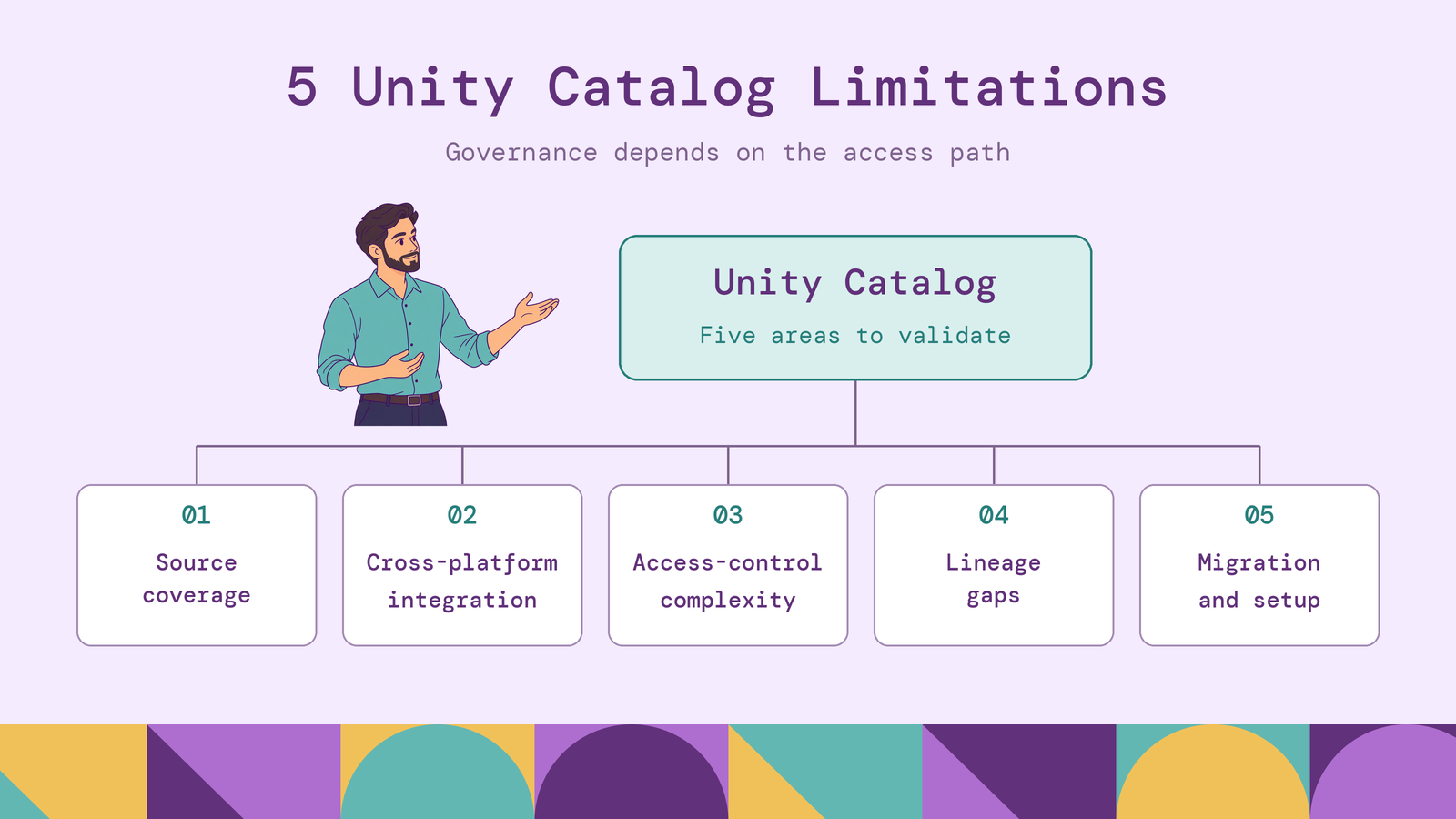
This guide examines five Unity Catalog limitations: external-source coverage, cross-platform integration, access-control administration, lineage gaps, and migration complexity. It explains where native capabilities help and what teams still need to design, test, or integrate around them.
What is Databricks Unity Catalog?
Unity Catalog is Databricks' governance layer for data and AI assets. It organizes objects such as tables, views, volumes, functions, and models, and provides access control, discovery, lineage, and auditing. A volume provides a governed location for files accessed outside a table abstraction.
Its object model gives teams a common vocabulary for ownership and access. An analyst can refer to production.finance.invoices, while administrators manage privileges at the catalog, schema, or individual-object level.
For organizations with many teams and workspaces, this creates a shared place to manage data responsibilities. The practical question is how far that governance extends through the organization's actual workloads. This article focuses on the Databricks implementation; features documented here should not be assumed to exist identically in the separate open-source Unity Catalog project.
How does Unity Catalog work?
A Unity Catalog metastore contains the metadata and governance objects used by attached workspaces. Within it, data assets follow the three-part namespace catalog.schema.object. Catalogs and schemas organize assets and provide scopes for permissions.
Storage configuration determines how the catalog reaches the underlying files. A storage credential represents authorization to cloud storage, such as an IAM role. An external location associates a storage path with that credential. Managed tables give Unity Catalog responsibility for the storage lifecycle; external tables leave that lifecycle under the organization's control.
Authorization then determines whether a principal can use an object. For a direct table read, the permissions model requires SELECT on the table, USE SCHEMA on its schema, and USE CATALOG on its catalog. Row filters and column masks can further restrict the returned data.
The query engine executes the workload through its supported access path. Databricks also offers external-engine interfaces, including the Unity REST API for Delta clients and the Iceberg REST catalog for Iceberg clients. The chosen interface, table features, and client determine which operations work. A common catalog makes discovery consistent, but each execution path still needs validation.
5 key Unity Catalog limitations
These limitations combine documented capability boundaries with operational work that centralization does not remove. Their impact depends on the sources, engines, identities, and transformation patterns in your environment.
1. Limited support for external data sources
Unity Catalog supports external data through several mechanisms. Lakehouse Federation can expose supported databases and catalogs through foreign catalogs. Query federation sends work to a remote database, while catalog federation lets Databricks access supported externally cataloged tables in object storage. External tables provide another route for registering existing files.
The limitation is that these routes have different capabilities. A supported database connection does not establish support for every source type, operation, or query pattern. For example, query federation provides read-only access to remote databases, and pushdown coverage depends on the connector. A reporting query may work while a workflow requiring source updates needs a different integration.
Query federation also retains dependencies on source compute and network connectivity. For sources that support both options, Databricks recommends considering ingestion through Lakeflow Connect managed connectors when higher data volumes and lower query latency are priorities. Querying in place can avoid maintaining an analytical copy, but it does not remove the source system from query execution.
Evaluate support against the workload, including data types, required operations, and source load. A connector appearing on a supported-source list is only the beginning of that evaluation.
2. Cross-platform integration challenges
External-source support brings data into the Databricks query environment. Cross-platform integration also asks whether other engines can use cataloged data under the required governance rules.
Databricks supports external clients, including access to managed tables, but compatibility varies by object type and access method. Reading a table successfully proves less than supporting its write operations, table features, and fine-grained policies.
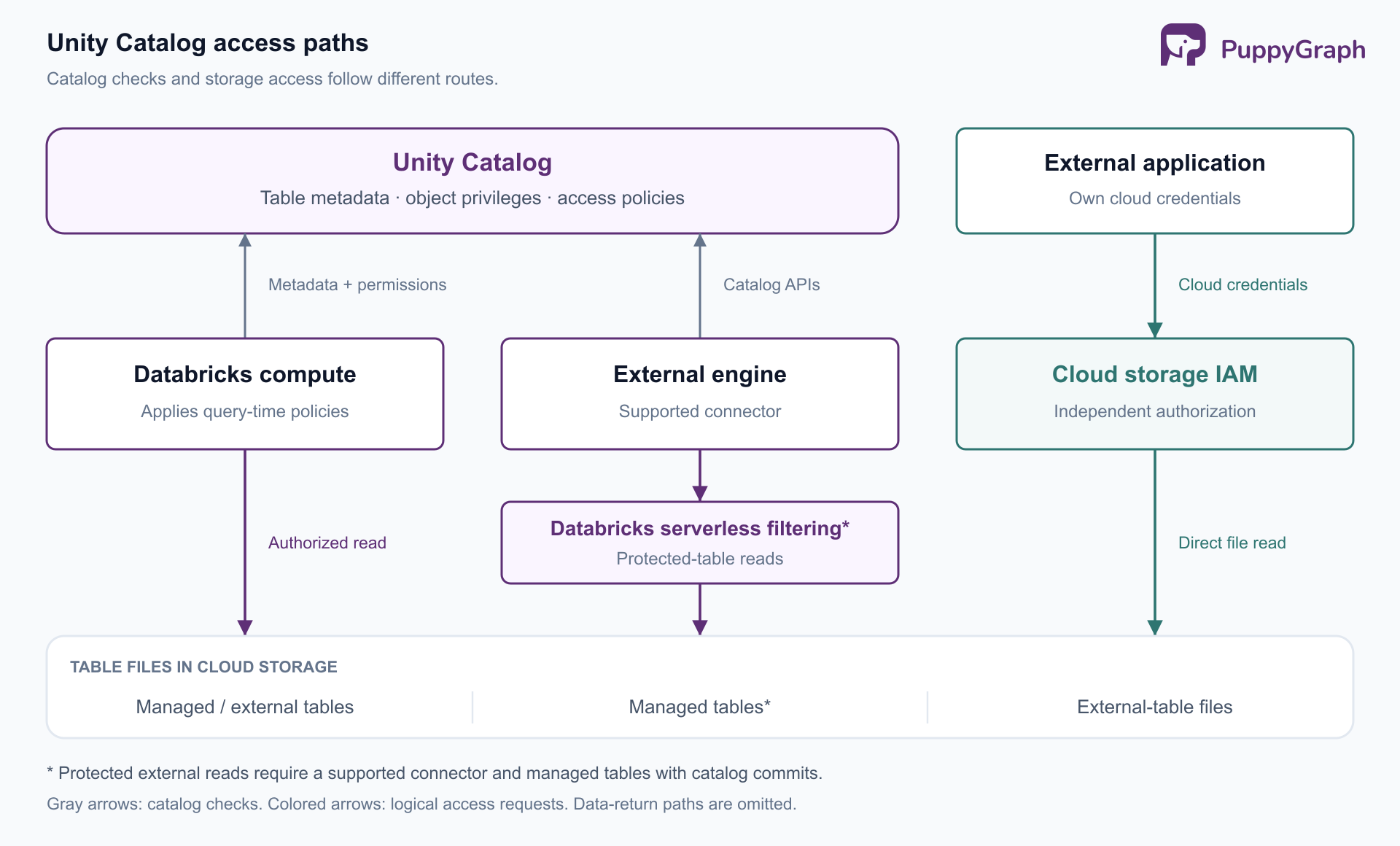
Policy enforcement is particularly path-dependent. Databricks documents cross-engine fine-grained access control: supported external reads use serverless compute to enforce ABAC policies, row filters, and column masks before returning data. This path requires compatible connector configuration, managed tables with catalog commits, and the relevant external-access permissions. It also introduces billed serverless processing.
Independent file access follows a different boundary. Unity Catalog does not govern an external application's direct reads of external-table files using its own cloud credentials. Those credentials remain subject to cloud-storage permissions.
An integration therefore needs an explicit account of who authenticates, where filtering happens, and which operations are supported. Sharing a table format alone does not establish a shared authorization model.
3. Complex access control management
Unity Catalog combines object privileges, attribute-based policies, table-level filters, and workspace restrictions. Each addresses a different question: which object a principal may use, which records or values it may see, and where access is available.
This layered model creates administrative dependencies. An analyst with SELECT can still fail a direct table query if a parent usage privilege is missing. Conversely, granting SELECT at catalog or schema scope extends access to current and future child tables, subject to usage privileges. That inheritance is useful when the scope matches a business boundary, and too broad when it does not.
Attribute-based access control reduces repetitive filtering and masking configuration by matching governed tags. It also makes control over tag assignment part of policy administration. A rule that protects sensitive columns depends on those columns being classified correctly.
Databricks' ABAC guidance explicitly warns that missing or incorrect tags can leave data unprotected or inaccessible. The scaling challenge is maintaining understandable policy coverage as teams add tables, change classifications, and revise group membership. Centralization supplies the controls; it does not decide the organization's access model.
4. Data lineage coverage gaps
Unity Catalog automatically captures lineage for supported Databricks queries, including column-level relationships, and aggregates it across workspaces attached to the metastore. This supports impact analysis and tracing unexpected results upstream.
Coverage still depends on execution patterns. Databricks documents gaps for RDD workloads and Spark SQL dataset checkpointing. UDFs can obscure source-to-target column mappings, even where table-level UDF lineage is available. A visible table dependency therefore does not guarantee a complete explanation of how every output column was derived.
External processing needs its own coverage plan. Unity Catalog supports external lineage metadata, including relationships added through APIs or Catalog Explorer. Lakeflow Connect managed ingestion pipelines can also record source lineage automatically. These capabilities extend the graph, but they do not automatically observe arbitrary transformations in unrelated systems.
There is also a consumption gap: external lineage is not recorded in the lineage system tables. A report built only from those tables can omit relationships visible through external-lineage features.
Treat lineage as evidence with known coverage. Before approving a schema change, distinguish an asset with no dependencies from one whose dependencies have not been captured.
5. Migration and setup complexity
Moving from the legacy Hive metastore changes more than table names. Teams must reconcile identities, storage permissions, ownership, compute compatibility, and the references embedded in jobs and applications.
Identity migration is one example. Unity Catalog uses account-level principals, and workspace-local groups do not automatically synchronize into account groups. A migration must preserve the intended memberships and grants, rather than assuming that matching group names establish equivalent access.
The table migration method also affects the outcome. SYNC can register eligible existing Hive tables as Unity Catalog external tables without copying their data. Moving existing data into managed storage can instead require cloning or copying. A clone creates a new table history, so pre-migration time travel does not transfer with the cloned data.
Consider a scheduled finance job that queries the old namespace and runs under a workspace-era identity. Registering its source table in Unity Catalog does not establish that the job can resolve the new name, obtain access, and reproduce its output.
Migration succeeds when dependent workloads work under the new governance model. A completed metadata inventory is useful progress, but workload validation determines readiness for cutover.
How to overcome Unity Catalog limitations
Start with a workload inventory that records the source, table type, engine, identity, policy requirements, and lineage producer. Use it to choose an access path and define what successful integration must demonstrate.
The following checks turn each limitation into a concrete acceptance criterion:
Separate connectivity tests from authorization tests. A successful administrator query is insufficient. Exercise the application identity and representative users, including users who should be denied access. For protected tables, verify filtering through the exact external client configuration that will run the workload. Review independent storage credentials as part of the same exercise.
Make policy changes reviewable. Databricks' identity guidance recommends account-level groups, group ownership of most securable objects, and service principals for jobs. Keep grants and policy definitions under change control, and test new tables before granting consumer access. Establish a small classification vocabulary and restrict who can change it. This makes unexpected access easier to trace to a specific membership, grant, tag, or policy change.
Measure lineage against known workflows. Choose a pipeline with external inputs and downstream reports, then compare its actual dependencies with the recorded graph. Assign owners to missing relationships and their updates. If an impact-analysis report queries system tables, account separately for external lineage. A populated lineage view is useful only to the extent that it covers the decisions made from it.
Migrate in controlled groups. Inventory consumers before changing their table references. Compare representative outputs and validate scheduled execution under service identities. Keep the old access path available only as required by a defined rollback plan, then retire it after validation so governance does not remain split indefinitely.
For dependency investigations spanning several platforms, teams may also need to query the metadata they collect as relationships. If table, job, report, and ownership records already land in supported stores, PuppyGraph lets teams define a graph schema over those tables and query it with openCypher and Gremlin, without graph-specific ETL. The schema supplies a semantic model of entities and relationships for questions such as which reports depend indirectly on a changing source.
Its Delta Lake connector supports Unity Catalog, with data remaining in the lakehouse. PuppyGraph compiles graph queries into node and edge operators that execute in its own distributed engine, where it optimizes multi-hop traversals. This adds relationship analysis over recorded metadata; the team still owns collection and coverage. Validate the connector's access identity and policy requirements separately, because catalog connectivity alone does not establish inheritance of each graph user's Unity Catalog row filters or masks.
Conclusion
Unity Catalog provides a shared governance model, but a deployment must account for the boundaries of each source, execution engine, policy, and lineage path. The most useful response to its limitations is a tested integration design: choose access methods deliberately, make permissions maintainable, measure lineage coverage, and validate workloads throughout migration.
Try the forever-free PuppyGraph Developer Edition and book a demo with the team to see how openCypher and Gremlin queries follow recorded dependencies across warehouse and lakehouse tables, with no graph-specific ETL, for impact analysis over the metadata your team already collects.

Hao Wu is a Software Engineer with a strong foundation in computer science and algorithms. He earned his Bachelor’s degree in Computer Science from Fudan University and a Master’s degree from George Washington University, where he focused on graph databases.


