


PuppyGraph on BigQuery: Serverless Graph Analytics at Petabyte Scale


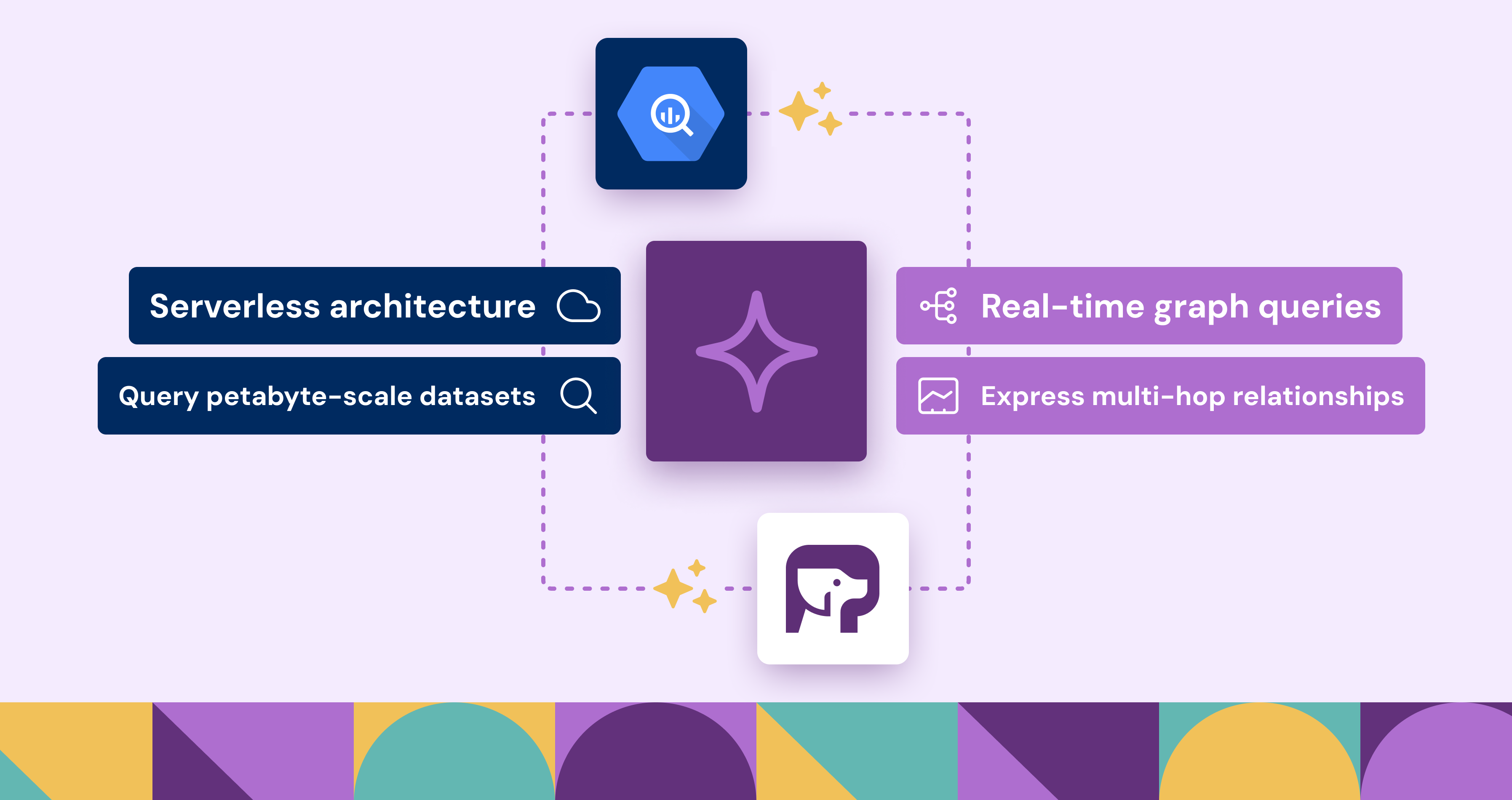
BigQuery is Google Cloud's fully managed, petabyte-scale, and cost-effective analytics data warehouse that lets you run analytics over vast amounts of data in near real time.. It enables teams to run SQL queries for trend analysis, business intelligence, and machine learning—all without managing infrastructure. For many workloads, the SQL model is ideal.
Some use cases, however—like fraud detection, cybersecurity, or supply chain analysis—require exploring the relationships between entities. These workloads are fundamentally graph problems. They involve traversing connections, analyzing paths, and understanding how things are linked.
This is where PuppyGraph comes in. PuppyGraph is a real-time graph query engine designed to work directly with BigQuery. Instead of exporting data or building a separate ETL pipeline, users can create graph models on top of existing BigQuery tables and query them using Gremlin or openCypher.
What is BigQuery?
BigQuery is a fully managed, AI-ready data analytics platform that helps you maximize value from your data and is designed to be multi-engine, multi-format, and multi-cloud.. It runs on a serverless architecture, which means users don’t need to manage infrastructure or allocate resources manually. Queries are executed across distributed compute nodes in parallel, allowing for interactive performance on datasets that span terabytes to petabytes. Its columnar storage format and support for standard SQL make it accessible to data teams already familiar with traditional analytics tooling.
Beyond speed and scale, BigQuery integrates seamlessly with Google Cloud services like Looker, Pub/Sub, and Dataflow, enabling end-to-end analytics workflows from ingestion to modeling and visualization. Whether it's analyzing event data, aggregating business metrics, or powering dashboards, BigQuery provides a robust foundation for organizations seeking to centralize their data and make it query-ready at all times.
Why Combine Graph Analytics with BigQuery?
SQL is excellent for filtering, aggregating, and joining structured data. But when your questions involve multiple degrees of relationships—such as “who are the friends of customers who purchased the same software?”—queries can become deeply nested and harder to write and maintain.
Graph query languages like Gremlin and openCypher are built for these patterns. They allow you to express multi-hop relationships and traversals in a more natural way, especially when the data is already structured as people, places, events, or transactions.
With PuppyGraph, you can run these graph queries directly on BigQuery without moving data. This approach keeps your data centralized, simplifies your architecture, and lets both SQL and graph users operate on the same source of truth.
PuppyGraph + BigQuery: A Native Graph Layer on Top of Your Tables
PuppyGraph connects directly to BigQuery using JDBC. There’s no data movement, ETL, or duplication. You define a graph model on top of your existing BigQuery tables: which columns represent nodes, which represent edges, and how they’re connected. Once configured, you can run graph queries immediately.
PuppyGraph supports both Gremlin and openCypher, two widely used graph query languages. You can explore paths, compute metrics like PageRank or centrality, and visualize results—all while the data remains in BigQuery.
Key features of the integration:
- No data duplication or syncing required
- Read-only access to BigQuery through service account
- Graph queries execute on-demand
- Works with any existing BigQuery dataset
This approach makes it easy to add graph exploration to your analytics stack—without changing your architecture or moving your data.
Architecture Overview: PuppyGraph and BigQuery
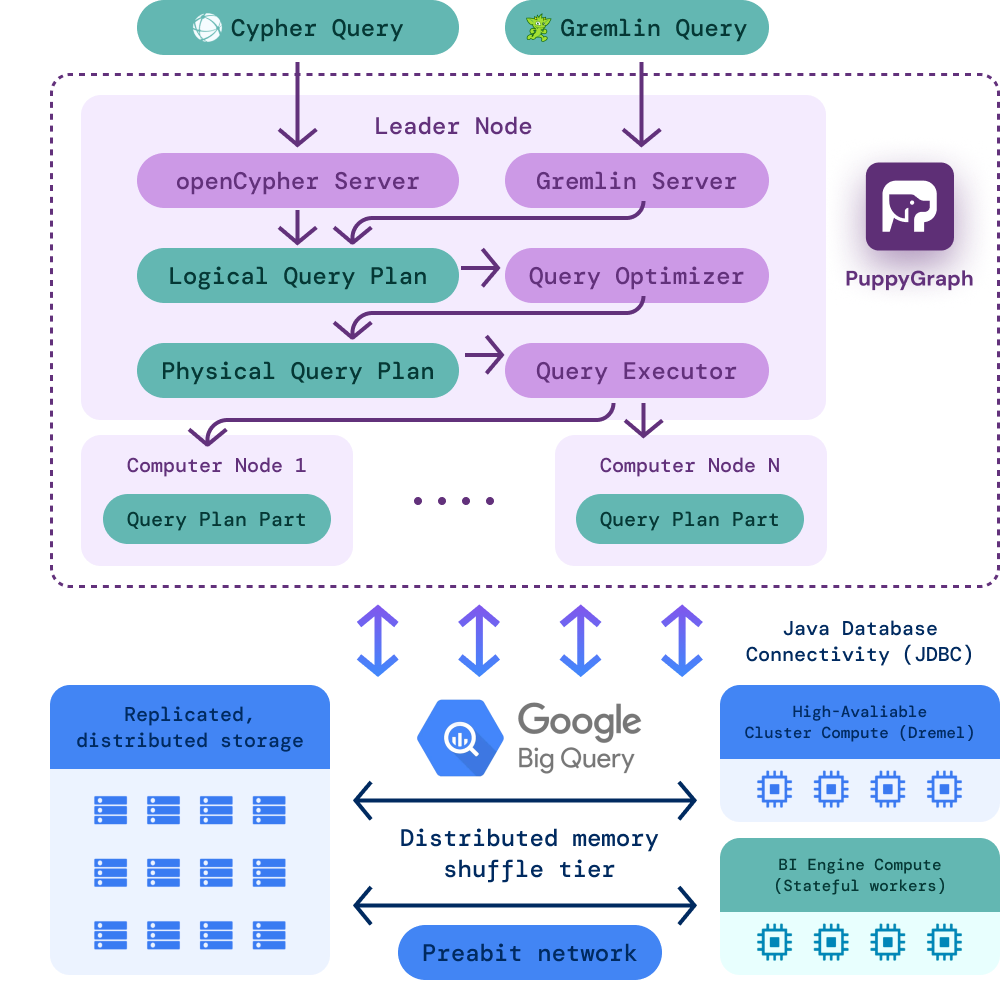
Here’s how it all works behind the scenes:
- Data stays in BigQuery: Your tables remain the source of truth. There’s no ETL, no ingestion, and no separate storage layer.
- PuppyGraph connects via JDBC: Using a read-only service account, PuppyGraph connects securely to BigQuery and introspects schema metadata.
- Graph model is defined virtually: You tell PuppyGraph how to treat specific tables and columns as nodes and edges—without modifying the underlying data.
- Queries are translated into execution plans: Graph traversals are parsed and translated into optimized query plans that interact with BigQuery in real time.
- No persistent infrastructure required: PuppyGraph runs as a container and only spins up when queries are running.
This lightweight, serverless architecture means there’s minimal operational overhead. You keep the power and scalability of BigQuery while gaining the expressiveness of a graph query engine.
Tutorial: Querying BigQuery Tables as a Graph
This section delivers a step-by-step tutorial on integrating PuppyGraph with Google BigQuery. Readers will learn to establish a connection, configure a graph model over BigQuery’s tables, and execute real-time queries to explore data relationships, leveraging its scalable architecture. It is also recommended to refer to the document on connecting to BigQuery from PuppyGraph.
Prepare demo data in BigQuery
Create a dataset in the Google Cloud Platform Console, followed by tables, using the console interface. Alternatively, open the SQL query tab in the console and execute the following SQL commands to establish the dataset and tables.
```sql
CREATE SCHEMA `<your_project>.<your_dataset>`
    OPTIONS(
      location = '<your_location>'
    );
CREATE TABLE `<your_project>.<your_dataset>.person` (
      id STRING,
      name STRING,
      age INT64
    );
CREATE TABLE `<your_project>.<your_dataset>.software` (
      id STRING,
      name STRING,
      lang STRING
    );
CREATE TABLE `<your_project>.<your_dataset>.knows` (
      id STRING,
      from_id STRING,
      to_id STRING,
      weight FLOAT64
    );
CREATE TABLE `<your_project>.<your_dataset>.created` (
      id STRING,
      from_id STRING,
      to_id STRING,
      weight FLOAT64
    );
```
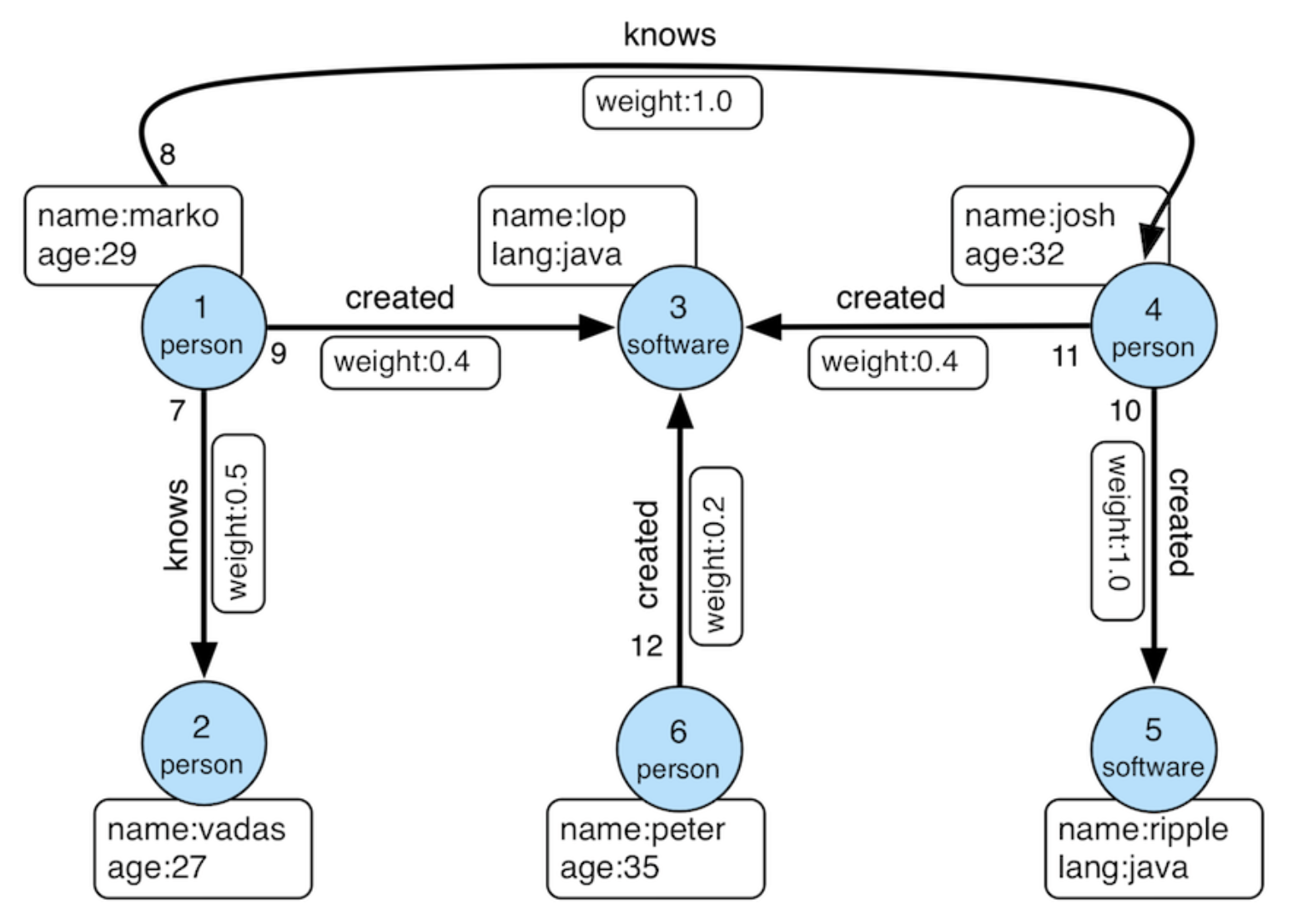
After creating the tables, insert the sample data with the following SQL commands.
```sql
INSERT INTO `<your_project>.<your_dataset>.person` VALUES
('v1', 'marko', 29),
('v2', 'vadas', 27),
('v4', 'josh', 32),
('v6', 'peter', 35);

INSERT INTO `<your_project>.<your_dataset>.software` VALUES
('v3', 'lop', 'java'),
('v5', 'ripple', 'java');

INSERT INTO `<your_project>.<your_dataset>.created` VALUES
('e9', 'v1', 'v3', 0.4),
('e10', 'v4', 'v5', 1.0),
('e11', 'v4', 'v3', 0.4),
('e12', 'v6', 'v3', 0.2);

INSERT INTO `<your_project>.<your_dataset>.knows` VALUES
('e7', 'v1', 'v2', 0.5),
('e8', 'v1', 'v4', 1.0);
```
Create a service account
Create a service account in the Google Cloud Platform with permissions to access BigQuery data. This service account enables PuppyGraph to connect to the data and requires at least the following permissions:
Manage service accounts within the Google Cloud Platform IAM & Admin section, then create and download a service account key.
Launch PuppyGraph with credential
To integrate with BigQuery, PuppyGraph can be launched using two recommended methods: a Docker container or the Google Cloud Marketplace. This demo utilizes the Developer Edition of a PuppyGraph Docker container. Execute the following command after replacing the placeholder for the service account key path with your actual file location:
```bash
docker run -p 8081:8081 -p 8182:8182 -p 7687:7687 -d -e GOOGLE_APPLICATION_CREDENTIALS=/home/ubuntu/key.json -v <path-to-service-account-key>:/home/ubuntu/key.json --name puppy --rm puppygraph/puppygraph:0.64
```
You may use the latest version as shown in dockerhub.
Model the graph
Log into the PuppyGraph Web UI at http://localhost:8081 with the following credentials:
- Username: `puppygraph`
- Password: `puppygraph123`
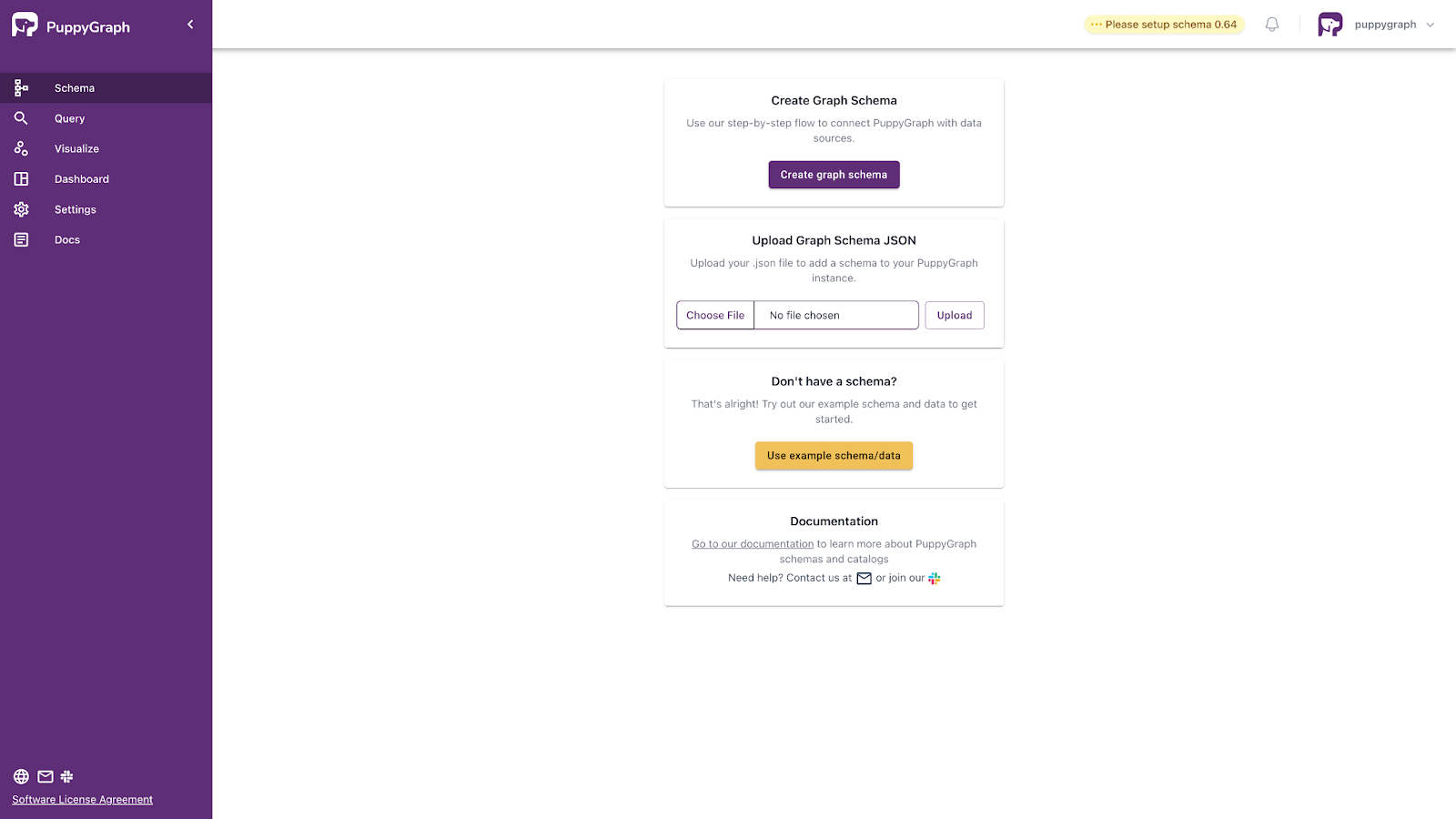
Next, upload the graph schema, which defines the graph structure from relational data. The schema is provided below, requiring you to replace the placeholder in the jdbcUri with your actual value. The following explanations clarify key settings:
- ProjectId=PJID. PJID must be set to your service account project ID.
- OAuthType=3 configures authentication, set to 3 for Application Default Credentials.
- EnableSession=1 generates a session ID from the first query, fixed at 1.
- location=LOCATION specifies the data location.
In this demonstration, update the ProjectID in the schema with your service account’s project ID and set the data location with your dataset, leaving the remaining configuration unchanged.
Alternatively, use the graph schema builder to construct the graph incrementally based on the schema JSON file. Note that the user and password fields should remain blank, as they are not included in the graph schema JSON file.
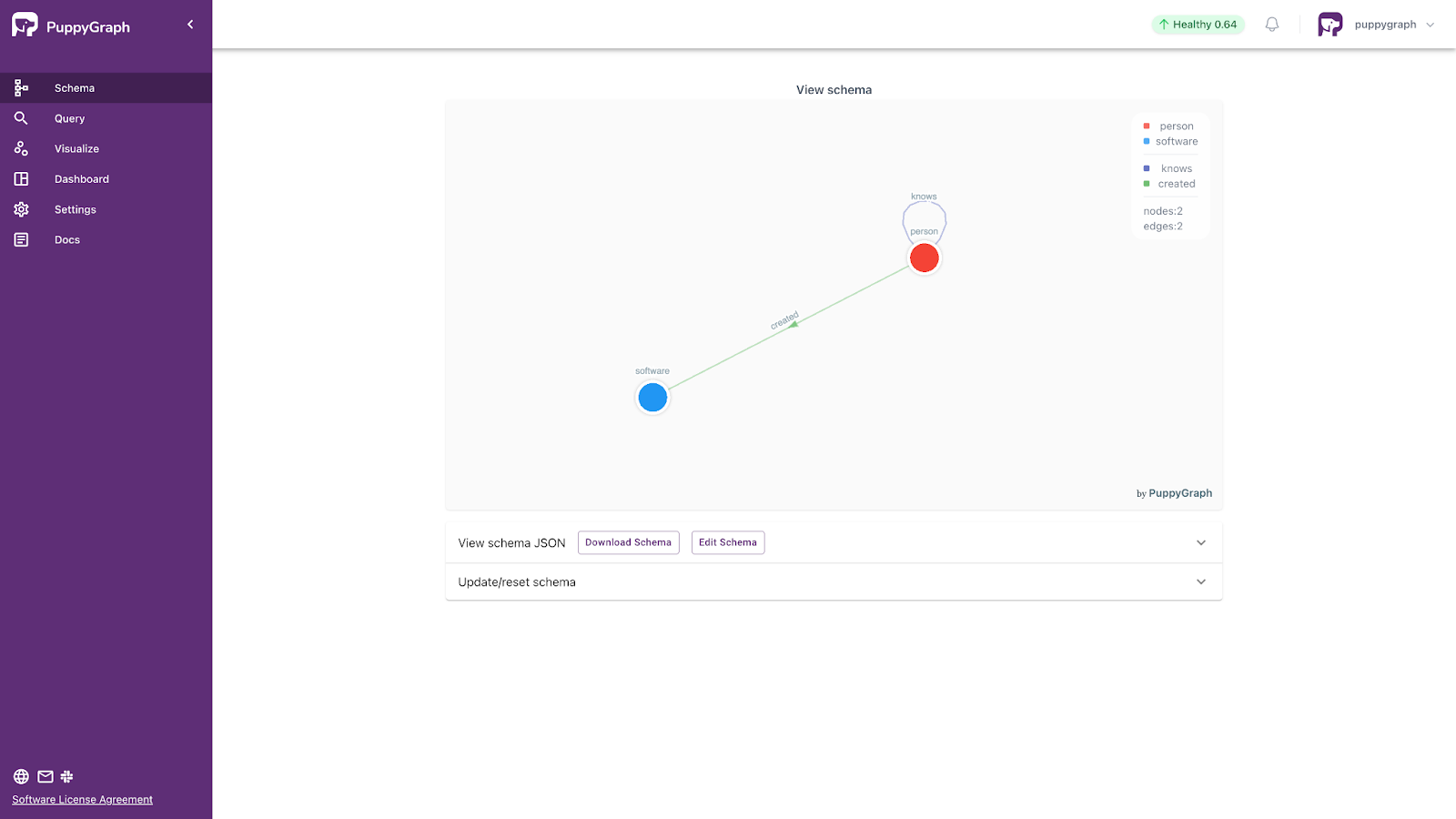
```schema.json
{
  "catalogs": [
    {
      "name": "test",
      "type": "bigquery",
      "jdbc": {
        "jdbcUri": "jdbc:bigquery://https://www.googleapis.com/bigquery/v2:443;ProjectId=<PJID>;OAuthType=3;EnableSession=1;location=<LOCATION>;",
        "driverClass": "com.simba.googlebigquery.jdbc.Driver",
        "enableMetaCache": "true",
        "metaCacheExpireSec": "600"
      }
    }
  ],
  "graph": {
    "vertices": [
      {
        "label": "person",
        "oneToOne": {
          "tableSource": {
            "catalog": "test",
            "schema": "modern",
            "table": "person"
          },
          "id": {
            "fields": [
              {
                "type": "STRING",
                "field": "id",
                "alias": "puppy_id_id"
              }
            ]
          },
          "attributes": [
            {
              "type": "STRING",
              "field": "name",
              "alias": "name"
            },
            {
              "type": "LONG",
              "field": "age",
              "alias": "age"
            }
          ]
        }
      },
      {
        "label": "software",
        "oneToOne": {
          "tableSource": {
            "catalog": "test",
            "schema": "modern",
            "table": "software"
          },
          "id": {
            "fields": [
              {
                "type": "STRING",
                "field": "id",
                "alias": "puppy_id_id"
              }
            ]
          },
          "attributes": [
            {
              "type": "STRING",
              "field": "id",
              "alias": "id"
            },
            {
              "type": "STRING",
              "field": "name",
              "alias": "name"
            },
            {
              "type": "STRING",
              "field": "lang",
              "alias": "lang"
            }
          ]
        }
      }
    ],
    "edges": [
      {
        "label": "knows",
        "fromVertex": "person",
        "toVertex": "person",
        "tableSource": {
          "catalog": "test",
          "schema": "modern",
          "table": "knows"
        },
        "id": {
          "fields": [
            {
              "type": "STRING",
              "field": "id",
              "alias": "puppy_id_id"
            }
          ]
        },
        "fromId": {
          "fields": [
            {
              "type": "STRING",
              "field": "from_id",
              "alias": "puppy_from_from_id"
            }
          ]
        },
        "toId": {
          "fields": [
            {
              "type": "STRING",
              "field": "to_id",
              "alias": "puppy_to_to_id"
            }
          ]
        },
        "attributes": [
          {
            "type": "DOUBLE",
            "field": "weight",
            "alias": "weight"
          }
        ]
      },
      {
        "label": "created",
        "fromVertex": "person",
        "toVertex": "software",
        "tableSource": {
          "catalog": "test",
          "schema": "modern",
          "table": "created"
        },
        "id": {
          "fields": [
            {
              "type": "STRING",
              "field": "id",
              "alias": "puppy_id_id"
            }
          ]
        },
        "fromId": {
          "fields": [
            {
              "type": "STRING",
              "field": "from_id",
              "alias": "puppy_from_from_id"
            }
          ]
        },
        "toId": {
          "fields": [
            {
              "type": "STRING",
              "field": "to_id",
              "alias": "puppy_to_to_id"
            }
          ]
        },
        "attributes": [
          {
            "type": "DOUBLE",
            "field": "weight",
            "alias": "weight"
          }
        ]
      }
    ]
  }
}
```
Query the Graph
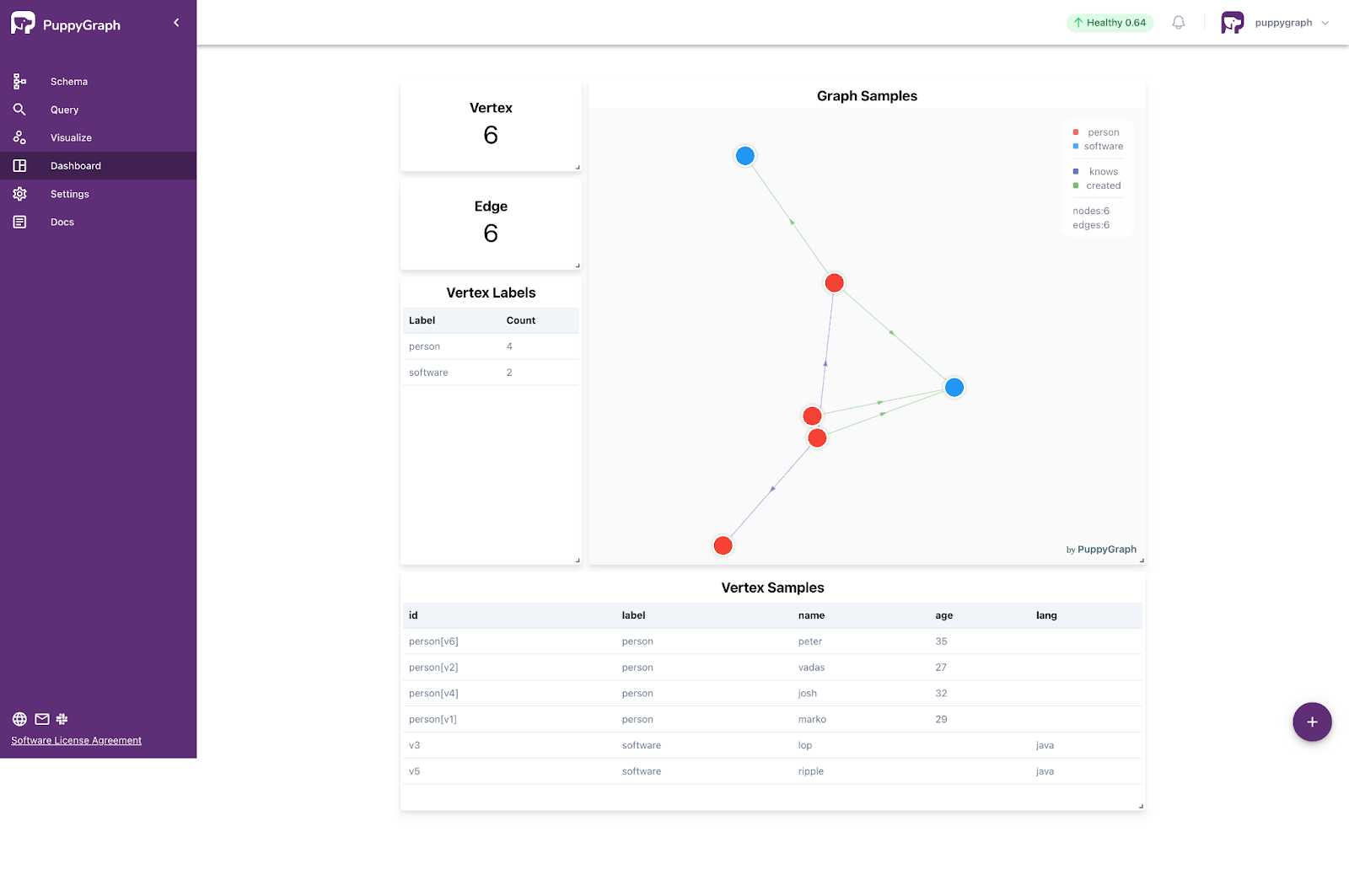
With the schema uploaded, query the graph through the PuppyGraph Web UI’s Query section. Access the Graph Query interface to execute Gremlin or openCypher queries and visualize their results, or use the Graph Notebook to obtain text-based results from Gremlin or openCypher queries.
Here are some example queries:
1. Retrieve a vertex named 'marko'.
Gremlin:
```gremlin
g.V().has("name", "marko").valueMap()
```
openCypher:
```cypher
MATCH (v {name: 'marko'}) RETURN v
```
2. Retrieve the paths from "marko" to the software created by those whom "marko" knows.
Gremlin:
   ```gremlin
   g.V().has("name", "marko")
   .out("knows").out("created").path()
   ```
   openCypher:
   ```cypher
   MATCH p=(v {name: 'marko'})-[:knows]->()-[:created]->()
   RETURN p
   ```
Clean up
Execute this command to stop the Docker container:
```bash
docker stop puppy
```
Secure your service account key, which can be deleted and regenerated for future use.
Conclusion
Graph queries don’t replace SQL—they complement it. With PuppyGraph, BigQuery users can query their data both ways: as rows when it makes sense, and as relationships when that’s easier. There’s no ETL, no learning curve for new infrastructure, and no need to manage another database.
If you already use BigQuery and want to try graph queries, download PuppyGraph’s forever-free Developer Edition, get started via Google Cloud marketplace or book a free demo today with our graph experts.
Jobin George is the Global Data & AI Partner Solutions & Strategy Lead at Google.
Sa Wang is a Software Engineer with exceptional mathematical ability and strong coding skills. He holds a Bachelor's degree in Computer Science and a Master's degree in Philosophy from Fudan University, where he specialized in Mathematical Logic.

Get started with PuppyGraph!


Developer Edition
- Forever free
- Single noded
- Designed for proving your ideas
- Available via Docker install
Enterprise Edition
- 30-day free trial with full features
- Everything in developer edition & enterprise features
- Designed for production
- Available via AWS AMI & Docker install