


Databricks Knowledge Graph: Everything You Need To Know

One of the key aspects of utilizing data effectively is the ability to extract insights from it. However, when the data is overly complex, discerning these insights can be challenging, especially when considering how each relationship contributes to the overall picture. Knowledge graphs present a potent method for organizing and exploring the intricate relationships in your data. If you're using Databricks, there are strategies to utilize this SQL data store as a graph database, such as integrating with PuppyGraph's Databricks solution.
In this blog post, we're diving into the realm of Databricks Knowledge Graphs, revealing their mechanics and how they can transform your data workflows. We'll show you how these graphs can unveil insights that traditional methods might miss. We'll begin by exploring the fundamentals of knowledge graphs and then dive deeper into Databricks' implementation. By the end of this blog, you’ll learn precisely how to incorporate graph technologies into your Databricks environment and even execute your initial graph query. Let's start by learning more about the fundamentals of knowledge graphs.
What are knowledge graphs?

At their core, knowledge graphs represent information as a network of interconnected entities and their relationships. This is the core concept of graphs and graph databases. Data within the knowledge graph is a web of nodes, where each node represents a concept, object, or event, and the links between them depict the connections and associations. This structure enables knowledge graphs to capture not just the raw data but also the context and meaning behind it.
When data is stored as a graph, you have a navigable network revealing hidden pathways and dependencies. This makes knowledge graphs incredibly valuable for tasks that require understanding the bigger picture, including:
- Semantic search - It goes beyond keyword matching to understand the intent behind a query, thereby delivering more relevant results.
- Recommendation systems - It provides personalized suggestions by analyzing the relationships between users, items, and their attributes.
- Fraud detection - It identifies suspicious patterns and anomalies through the analysis of connections between entities and transactions.
- Data integration - It unifies disparate data sources by mapping their entities and relationships onto a common schema. Knowledge graphs capture the complexities of the real world, making them a great tool for analyzing data beyond the confines of traditional SQL and NoSQL approaches
What is Databricks knowledge graph?
With its Lakehouse architecture and support for diverse data formats, Databricks facilitates working with knowledge graph data despite lacking a dedicated Knowledge Graph feature. Within Databricks, you can leverage its capabilities to:
- Store and manage knowledge graph data - the Lakehouse's storage layer can house your knowledge graph data, ensuring scalability and durability.
- Perform graph queries - Databricks supports SQL extensions and integrations for graph querying capabilities, such as PuppyGraph, allowing you to traverse and analyze your knowledge graph data effectively.
- Integrate with existing data - connect your knowledge graph to other data sources within the Lakehouse, enriching your analyses by bringing in all applicable data.
- Apply machine learning - leverage Databricks' machine learning capabilities to train and deploy models that can utilize knowledge graph data.
By leveraging these features, you can build and leverage knowledge graph capabilities using your data within Databricks. Before we look at how to practically apply some of these capabilities, let’s first take a closer look at Databricks itself.
Read this insightful blogpost to learn everything you need to know about knowledge graphs in machine learning.
Understanding Databricks
To fully understand the advantages of leveraging knowledge graphs using Databricks, let's take a moment to understand the fundamentals of Databricks itself. At its core, Databricks is a unified analytics platform built on top of Apache Spark. The platform provides a collaborative environment for data engineers, data scientists, and analysts to work together seamlessly with various data types and formats.
Some of the key features of Databricks include:
- Interactive notebooks - Databricks offers a web-based notebook interface for writing and executing code in languages like Python, Scala, SQL, and R. This enables exploratory data analysis, machine learning model development, and data visualization all in one place.
- Apache Spark integration - Databricks is tightly integrated with Apache Spark, a powerful open-source framework for distributed data processing. This allows you to easily process massive datasets and leverage Spark's rich ecosystem of libraries for machine learning, streaming, and graph processing.
- Lakehouse architecture - Databricks pioneered the Lakehouse architecture, combining the best data lakes and data warehouses. It provides a single platform for storing and managing all your structured, semi-structured, or unstructured data. This enables you to perform batch and streaming analytics on your data, all while maintaining data quality and governance.

- Collaboration and governance - Databricks provides robust collaboration features, allowing teams to share notebooks, data, and insights. It also offers comprehensive security and governance capabilities, including support for Unity Catalog, to protect and comply with your data.
Databricks offers a comprehensive platform that supports a wide range of use cases, covering the entire data lifecycle from ingestion and transformation to analysis and machine learning.
Having gained a better understanding of Databricks, let's delve into how knowledge graphs integrate with this powerful ecosystem.

Integration of knowledge graphs in Databricks
Integrating knowledge graphs into Databricks is relatively easy when using technologies like PuppyGraph. Combining PuppyGraph with Databricks allows you to leverage the power of graph-based and relational data in a unified environment without any need for complex ETL.
What is PuppyGraph?
PuppyGraph is the first and only graph analytic engine capable of querying multiple of your existing relational databases as a unified graph model within 10 minutes. This means you can query the same copy of the tabular data as graphs (via Gremlin or Cypher) and in SQL at the same time - no ETL required.

PuppyGraph facilitates the execution of graph queries on traditional table structures, bypassing the expense and intricacy of integrating an independent graph database. It provides an array of both automated and manual graph modeling tools. Upon connecting to an SQL data store, the PuppyGraph interface offers a streamlined approach for users to efficiently translate SQL data into a graph representation. In addition, PuppyGraph's automation feature proactively proposes optimal mapping strategies for data points, enhancing the user experience with guided support in model development.
One thing to note is that PuppyGraph doesn’t just translate SQL query under the hood. PuppyGraph sits on the same layer with other SQL query engines in the data analytics architecture. The difference is that PuppyGraph is optimized for graph queries. PuppyGraph builds on top of tables. So if the tables are actually in an open table format (like Databricks Delta Lake and Apache Iceberg), PuppyGraph directly accesses the table formats, leveraging the index of these column based table formats.
PuppyGraph might issue simple SQL queries to read data from data stores when necessary. But these queries are very simple (think SELECT attr1, attr2, … FROM table1 WHERE filter1 AND filter2 AND) and PuppyGraph’s secret sauces in optimizing the performance of the graph queries is happening in its own query engine.
Watch this quick video to see how to query your relational database as a graph using PuppyGraph.
PuppyGraph is the first graph engine partner of Unity Catalog
At this year’s Data+AI Summit, Databricks CTO announced that Unity Catalog is now open source. PuppyGraph is excited to be the first graph query engine partner for the newly open sourced Unity Catalog. This partnership is an indication of our commitment to advancing graph compute technology within the dynamic landscape of AI and data governance.


Want to learn more about the PuppyGraph and Unity Catalog integration? Read the blog Integrating Unity Catalog with PuppyGraph for Real-time Graph Analysis on Unity Catalog's website.
Deploy PuppyGraph
The first step is to deploy PuppyGraph. Luckily, this is easy and can currently be done through Docker (see PuppyGraph Docs) or PuppyGraph’s AWS AMI through AWS Marketplace. The AMI approach requires only a few clicks and will deploy your instance on the infrastructure of your choice. In the following section, we will concentrate on the specifics of launching a PuppyGraph instance using Docker.
With Docker installed, run the following command in your terminal:
ssdocker run -p 8081:8081 -p 8182:8182 -p 7687:7687 -d --name puppy --rm --pull=always puppygraph/puppygraph:stableThis will spin up a PuppyGraph instance on your local machine (or on a cloud or bare metal server if that's where you want to deploy it). Next, go to localhost:8081 or the URL on which you launched the instance. This will show you the PuppyGraph login screen.

After logging in with the default credentials (username: “puppygraph” and default password: “puppygraph123”) the PuppyGraph instance is ready to go and now you can proceed with connecting to the underlying data stored in Databricks.
Connect to your data source and define your schema
Next, you must connect to the data source to run graph queries against it. You can use a JSON schema document to define your connectivity parameters and data mapping. As an example, here is what one of these schemas might look like if we were connecting to Databricks Delta Lake instance using Unity Catalog:
{
  "catalogs": [
    {
      "name": "puppygraph",
      "type": "deltalake",
      "metastore": {
        "type": "unity",
        "host": "<UNITY_CATALOG_HOST>",
        "token": "<UNITY_CATALOG_ACCESS_ACCESS_TOKEN>",
        "databricksCatalogName": "<CATALOG_NAME_UNDER_UNITY>"
      },
      "storage": {
        "useInstanceProfile": "false",
        "region": "us-east-1",
        "accessKey": "<S3_ACCESS_KEY>",
        "secretKey": "<S3_SECRET_KEY>",
        "enableSsl": "false",
        "type": "S3"
      }
    }
  ],
  "vertices": [
    {
      "label": "person",
      "attributes": [
        {
          "type": "String",
          "name": "name"
        },
        {
          "type": "Int",
          "name": "age"
        }
      ],
      "mappedTableSource": {
        "catalog": "puppygraph",
        "schema": "modern_demo",
        "table": "person",
        "metaFields": {
          "id": "id"
        }
      }
    },
    {
      "label": "software",
      "attributes": [
        {
          "type": "String",
          "name": "name"
        },
        {
          "type": "String",
          "name": "lang"
        }
      ],
      "mappedTableSource": {
        "catalog": "puppygraph",
        "schema": "modern_demo",
        "table": "software",
        "metaFields": {
          "id": "id"
        }
      }
    }
  ],
  "edges": [
    {
      "label": "created",
      "from": "person",
      "to": "software",
      "attributes": [
        {
          "type": "Double",
          "name": "weight"
        }
      ],
      "mappedTableSource": {
        "catalog": "puppygraph",
        "schema": "modern_demo",
        "table": "created",
        "metaFields": {
          "from": "from_id",
          "id": "id",
          "to": "to_id"
        }
      }
    },
    {
      "label": "knows",
      "from": "person",
      "to": "person",
      "attributes": [
        {
          "type": "Double",
          "name": "weight"
        }
      ],
      "mappedTableSource": {
        "catalog": "puppygraph",
        "schema": "modern_demo",
        "table": "knows",
        "metaFields": {
          "from": "from_id",
          "id": "id",
          "to": "to_id"
        }
      }
    }
  ]
}
In this example, you can see the data store details in the catalogs section. This is all that is needed to connect to your Databricks instance. Underneath the catalogs section, you’ll notice that we have defined the nodes and edges and where the data comes from. This tells PuppyGraph how to map the SQL data into the graph hosted inside PuppyGraph. This information can then be uploaded to PuppyGraph, all set for you to run queries!
To provide additional insight into how the schema mentioned maps onto the data, here's a glimpse at what the corresponding SQL data appears to be:

Alternatively, for those who want a more UI-based approach, PuppyGraph also offers a schema builder that allows users to use a drag-and-drop editor to build their schema. In an example similar to the one above, here is what the UI would look like with the schema built out. First, you must input the details of the Databricks catalog you wish to connect with. .

Then, based on the schema, you'd define your nodes and edges. Here's an example of what it would look like to define the edge connecting a person to a software.

Once you've defined all of your edges and nodes, you'll then see a visual representation of the schema that you just defined. If all is good, you can then submit this to the server so you can begin querying.

Regardless of how the schema is created and uploaded to the server, we can instantly query data once it is uploaded to PuppyGraph. For more complex knowledge graphs that use multiple data sources, multiple catalogs can be imported and mapped into the graph schema. In this example, things are quite simple with only a few nodes and edges.
Query your data as a graph
Now, you can query your data as a graph without the need for data replication or ETL processes.
Our next step is to figure out how we want to query our data and what insights we want to gather from it.
PuppyGraph allows users to use Gremlin, Cypher, or Jupyter Notebook.
For example, based on the schemas above, a Gremlin query, shown in a visualized format that can be explored further, will look like this:

In the Cypher Console, a related query output would look like this:
puppy-cypher> :> MATCH (n) RETURN n.name
==>[n.name:vadas]
==>[n.name:josh]
==>[n.name:peter]
==>[n.name:marko]
==>[n.name:ripple]
==>[n.name:lop]
As you can see, graph capabilities can be achieved with PuppyGraph in minutes without the heavy lift usually associated with graph databases. Whether you’re a seasoned graph professional looking to expand the data you have to query as a graph or a budding graph enthusiast testing out a use case, PuppyGraph offers a high-performance and straightforward way to add graph querying and analytics to the data you have within Databricks - all with zero ETL and no separate graph database required. This capability allows for knowledge graphs to be easily created with your data living within your Databricks instance.
PuppyGraph is an exceptional tool for managing and using large knowledge graphs.
Benefits of using knowledge graphs in Databricks
Integrating knowledge graphs into your Databricks workflows using tools like PuppyGraph is incredibly powerful. It allows you to enhance your data analysis, discover new business meaning, and leverage a semantic data model to make cost-effective and appropriate decisions.
Enhanced data insights
Knowledge graphs enable you to go beyond traditional data analysis by uncovering hidden relationships and patterns. By connecting disparate data points, you can gain a deeper understanding of your data and extract more meaningful insights. This boost in semantic discovery is one of the main reasons that knowledge graphs are so critical for modern organizations, as it allows for more rapid decision making that is higher quality and better informed.
Improved data discovery
The interconnected nature of knowledge graphs makes it easier to discover relevant information and new relationships. You can traverse the graph to find related entities, explore their connections, and identify new areas of interest.
Contextualized analytics
Knowledge graphs provide context to your data, allowing you to develop more nuanced and targeted analysis. You can leverage the relationships between entities to understand the impact of events, identify influencers, and predict future trends, helping to guide your organization to a more informed business context.
Advanced machine learning
Knowledge graphs can be used to train and deploy machine learning models that leverage the rich context and relationships captured in the graph. This can lead to improved performance in tasks like recommendation systems, fraud detection, and natural language processing. Machine learning is a solution accelerator, allowing for rapid development and deployment - leveraging these models can give you a significant and quick step up in complexity, capacity, and capability.
Streamlined data integration and efficient querying
Knowledge graphs provide a common schema for integrating data from disparate sources. This simplifies the process of data unification and enables you to create a single, unified view of your data. This unification presents a more streamlined mode of data access, eliminating data silos and connecting relevant data at scale through a powerful semantic data layer.
This movement towards integrated data also unlocks significant efficiency in querying. Along with Databricks' optimized graph querying capabilities, streamlined data integration allows you to perform complex graph traversals and pattern matching with ease. This enables you to get answers to your questions faster and more efficiently.
Scalability
The Lakehouse architecture underlying Databricks ensures that your knowledge graph can scale to handle massive datasets, allowing you to work with large and complex graphs without compromising performance. Data can often diverge across different entities and implementations, so the ability to harmonize data while preventing any organizational or mechanical restrictions is a good example of the unique benefits offered by this approach.
Use cases and applications

The versatility of knowledge graphs in Databricks opens up a wide range of use cases and applications across various industries, including:
- Graph RAG + LLM - Databricks provides an interface for Large Language Models (LLMs) either through SQL or leveraging the LangChain API. PuppyGraph can directly query the data stored in Databricks as a graph with its graph query engine and offers advanced graph analytics capabilities - all without any ETL. Read more about how the Databricks Solution Architect, Ajmal Aziz, leveraged PuppyGraph to create Graph RAG and increase the accuracy for meta queries by from grade 1 to grade 4.8-5 with MLflow evaluation (blog link).
- Recommendation systems - by modeling user preferences, item attributes, and their interactions as a knowledge graph, you can build powerful recommendation systems that deliver personalized search results and high-value suggestions to users.
- Fraud detection - knowledge graphs can help identify suspicious patterns and anomalies by analyzing the relationships between entities and transactions. This can be used to detect fraud in financial transactions, insurance claims, and other domains, ensuring trustworthy transaction chains for companies across multiple industries.
- Healthcare - knowledge graphs can be used to represent medical knowledge, patient data, and treatment options. This can help healthcare professionals connect data to make more informed decisions, identify potential drug interactions, and improve patient outcomes.
- Supply chain management - knowledge graphs can model the complex relationships between suppliers, manufacturers, distributors, and customers, optimizing inventory levels, identifying bottlenecks, and improving supply chain efficiency.
- Customer 360 - by integrating customer data from various sources into a knowledge graph, you can create a 360-degree view of your customers. This enterprise data can help you understand their needs, personalize their experiences, and improve customer satisfaction.
- Drug discovery - knowledge graphs excel at representing semantic data, delivering insights and connections that might not be obvious on first understanding. This benefit can be used to represent a vast amount of biomedical data, including genes, proteins, diseases, and drug mechanisms and interactions. This can help researchers identify new drug targets, predict drug efficacy, and accelerate the drug discovery process.
These are just a few examples of the many ways knowledge graphs can be used in Databricks. The possibilities are endless, and the ability to combine graph-based and relational data within a unified environment opens up a huge range of new opportunities for innovation and discovery. Knowledge graphs, a form of graph database, are becoming increasingly popular across various industries for organizing and leveraging large volumes of data.
Challenges and considerations
While the integration of knowledge graphs in Databricks offers numerous benefits, there are also some challenges and considerations to keep in mind:
- Data quality - the accuracy and completeness of your knowledge graph data is directly related to its ability to derive and deliver meaningful insights. Ensure that your data is clean, consistent, and up-to-date - if your data is high quality, your knowledge will be high quality as well.
- Data modeling - designing an effective knowledge graph schema requires careful consideration of the entities, relationships, and attributes that are relevant to your use case. A well-designed schema will facilitate efficient querying and analysis.
- Performance - while Databricks offers optimized graph querying capabilities, performance can still be a concern for very large and complex graphs, especially in high semantics environments. Consider partitioning your graph, using appropriate indexing techniques, and optimizing your queries for better performance. AI tools and optimization of existing processes can help streamline this further, reducing the general overhead required.
- Security - knowledge graphs often contain sensitive information. Ensure that your Databricks environment is properly secured and that access to your knowledge graph data is restricted to authorized users.
- Skills and expertise: Working with knowledge graphs requires a combination of graph database and data engineering skills. Ensure that your team has the necessary specialized skills and expertise, or consider partnering with experts who can help you get started.
Conclusion
Whether your goals include developing recommendation engines, detecting fraudulent activity, enhancing healthcare outcomes, streamlining supply chain management, or achieving a comprehensive view of your customers, employing PuppyGraph to craft Databricks Knowledge Graphs lays the groundwork for effortlessly exploiting the connections and relationships in your data. This approach sidesteps the complexities associated with traditional graph databases and intricate ETL processes. Begin exploring the capabilities of knowledge graphs today and start integrating PuppyGraph with your Databricks setup.
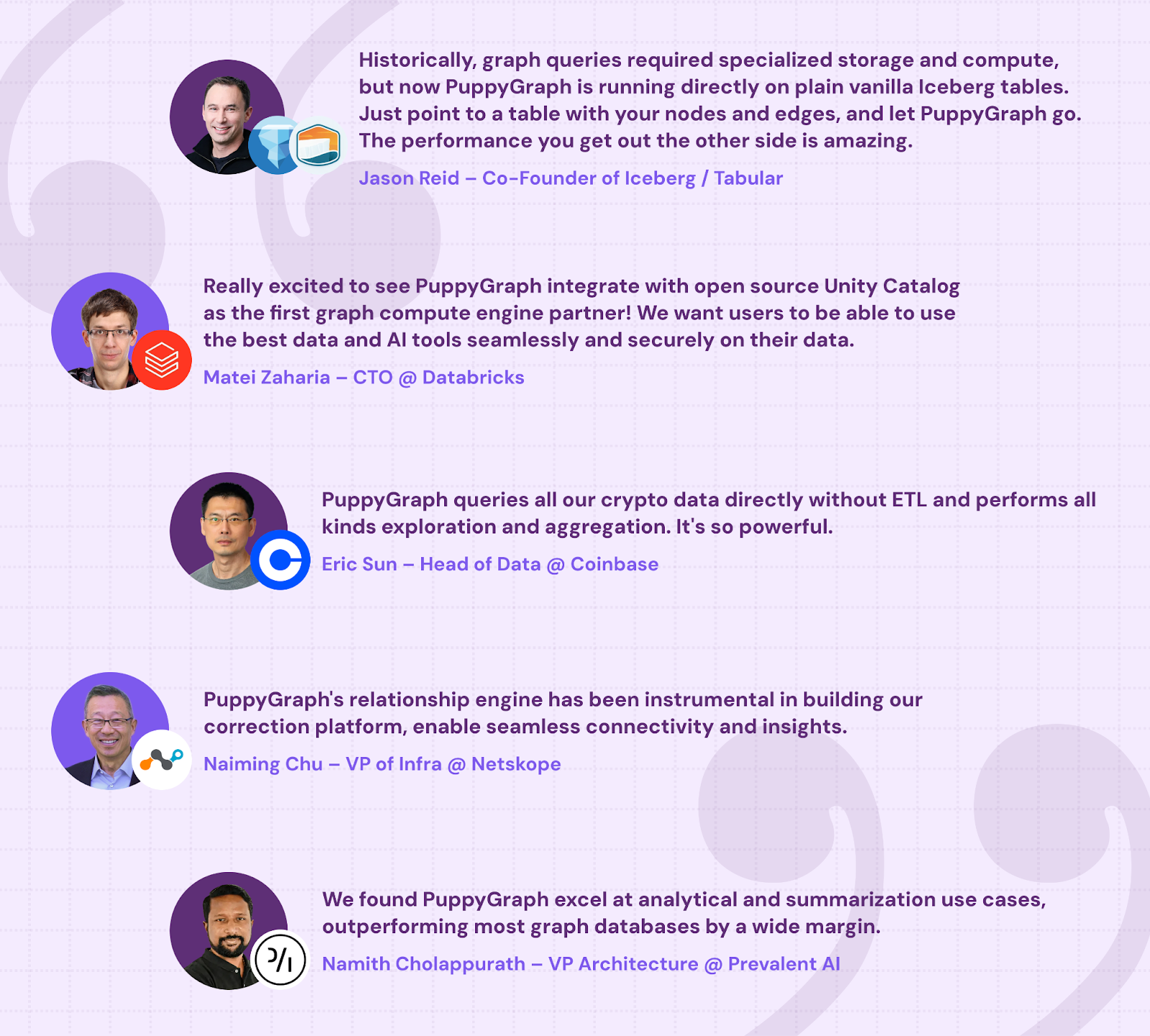
PuppyGraph is already used by half of the top 20 cybersecurity companies, as well as engineering-driven enterprises like AMD and Coinbase. Whether it’s multi-hop security reasoning, asset intelligence, or deep relationship queries across massive datasets, these teams trust PuppyGraph to replace slow ETL pipelines and complex graph stacks with a simpler, faster architecture.
Interested in trying PuppyGraph? Start with our forever-free Developer Edition, or try our AWS AMI. Want to see a PuppyGraph live demo? Book a call with our engineering team today.

Matt is a developer at heart with a passion for data, software architecture, and writing technical content. In the past, Matt worked at some of the largest finance and insurance companies in Canada before pivoting to working for fast-growing startups.

Get started with PuppyGraph!


Developer Edition
- Forever free
- Single noded
- Designed for proving your ideas
- Available via Docker install
Enterprise Edition
- 30-day free trial with full features
- Everything in developer edition & enterprise features
- Designed for production
- Available via AWS AMI & Docker install