


Iceberg vs Delta Lake: Key Differences Explained
The data lakehouse rose as a way to pair warehouse-style guarantees with the low cost and elasticity of object storage. Projects like Apache Iceberg and Delta Lake add ACID transactions, time travel, and safe schema evolution to open file formats so teams get reliability without giving up affordable storage. Although, differences in their strategies lead to different strengths and weaknesses that you might want to consider when choosing which table format works best for your organization.
In this post, we start with a quick refresher on what a data lakehouse is. We then cover how Iceberg and Delta Lake approach table structure and key features, compare where each excels, and close with a simple guide on when to choose one over the other.
What is a Data Lakehouse?
A data lakehouse combines a data lake’s low-cost, flexible storage with a warehouse’s management and performance guarantees. The idea is to keep data in open formats on object storage, then add a transactional layer so many engines can read and write safely. This setup has three parts: the storage layer, the transaction layer, and the compute layer.
Storage Layer
The storage layer relies on inexpensive, elastic object storage for data files and the table-format metadata produced by Iceberg or Delta Lake. The data can be structured, semi-structured, or unstructured, commonly in open formats like Parquet. Tables are registered in a catalog, which tracks the active metadata file. Engines consult this metadata to plan queries, skip irrelevant files, and enforce ACID snapshots. Decoupling storage from compute lets you grow capacity independently and support many engines reading the same datasets.
Transaction Layer
Both Iceberg and Delta Lake live in the transaction layer. It is in this layer that files on object storage are turned into reliable tables that many engines can share safely.
- Table format sets layout, schema and partition evolution, and snapshot consistency.
Transaction manager handles commits, conflict detection, and isolation, usually with help from the catalog. - Table services perform maintenance such as compaction, file and manifest rewrite, clustering or sorting, snapshot retention, orphan cleanup, and stats or indexing.
Catalog is the registry. It holds table metadata, offers discovery and authorization APIs, and often helps coordinate transactions.
Compute Layer
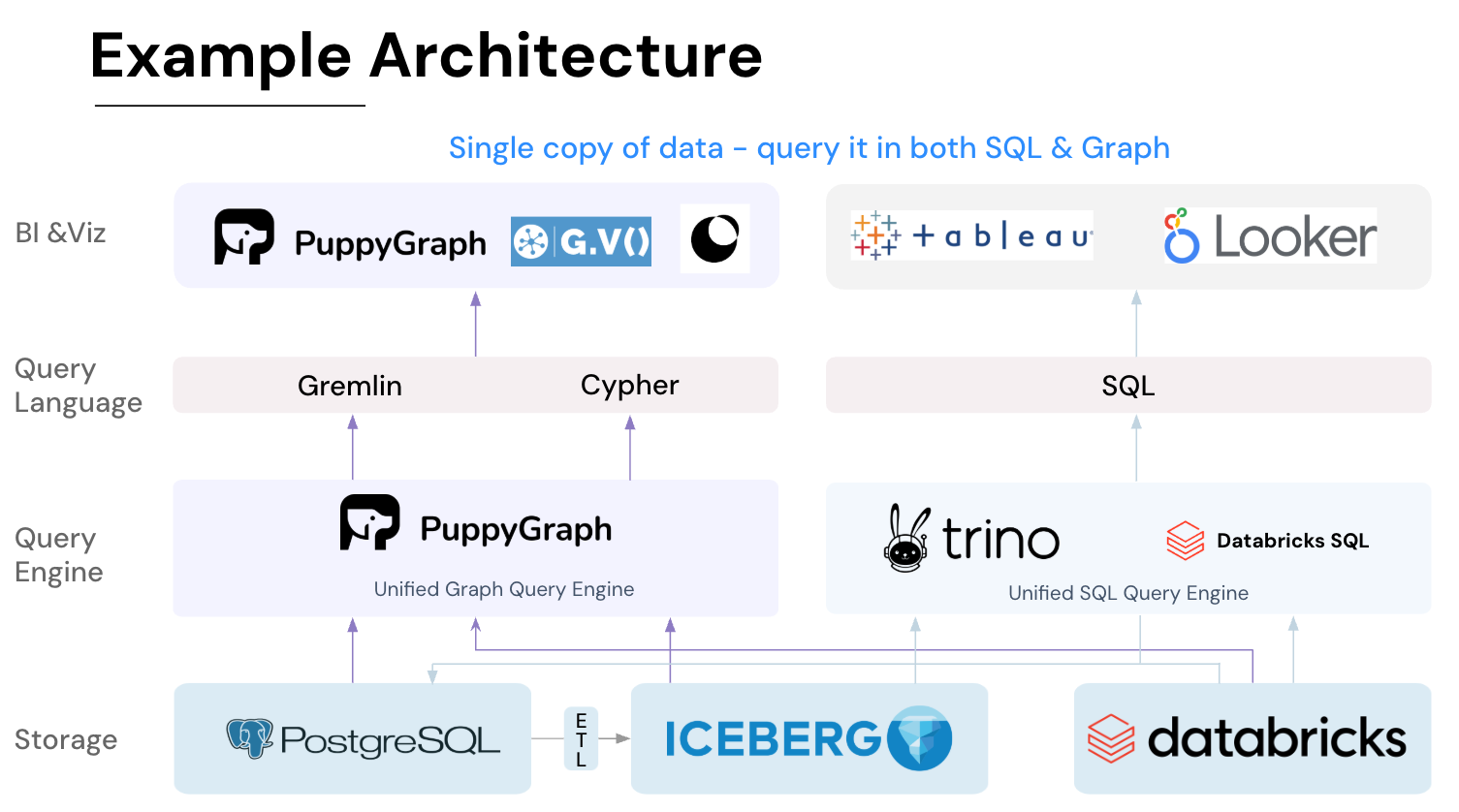
The compute layer is where engines do the work. Batch and interactive SQL, graph engines, streaming systems, notebooks, and BI tools connect through connectors that understand the table format, so reads and writes keep ACID guarantees. In a lakehouse, many engines can use the same tables without copying data. For example, run SQL analytics in Trino, then use PuppyGraph for multi-hop graph analysis on the same Iceberg or Delta tables.
What is Apache Iceberg?

Goals of Apache Iceberg
Apache Iceberg is a table format that was created in 2017 by Netflix’s Ryan Blue and Daniel Weeks. It was designed as a modern replacement for Hive tables, which struggled with schema evolution, partition management, and safe concurrent writes. At large scale, these gaps made pipelines fragile and analytics unreliable. Iceberg addresses these issues with five core goals:
- Consistency: Provides reliable query results through ACID transactions and snapshot isolation, even when multiple engines access the same table.
- Performance: Improves efficiency with optimized metadata handling, partition pruning, and scan planning that reduce the cost of queries at scale.
- Ease of use: Reduces complexity with features like hidden partitioning and familiar SQL commands for table creation and management.
- Evolvability: Supports schema changes and adapts to new execution engines with minimal disruption to downstream workloads.
- Scalability: Designed to manage petabyte-scale datasets and handle concurrent access in distributed environments.
Structure of Apache Iceberg
Apache Iceberg is simply a table format with a catalog interface. This separation keeps responsibilities clear and makes it easier to run the same tables across multiple engines.

Data Layer
The data layer consists of the files that hold the actual table content, typically stored in cloud or on-premises object storage. Iceberg is file-agnostic, letting users choose what underlying file format to use for storage: Parquet, Avro, and ORC. For handling deletes and updates, Iceberg’s default strategy is CoW, where new data files are created when changes occur. If a table is frequently updated, Iceberg can also use MoR. This approach allows updates without rewriting large datasets while still maintaining consistent query performance. From Iceberg v3 onwards, each data file comes with its own deletion vector to mask out deleted rows during reads. This is a departure from its original design, where delete files were stored separately and scattered across storage.
Metadata Layer
The metadata layer tracks the structure and version history of a table. These files are stored in Avro format, which is compact, schema-driven, and widely supported across languages and platforms. Because Avro embeds its own schema and has strong compatibility rules, engines can all parse the same files consistently, making the metadata layer engine-agnostic.
It is built from three key components:
- Metadata files: Define table properties, schema, partition specs, and pointers to the current snapshot.
- Manifest lists: Record which manifest files belong to a snapshot, enabling snapshot isolation and time travel.
- Manifest files: Contain detailed information about data files, such as partition values, row counts, and file-level statistics.
This layered design makes features like schema evolution, time travel, and atomic operations possible. Query engines like Trino and PuppyGraph rely on these metadata files to plan queries efficiently, pruning unnecessary files and ensuring consistent results without scanning the entire dataset.
Catalog Layer
The catalog tracks table definitions and the pointer to the current metadata file. Iceberg uses optimistic concurrency for commits: a writer reads the current pointer, stages a new metadata file, then performs an atomic compare-and-swap. If another commit wins, the update is rejected and the writer retries against the latest snapshot.
This delivers atomic commits and snapshot isolation for a single table, so readers see either the old state or the new state, never a partial write. Iceberg supports Hive Metastore, AWS Glue, JDBC, Nessie, and REST catalogs. This means that Iceberg can support custom catalogs via pluggable Java APIs or the REST Catalog protocol.
Key Features of Apache Iceberg
Iceberg uses hidden partitioning, which lets you define transforms like day(ts), bucket(id, N), or truncate(col, k) while queries keep filtering on the original columns. Engines use the stored metadata to prune partitions automatically, so SQL stays simple and user error drops. Iceberg also supports partition evolution, letting you move from day(ts) to hour(ts) or add bucket(user_id, 16) as needs change, with both layouts coexisting in one table.
Apache Iceberg is built for interoperability. Multi-language core libraries enable native integrations, and a formal table spec gives engines a consistent way to read, write, and evolve tables. The catalog layer supports a variety of catalog strategies, providing a Iceberg REST Catalog API specification to standardize how clients communicate with different catalog backends. With storage and compute decoupled, engines like Spark, Flink, Trino, and PuppyGraph interact with the data the same way wherever it lives.
Planning is fast because engines read a metadata tree before touching data files. A manifest list points to manifests, and each manifest summarizes many data files with partition ranges and column statistics such as min, max, and null counts. Planners can skip whole manifests and files up front, and the same metadata is queryable for debugging and governance.
What is Delta Lake?
Goals of Delta Lake
Delta Lake is a table format from Databricks, open-sourced in 2019 with the Linux Foundation. Many of the same engineers wrote “Structured Streaming: A Declarative API for Real-Time Applications in Apache Spark” (Armbrust et al., 2018), which explains Delta Lake’s tight integration with Spark, being fully compatible with Spark APIs and integrating with Spark’s Structured Streaming to allow for both batch and streaming operations.
The early prototype of Structured Streaming focused on adding semantic guarantees on eventually consistent storage, but it hit scaling limits:
- Files were held in memory
- Only a single writer was supported
- No transactions or conflict resolution
Delta Lake served to provide scalable transaction logs that could handle massive data volumes and complex operations, with an emphasis on efficiency and scalability.
Structure of Delta Lake
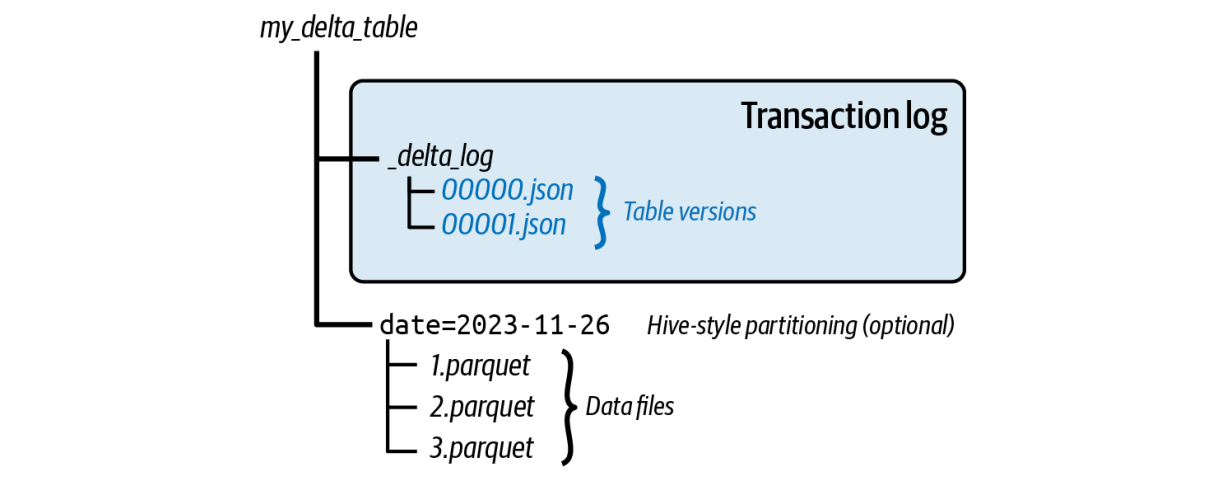
Both Apache Iceberg and Delta Lake bring ACID guarantees to data lakes, but they take different paths. Instead of Iceberg’s metadata tree, Delta Lake keeps a transaction log of JSON files that are periodically compacted into Parquet checkpoints.
Data Files
Delta Lake tables store their underlying data in Parquet file format, although it can still interact with other common file formats like ORC and Avro as a separate source via the Spark engine. These files contain the actual data and are stored in a distributed cloud or on-premises file storage system.
Transaction Log
The Delta log is an ordered history of every change to a table. Each commit writes a JSON file under _delta_log describing the operation, added or removed files, and the schema at that point. This log underpins ACID behavior.
While Delta Lake traditionally relied on CoW, it now also supports MoR similar to Iceberg, with deletion vectors being introduced in Release 2.3, and the ability to merge them in Release 3.1. Deletion vector files are stored in one of two ways: they can be inline within the Delta transaction log's metadata or as separate sidecar files stored alongside the original data files in the _delta_log directory.
Metadata
Table schema, partitions, and configuration live in the transaction log and are accessible through SQL, Spark, Rust, and Python APIs. Engines use this information for schema enforcement and evolution, partition pruning, and data skipping.
Checkpoints
Delta Lake periodically compacts its transaction log into Parquet checkpoint files. By default, this is set to occur every 10 commits. Readers load the latest checkpoint, then apply newer JSON log files instead of replaying the entire history. This speeds up table initialization and recovery.
Key Features
Delta Lake is catalog optional, keeping the setup simple with path-based tables on object storage. When you need governance or discovery, you can still register the tables in Unity Catalog or Hive Metastore, keep the storage layout unchanged, and add permissions and lineage later.
Streaming and batch unification comes from Delta’s transaction log, which lets engines that implement the Delta protocol coordinate concurrent writers, use versioned reads for reproducibility, and apply idempotent commits so real-time and offline pipelines share one source of truth. Although it has strong roots in Spark, the project is adopting a more interoperable stance with the Delta protocol and UniForm.
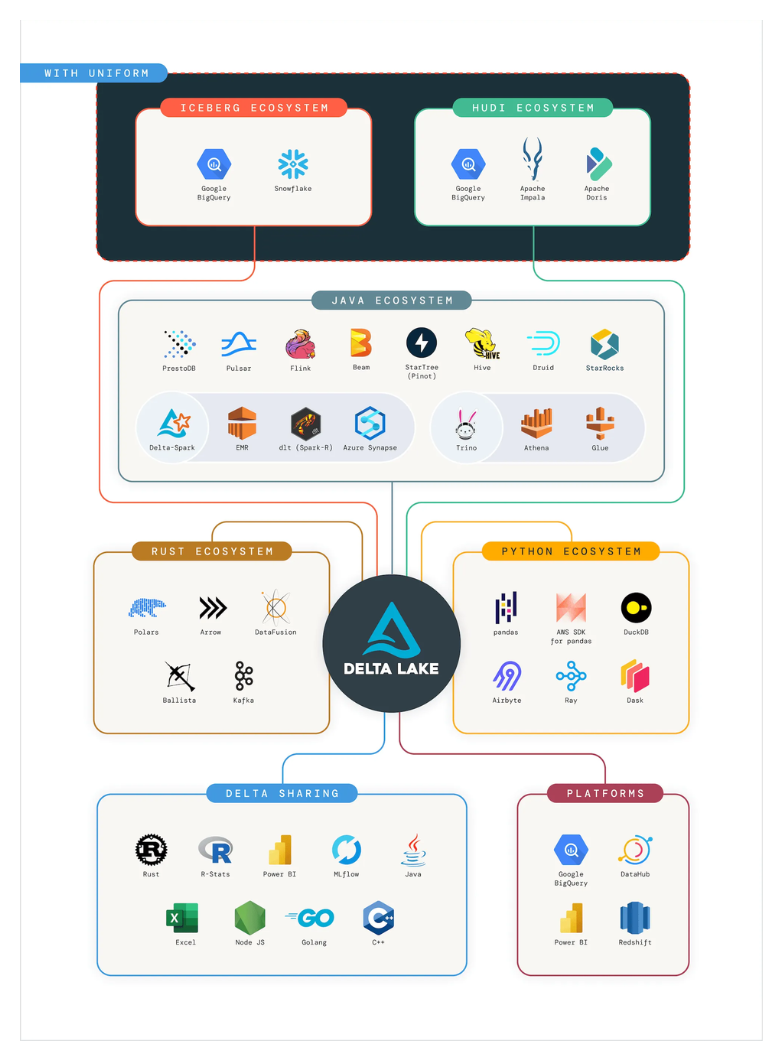
Checkpointed transaction logs are designed to be frequent and lightweight, so readers load the latest Parquet checkpoint and apply only a short tail of recent commits. That keeps overhead low for continuous, high-speed ingestion and makes recovery fast, since only changes since the last checkpoint need to be replayed.
Iceberg vs Delta Lake: Feature Comparison
When to Choose Iceberg vs Delta Lake
As the projects mature, Iceberg and Delta Lake are looking more alike. Both bring ACID tables to object storage, schema evolution, and time travel capabilities. Although, there are still a few cases where one fits better than the other.
When to Choose Iceberg
- Large batch analytics at scale: Petabyte-class scans and wide joins benefit from Iceberg’s metadata tree, manifest stats, and hidden partitioning, which let engines prune early and plan fast across thousands of files.
- Multi-engine, vendor-neutral setups: The spec and REST Catalog make behavior consistent across Spark, Trino, Flink, Snowflake, and common catalogs like Hive Metastore or AWS Glue.
- Flexible schema and partition evolution: Hidden partitioning with transforms reduces SQL friction, and partition spec changes don’t rewrite existing data; old and new layouts can coexist safely.
When to Choose Delta Lake
- Databricks and Spark ecosystem: If your pipelines, jobs, and governance live on Databricks or Spark, Delta Lake makes life easy. Path-based setup is simple, with Unity Catalog available when you need central permissions and lineage.
- Real-time analytics and streaming: The transactional log, checkpoints, versioned reads, and optional CDF keep streaming and batch on the same tables with consistent semantics.
- Smaller to medium-sized datasets: Merge-on-write performs well at this scale, with OPTIMIZE, Z-order, and Liquid Clustering helping keep file counts and query times in check.
The Future of Interoperability
Databricks acquired Tabular, the company founded by the original creators of Apache Iceberg, which signals a push toward alignment between Iceberg and Delta Lake.
Delta Lake is becoming more cross-format friendly through Delta UniForm and the growing Delta protocol ecosystem, while Apache XTable offers metadata translation across Delta, Iceberg, and Hudi.
On the Iceberg side, the community is discussing v4 features like single-file commits and ways to reduce metadata overhead for smaller tables, which echoes Delta’s “one metadata file” approach and explores collapsing parts of the metadata tree where appropriate.
While the internals still differ, users are less locked in. Governance layers let teams query data without worrying about the underlying storage and manage multiple catalogs under one policy plane. Databricks’ Unity Catalog is one example, providing centralized permissions, auditing, and lineage across workspaces and formats.
Where PuppyGraph Fits

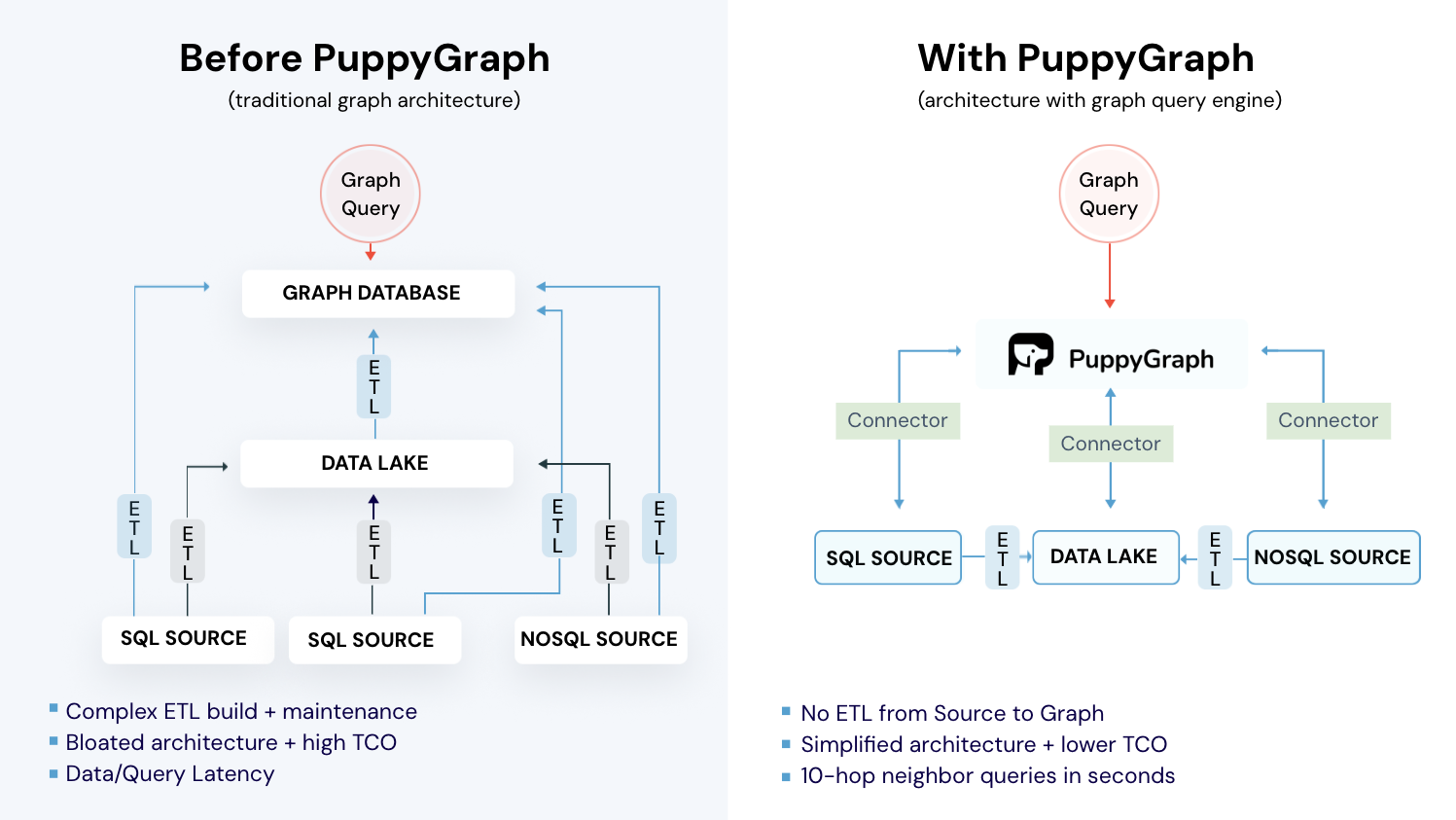
PuppyGraph is the first and only real time, zero-ETL graph query engine in the market, empowering data teams to query existing relational data stores as a unified graph model that can be deployed in under 10 minutes, bypassing traditional graph databases' cost, latency, and maintenance hurdles.
It seamlessly integrates with data lakes like Apache Iceberg, Apache Hudi, and Delta Lake, as well as databases including MySQL, PostgreSQL, and DuckDB, so you can query across multiple sources simultaneously.

Key PuppyGraph capabilities include:
- Zero ETL: PuppyGraph runs as a query engine on your existing relational databases and lakes. Skip pipeline builds, reduce fragility, and start querying as a graph in minutes.
- No Data Duplication: Query your data in place, eliminating the need to copy large datasets into a separate graph database. This ensures data consistency and leverages existing data access controls.
- Real Time Analysis: By querying live source data, analyses reflect the current state of the environment, mitigating the problem of relying on static, potentially outdated graph snapshots. PuppyGraph users report 6-hop queries across billions of edges in less than 3 seconds.
- Scalable Performance: PuppyGraph’s distributed compute engine scales with your cluster size. Run petabyte-scale workloads and deep traversals like 10-hop neighbors, and get answers back in seconds. This exceptional query performance is achieved through the use of parallel processing and vectorized evaluation technology.
- Best of SQL and Graph: Because PuppyGraph queries your data in place, teams can use their existing SQL engines for tabular workloads and PuppyGraph for relationship-heavy analysis, all on the same source tables. No need to force every use case through a graph database or retrain teams on a new query language.
- Lower Total Cost of Ownership: Graph databases make you pay twice — once for pipelines, duplicated storage, and parallel governance, and again for the high-memory hardware needed to make them fast. PuppyGraph removes both costs by querying your lake directly with zero ETL and no second system to maintain. No massive RAM bills, no duplicated ACLs, and no extra infrastructure to secure.
- Flexible and Iterative Modeling: Using metadata driven schemas allows creating multiple graph views from the same underlying data. Models can be iterated upon quickly without rebuilding data pipelines, supporting agile analysis workflows.
- Standard Querying and Visualization: Support for standard graph query languages (openCypher, Gremlin) and integrated visualization tools helps analysts explore relationships intuitively and effectively.
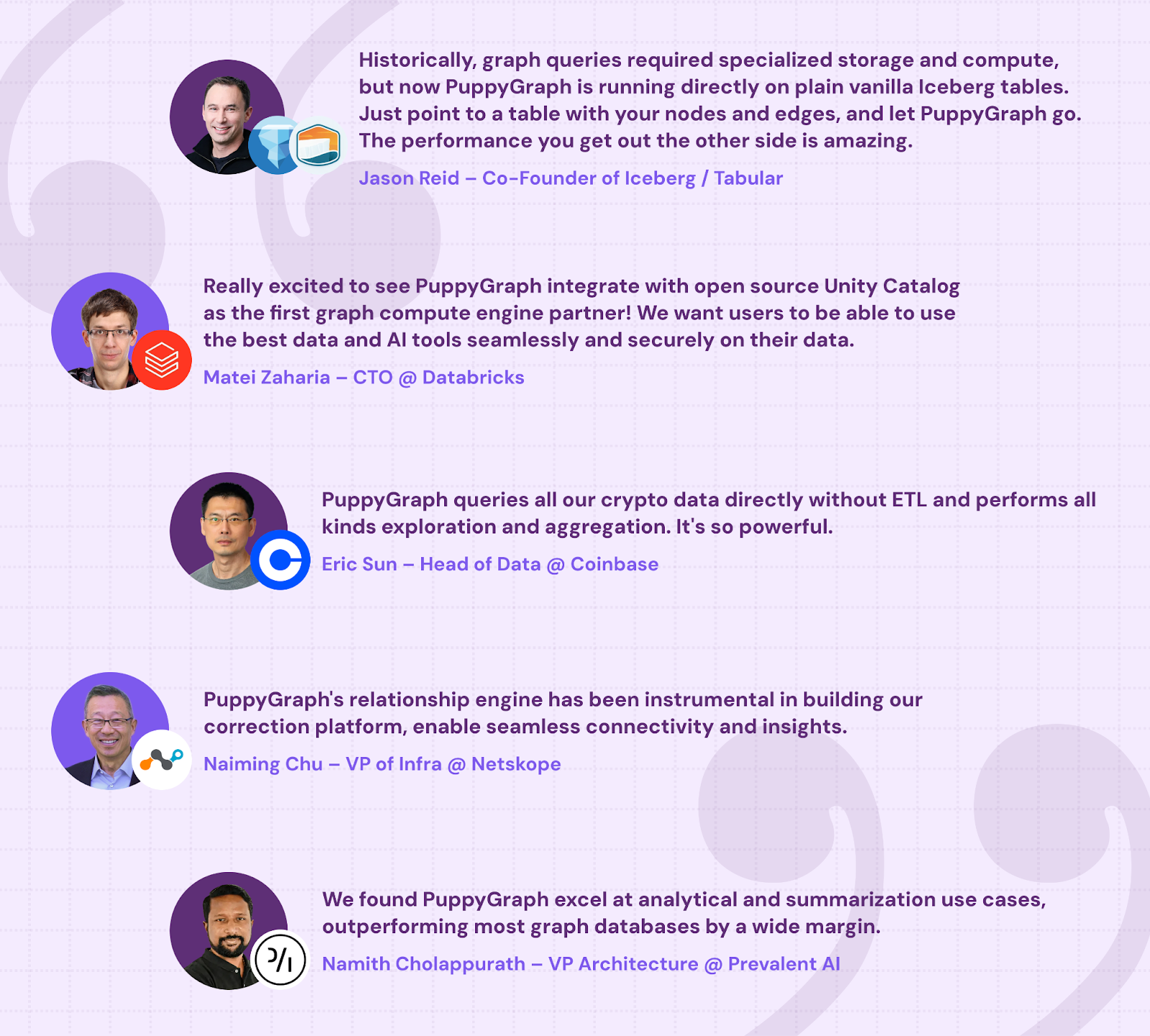
- Proven at Enterprise Scale: PuppyGraph is already used by half of the top 20 cybersecurity companies, as well as engineering-driven enterprises like AMD and Coinbase. Whether it’s multi-hop security reasoning, asset intelligence, or deep relationship queries across massive datasets, these teams trust PuppyGraph to replace slow ETL pipelines and complex graph stacks with a simpler, faster architecture.
As data grows more complex, the most valuable insights often lie in how entities relate. PuppyGraph brings those insights to the surface, whether you’re modeling organizational networks, social introductions, fraud and cybersecurity graphs, or GraphRAG pipelines that trace knowledge provenance.
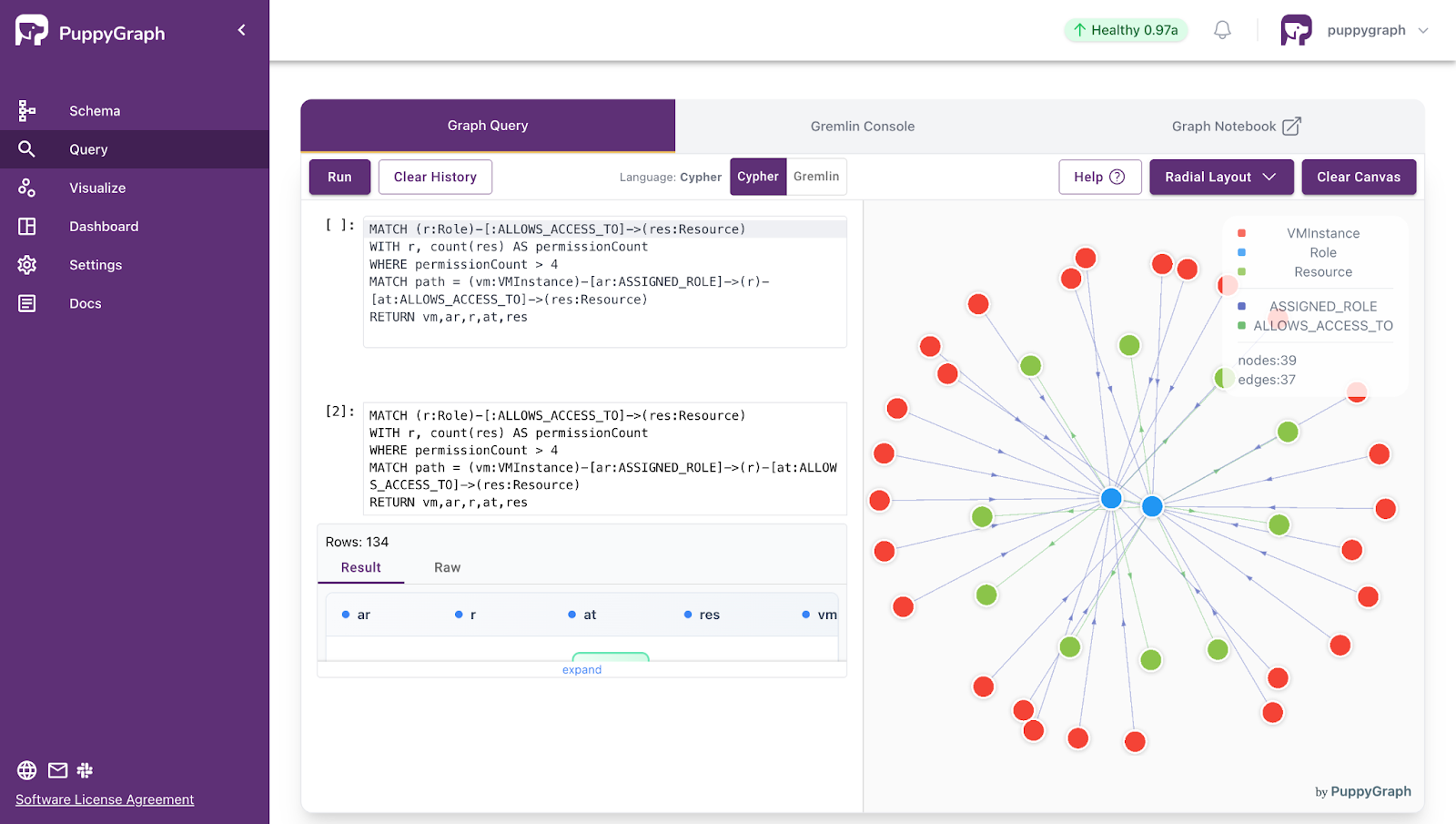
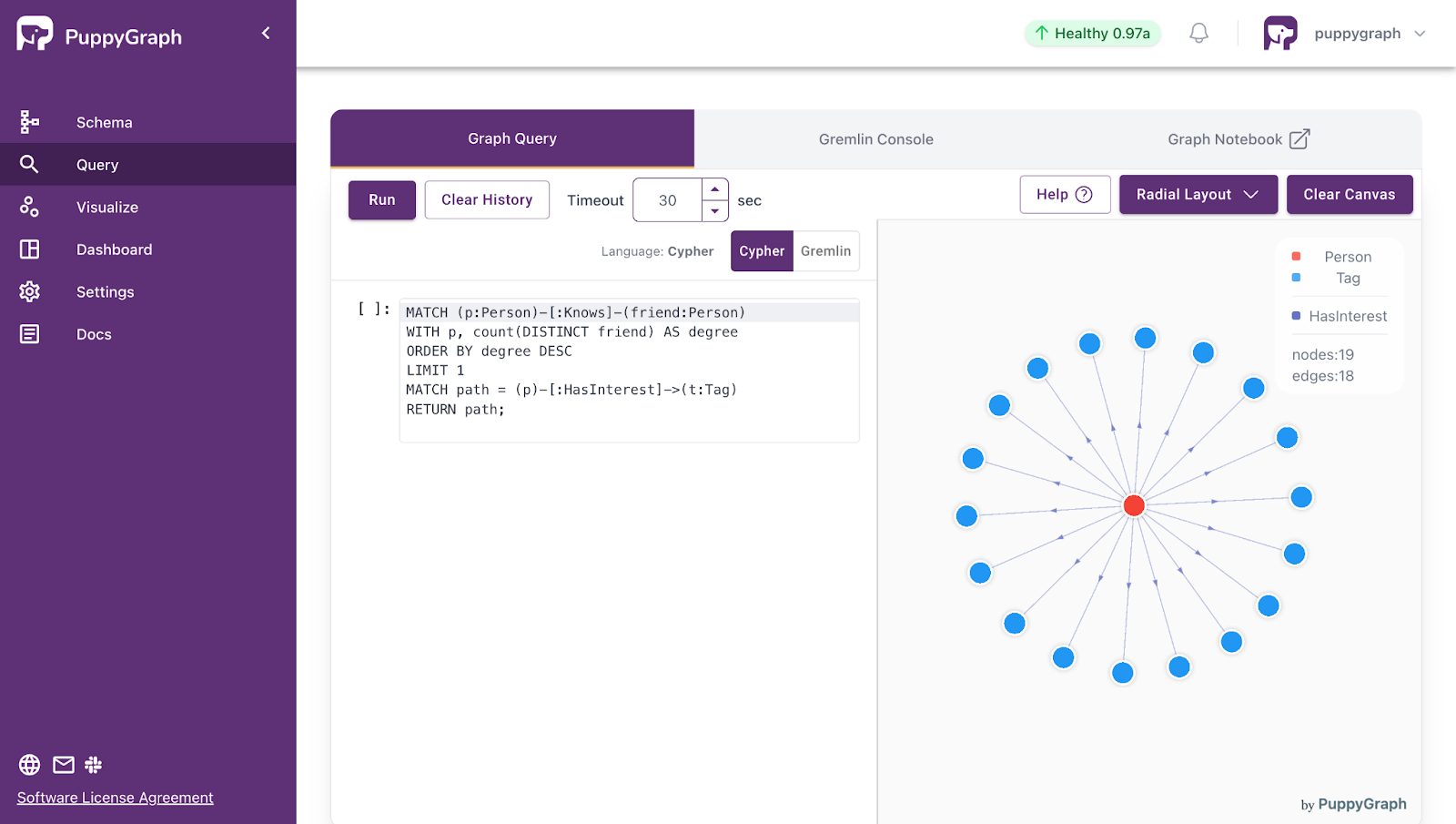
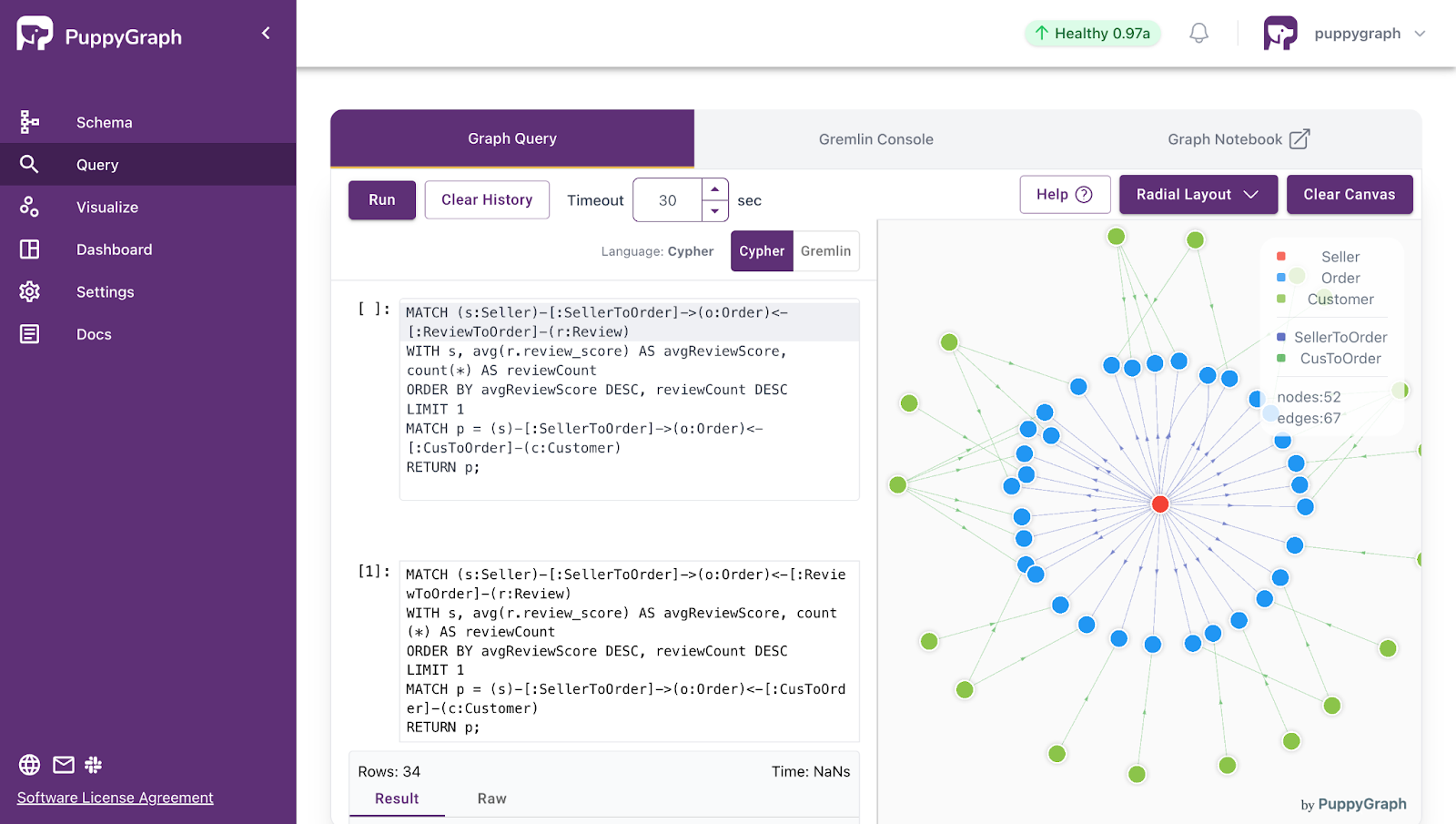
Deployment is simple: download the free Docker image, connect PuppyGraph to your existing data stores, define graph schemas, and start querying. PuppyGraph can be deployed via Docker, AWS AMI, GCP Marketplace, or within a VPC or data center for full data control.
Conclusion
A modern lakehouse gives you warehouse-grade reliability on low-cost object storage, and both Iceberg and Delta Lake deliver on that promise with ACID guarantees, time travel, and safe evolution. The real choice comes down to needs and context: Iceberg shines for large, read-heavy analytics across many engines and catalogs, while Delta Lake fits teams centered on Spark/Databricks and real-time pipelines backed by a transactional log and checkpoints.
As the ecosystems converge, you’re less locked in. Interoperability efforts and governance layers make it easier to mix engines and formats without replatforming. Pick the format that fits today’s workloads, knowing the gap is narrowing.
This shift towards interoperability is also extending to the query layer of data lakehouses. Where graph analytics enter the picture, you no longer need a separate graph database. PuppyGraph overlays your existing Iceberg or Delta tables so you can run Gremlin or openCypher side by side with SQL, keep one source of truth, and skip ETL and data copies. That means faster iteration, fewer pipelines to maintain, and lower cost.
Ready to try graph analytics on your data? Get started with PuppyGraph’s forever-free Developer Edition, or book a demo with our team.

Jaz Ku is a Solution Architect with a background in Computer Science and an interest in technical writing. She earned her Bachelor's degree from the University of San Francisco, where she did research involving Rust’s compiler infrastructure. Jaz enjoys the challenge of explaining complex ideas in a clear and straightforward way.

Get started with PuppyGraph!


Developer Edition
- Forever free
- Single noded
- Designed for proving your ideas
- Available via Docker install
Enterprise Edition
- 30-day free trial with full features
- Everything in developer edition & enterprise features
- Designed for production
- Available via AWS AMI & Docker install