


Databricks Graph Database: The Ultimate Guide

Data is a valuable yet challenging asset to manage, often due to its varying forms and the frameworks that support it. The way data is structured and accessed greatly influences its utility.
Among the various data management strategies, the graph database has emerged as a robust solution for handling complex enterprise-grade data. When integrated with a platform like Databricks, graph databases enhance performance and scalability, helping create dynamic, interconnected data networks on a large scale.
Today, we'll explore graph databases, examining how they operate and their practical benefits when scaled. . We'll look at how graph databases handle structured and unstructured data, and dive into how Databricks makes use of the powerful knowledge graph to help you make better-informed decisions.
What is a graph database?
First, let's define what a graph database is and how it works. A graph database is made of two core entities. The first, nodes, represents the entities within the data, such as people, places, things, or concepts. These nodes are then defined by their relationships, or edges, representing the interconnected nature of the underlying data source.
Consider a social network as an example, which consists of millions of users, each defined by unique attributes. In the context of a graph database, these users are represented as nodes, and the connections between them — such as friendships or shared interests — are depicted as the edges linking these nodes.

This structure is particularly powerful for scenarios where understanding the connections between data points is critical. Data graphs allow you to traverse the network of relationships, uncovering patterns and insights that would be difficult, if not impossible, to discern with traditional relational databases. Highly expressive graph queries can surface data that might be hidden by the complexity of the data source, unlocking incredibly powerful insights at scale.

Ultimately, the shift towards adopting graph databases reflects the evolving perceptions of data management in the technology industry. What was once simply collected for processing orders or allowing users to register has become a veritable goldmine of information, insight, and context that cannot be ignored. Data is quite literally the fuel of the modern tech space, and graph databases are a solution to ensure that fuel is used as efficiently as possible for as wide a variety of use cases as possible.
Read this extensive article to learn more about when to use a graph database.
Databricks and graph databases
In order to use a graph database, you need a system that can support both the functionality of an effective graph database as well as the extended functionality required to render this information useful. Visualization engines, query engines, and other extensions can take the graph database and all of its promised benefits and make surfacing this data easier and more efficient.

The issue is that while many solutions promise substantial benefits, they often come at a high cost. Data processing solutions are a dime a dozen, but many come with specific demands on how you structure your data or how you ingest that data into the larger system. Worse yet, many of those solutions come with a huge learning curve that makes it very difficult to get started with - let alone to become an expert.
Accordingly, it's not good enough to choose graph database technologies on a whim—your solution must be well-designed, vetted, and targeted at your specific use case and functionality. In other words, you need a partner you can trust with the tools you desire.
A standout option is Databricks, renowned for its comprehensive analytics platform based on Apache Spark. Databricks creates an effective environment for utilizing graph databases. Users can add graph analytics functions by integrating with Neo4j or AWS Neptune, enabling users to harness the capabilities of graph analytics within the Databricks framework. However, taking full advantage of these solutions requires the engineering team to conquer a few challenges:
- Complex ETL: Graph databases require building time-consuming ETL pipelines with specialized knowledge, delaying data readiness and posing failure risks.
- Scaling challenges: Increasing nodes and edges complicate scaling due to higher computational demands and challenges in horizontal scaling. The interconnected nature of graph data means that adding more hardware does not always translate to linear performance improvements. In fact, it often necessitates a rethinking of the graph model or using more sophisticated scaling techniques.
- Performance difficulties: Traditional graph databases can take hours to run multi-hop queries and struggle beyond 100GB of data.
- Interoperability issues: Tool compatibility between graph databases and SQL is largely lacking. Existing tools for an organization’s databases may not work well with graph databases, leading to the need for new investments in tools and training for integration and usage.
All of these add layers of complexity and can diminish some of the scalability and benefits that Databricks is known for.
Fortunately, PuppyGraph presents an alternative by offering Databricks users a way to directly connect and query their data using graph querying languages. This acts as a graph database functionality without the traditional complexities associated with graph databases.


Databricks allows you to ingest data from various sources, store and manage it efficiently. With PuppyGraph as the graph query engine on top, users can perform complex graph queries and query the Databricks data as a graph. This integration means that you can reap huge benefits of scalability and performance while enjoying the benefits of graph databases, even when the data sources and their resultant databases are quite large and complex.
Read this insightful article on integrating Unity Catalog with PuppyGraph.
Key features of Databricks graph database
Let's quickly review some key features of Databricks that synergize well with PuppyGraph, the first graph compute engine partner for the newly open-sourced Unity Catalog, for executing graph queries:
- Scalability - Databricks, built on Apache Spark, is designed to handle massive datasets. This scalability extends to graph capabilities exposed through platforms like PuppyGraph, allowing you to work with large and complex graphs without compromising performance. Databricks doesn't require you to adopt a single specific data solution, allowing for scalability in form and function without limiting your potential by setting hard and fast rules.
- Performance—Spark's in-memory processing capabilities and, in an optimized installation, efficient resource usage allow you to support larger data sets without unduly sacrificing performance.
- Unified Analytics - Databricks provides an unified platform for all your analytics needs. When integrated with PuppyGraph, you can seamlessly combine graph analytics with other data processing and machine learning tasks, all within the same environment. This allows much freedom and context, creating on-demand data insights for fast and actionable results.

Benefits of using Databricks for graph database
In addition to its primary features, Databricks offers several distinct benefits in the world of graph databases:
- Accelerated insights - Databricks' performance and scalability empower you to gain insights from your graph data faster than ever. By integrating Databricks with PuppyGraph, you can perform graph analysis and uncover hidden patterns and relationships in real-time, enabling agile decision-making.
- Enhanced collaboration - Databricks' collaborative environment fosters teamwork and knowledge sharing. Data scientists, analysts, and engineers can work together seamlessly on graph projects, accelerating innovation.
- Cost efficiency - Databricks' cloud-based architecture eliminates the need for expensive on-premises infrastructure. You can scale your graph workloads up or down as needed, paying only for what you use.
- Simplified management: Databricks handles the complexities of managing and maintaining your graph database environment by using the existing infrastructure to store the underlying data and using PuppyGraph to expose graph analytics capabilities. Using the Databricks Lakehouse platform, you can unify the governance and management of complex data sets, reducing the time spent managing your data lake and increasing the time spent actually using that data.
- Future-proofing - Databricks is constantly evolving, adding new features and capabilities. By choosing Databricks, you ensure that your graph analytics infrastructure is ready for the future.

Use cases and applications
The best way to dive into Databricks and its potential benefits is to see it in practice. Let's take a look at some real-world scenarios where Databricks and graph databases work together to make something truly special.
- Fraud detection - Combining Databricks and PuppyGraph makes it easy to discover complex relationships between nodes at scale. This can help to uncover complex fraud scenarios by analyzing the deep relationships between transactions, accounts, and individuals.
- Recommendation engines - the powerful Lakehouse offering from Databricks allows you to build personalized recommendation systems, leveraging user preferences, product relationships, and insights into consumer habits across diverse apps, data sources, and paradigms.
- Social network analysis - analyze social networks and leverage extended functionality taking advantage of visualization and insight generation through PuppyGraph to identify influencers, communities, and trends in a digestible way.
- Knowledge graphs - create knowledge graphs to represent and explore relationships between concepts and entities, improving the understanding of diverse connections between complex entities and elements.
- Supply chain optimization - optimize supply chains by modeling and analyzing complex supplier and logistics networks. Using this data, discover chokepoints or process inefficiencies that could save you hundreds of thousands - if not millions - in yearly turnover due to inefficiencies.
- Drug discovery - accelerate drug discovery by analyzing relationships between genes, proteins, and diseases. Generate understanding of these relationships in the context of customer needs and feedback, allowing for more rapid pivoting and consumer-market fit.
These are just a few examples of how Databricks and PuppyGraph can help drive new development, higher efficiency, and better outcomes at scale. The versatility of graph analytics combined with the power of Databricks opens up a world of opportunities for data-driven innovation. Take a closer look at the top 7 graph database use cases.
Setting up a graph database in Databricks
Leveraging Databricks to power graph capabilities is relatively easy when using technologies like PuppyGraph. Combining PuppyGraph with Databricks allows you to leverage the power of graph-based and relational data in a unified environment without any need for complex ETL.
Here's a brief overview of what this process looks like in practice:
Deploy PuppyGraph
First, you’ll need to deploy PuppyGraph. Luckily, this is easy and can currently be done through Docker (see Docs) or an AWS AMI through AWS Marketplace. The AMI approach requires a few clicks and will deploy your instance on the infrastructure of your choice. Below, we will focus on what it takes to launch a PuppyGraph instance on Docker.
With Docker installed, you can run the following command in your terminal:
docker run -p 8081:8081 -p 8182:8182 -p 7687:7687 -d --name puppy --rm --pull=always puppygraph/puppygraph:stableThis will spin up a PuppyGraph instance on your local machine (or on a cloud or bare metal server if that's where you want to deploy it). Next, you can go to localhost:8081 or the URL on which you launched the instance. This will show you the PuppyGraph login screen:

After logging in with the default credentials (username: “puppygraph” and default password: “puppygraph123”) you’ll then come into the application itself. At this point, our instance is ready to go and we can proceed with connecting to the underlying data stored in Databricks.
Connect to your data source and define your schema
Next, we must connect to our data source to run graph queries against it. Users have a choice of how they would like to go about this. Firstly, you could use a JSON schema document to define your connectivity parameters and data mapping. As an example, here is what one of these schemas might look like if we were connecting to the Databricks Delta Lake instance using Unity Catalog:
{
  "catalogs": [
    {
      "name": "puppygraph",
      "type": "deltalake",
      "metastore": {
        "type": "unity",
        "host": "<UNITY_CATALOG_HOST>",
        "token": "<UNITY_CATALOG_ACCESS_ACCESS_TOKEN>",
        "databricksCatalogName": "<CATALOG_NAME_UNDER_UNITY>"
      },
      "storage": {
        "useInstanceProfile": "false",
        "region": "us-east-1",
        "accessKey": "<S3_ACCESS_KEY>",
        "secretKey": "<S3_SECRET_KEY>",
        "enableSsl": "false",
        "type": "S3"
      }
    }
  ],
  "vertices": [
    {
      "label": "person",
      "attributes": [
        {
          "type": "String",
          "name": "name"
        },
        {
          "type": "Int",
          "name": "age"
        }
      ],
      "mappedTableSource": {
        "catalog": "puppygraph",
        "schema": "modern_demo",
        "table": "person",
        "metaFields": {
          "id": "id"
        }
      }
    },
    {
      "label": "software",
      "attributes": [
        {
          "type": "String",
          "name": "name"
        },
        {
          "type": "String",
          "name": "lang"
        }
      ],
      "mappedTableSource": {
        "catalog": "puppygraph",
        "schema": "modern_demo",
        "table": "software",
        "metaFields": {
          "id": "id"
        }
      }
    }
  ],
  "edges": [
    {
      "label": "created",
      "from": "person",
      "to": "software",
      "attributes": [
        {
          "type": "Double",
          "name": "weight"
        }
      ],
      "mappedTableSource": {
        "catalog": "puppygraph",
        "schema": "modern_demo",
        "table": "created",
        "metaFields": {
          "from": "from_id",
          "id": "id",
          "to": "to_id"
        }
      }
    },
    {
      "label": "knows",
      "from": "person",
      "to": "person",
      "attributes": [
        {
          "type": "Double",
          "name": "weight"
        }
      ],
      "mappedTableSource": {
        "catalog": "puppygraph",
        "schema": "modern_demo",
        "table": "knows",
        "metaFields": {
          "from": "from_id",
          "id": "id",
          "to": "to_id"
        }
      }
    }
  ]
}
In the example, you can see the data store details under the catalogs section. This is all that is needed to connect to your Databricks instance. Underneath the catalogs section, you’ll notice that we have defined the nodes and edges and where the data comes from. This tells PuppyGraph how to map the SQL data into the graph hosted within PuppyGraph. This can then be uploaded to PuppyGraph, and you’ll be ready to query!
To provide further insight into how the schema above maps in the data, here is what the underlying SQL data looks like:

Alternatively, for those who want a more UI-based approach, PuppyGraph also offers a schema builder that allows users to use a drag-and-drop editor to build their schema. In an example similar to the one above, here is what the UI would look like with the schema built out this way.
First, you'd need to add in the details about your Databricks catalog you want to connect to.

Then, based on the schema, you'd define your nodes and edges. Here's an example of what it would look like to define the edge connecting a person to a software.

Once you've defined all of your edges and nodes, you'll then see a visual representation of the schema that you just defined. If all is good, you can then submit this to the server so you can begin querying.

Regardless of how the schema is created and uploaded to the server, we can instantly query data once it is uploaded to PuppyGraph. For more complex graphs that use multiple data sources, multiple catalogs can be imported and mapped into the graph schema. In this example, things are quite simple, with only a few nodes and edges.
Query your data as a graph
Now, without needing data replication or ETL, you can query your data as a graph. Our next step is to figure out how we want to query our data and what insights we want to gather from it.
PuppyGraph allows users to use Gremlin, Cypher, or Jupyter Notebook. For example, based on the schemas above, a Gremlin query, shown in a visualized format that can be explored further, will look like this:

In the Cypher Console, a related query output would look like this:
puppy-cypher> :> MATCH (n) RETURN n.name
==>[n.name:vadas]
==>[n.name:josh]
==>[n.name:peter]
==>[n.name:marko]
==>[n.name:ripple]
==>[n.name:lop]
As you can see, graph capabilities can be achieved with PuppyGraph in minutes without the heavy lift usually associated with graph databases. Whether you’re a seasoned graph professional looking to expand the data you have to query as a graph or a budding graph enthusiast testing out a use case, PuppyGraph offers a performant and straightforward way to add graph querying and analytics to the data you have within Databricks.
Challenges and considerations
While Databricks and graph databases offer immense potential, it's important to be aware of some challenges and considerations inherent to this approach:
- Data modeling- designing an effective graph data model requires careful planning and understanding of your data and use cases. While this is often a lower effort compared to sourcing the understanding and contextual analysis of the data manually, it is nonetheless an effort that is worth pointing towards.
- Query optimization- complex graph queries can be computationally expensive. It's crucial to optimize your queries for performance. This can take a variety of forms, from optimizing the queries themselves to ensuring you are adequately resourcing the engines driving these queries, but at the end of the day, you must be aware that complex data queries certainly carry a certain cost.
- Scalability - while Databricks excels at scalability, handling extremely large and complex graphs may require careful planning and resource management. This is especially true when using divergent data formats, locations, or sources. While Databricks makes it easy to use these different sources together, inefficiencies in your data structure are a foundational weakness that undermines any data approach, and should be looked at as its own efficiency opportunity.
- Skillset: Working with graph databases, query engines, and Spark may require learning and adaptation, especially for those new to these technologies. Developers may be familiar with industry standards like Java or Python, but graph databases and query languages are relatively novel compared to those storied solutions, requiring additional training and skillset development.
All of this said, it is worth mentioning that the benefits of leveraging graph technology far outweighs these challenges. With proper planning, training, and support, these challenges can be easily overcome. Databricks provides resources and expertise to help you navigate these complexities and ensure your graph projects are successful.
Conclusion
When graph databases are combined with the power and scalability of Databricks, you have an unstoppable force for data-driven insights, delivering meta contextual analysis at scale. Whether you're delving into social networks, enhancing supply chain efficiency, or combatting fraud, Databricks alongside graph databases equip you to unveil the concealed possibilities nested within your data.
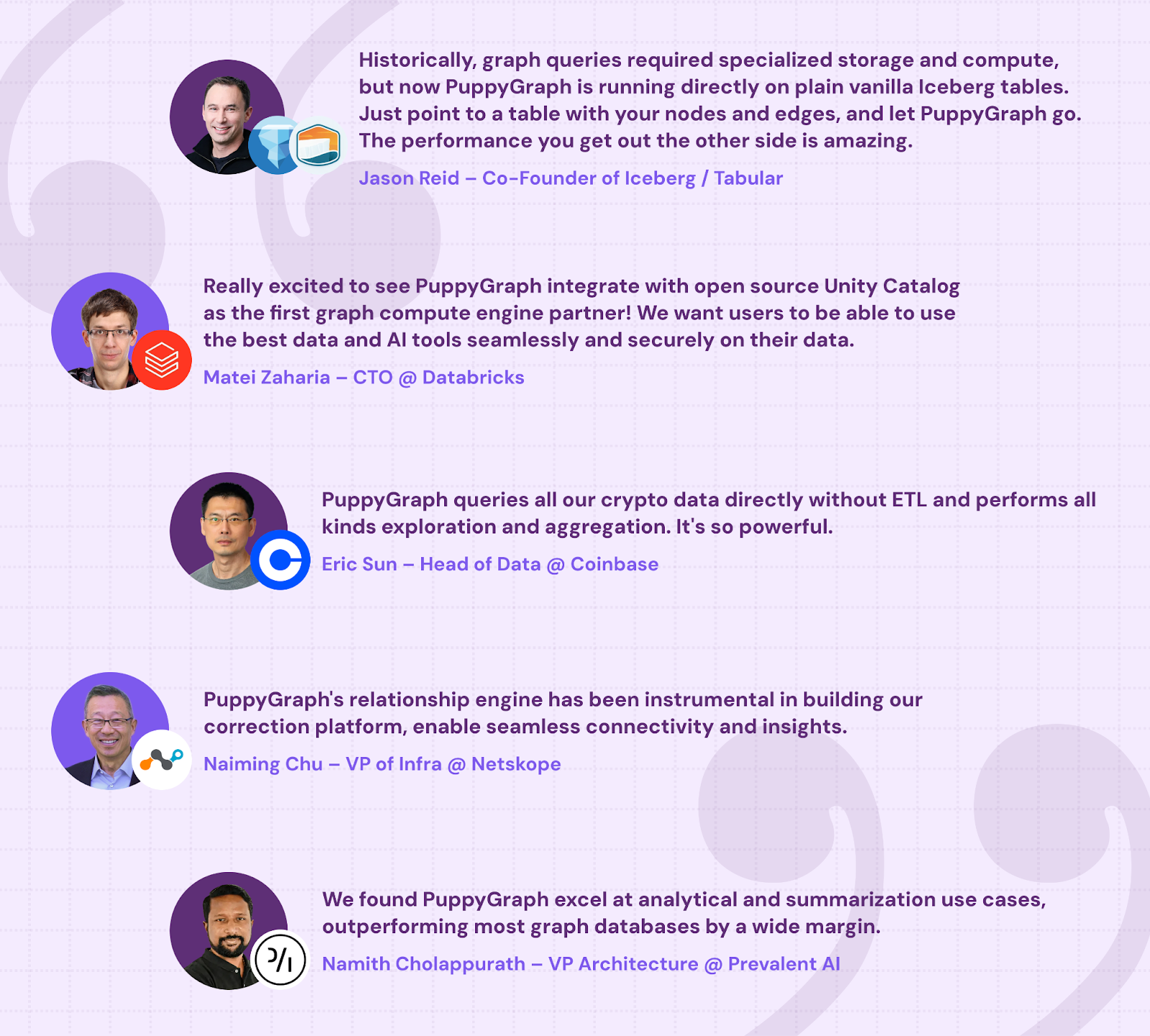
In fact, PuppyGraph is already used by half of the top 20 cybersecurity companies, as well as engineering-driven enterprises like AMD and Coinbase. Whether it’s multi-hop security reasoning, asset intelligence, or deep relationship queries across massive datasets, these teams trust PuppyGraph to replace slow ETL pipelines and complex graph stacks with a simpler, faster architecture.
Interested in trying PuppyGraph? Start with our forever-free Developer Edition, or try our AWS AMI. Want to see a PuppyGraph live demo? Book a call with our engineering team today.

Matt is a developer at heart with a passion for data, software architecture, and writing technical content. In the past, Matt worked at some of the largest finance and insurance companies in Canada before pivoting to working for fast-growing startups.

Get started with PuppyGraph!


Developer Edition
- Forever free
- Single noded
- Designed for proving your ideas
- Available via Docker install
Enterprise Edition
- 30-day free trial with full features
- Everything in developer edition & enterprise features
- Designed for production
- Available via AWS AMI & Docker install