Snowflake Semantic Views: Architecture & Features
- Hao WuSoftware Engineer
The guide

Query your table as a graph.Petabytes. Subsecond. No data movement.
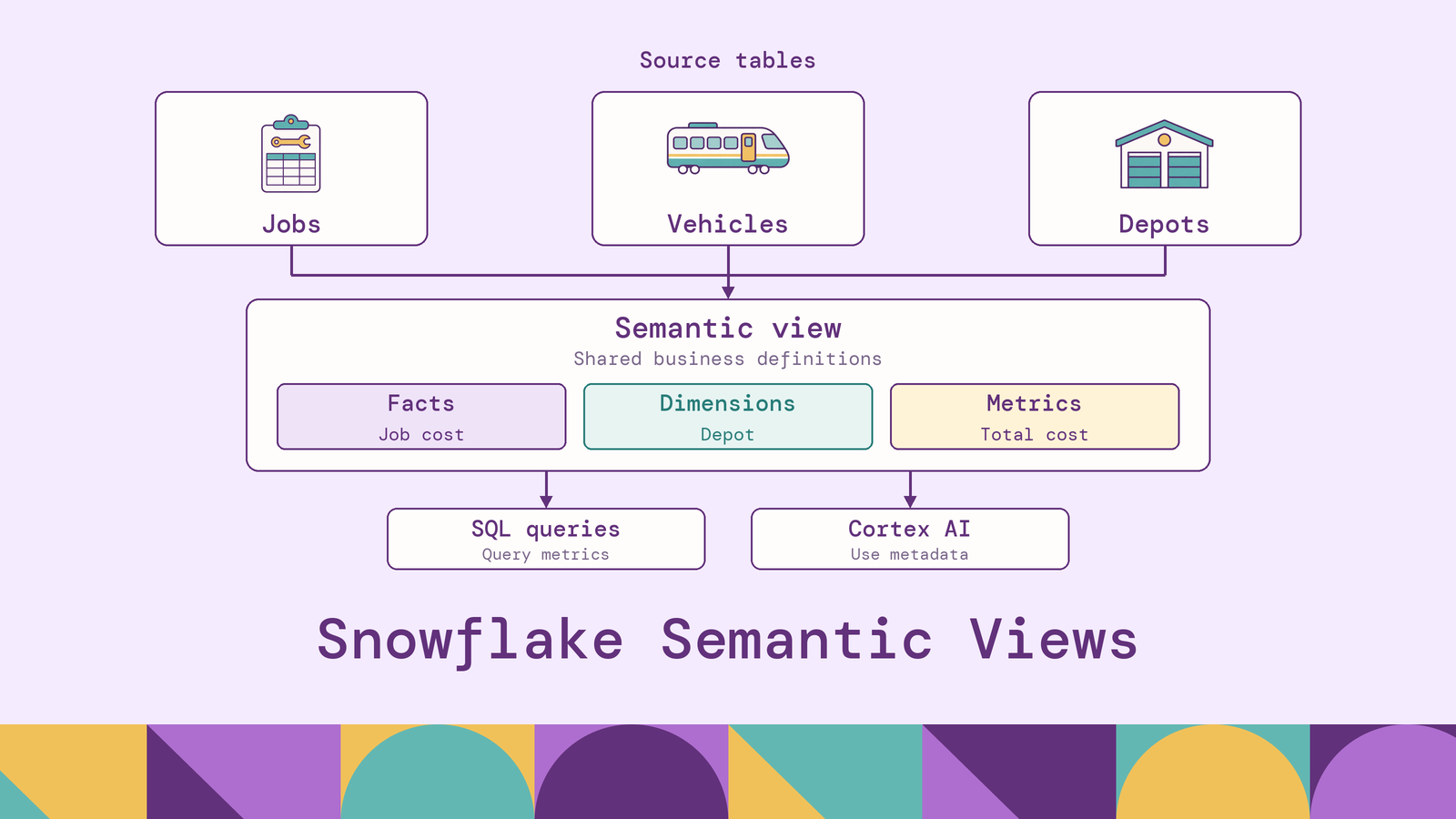
An analytics query can use the right columns and still answer the wrong business question. Maintenance cost might include parts but exclude labor. A depot comparison might group vehicles by their current location when the business expects their location at the time of repair. Snowflake semantic views give teams a place to make those definitions explicit and reuse them across queries.
The useful distinction is between storing data and defining how people should interpret it. This guide explains Snowflake's semantic-view model, its architecture and join behavior, and the SQL and YAML interfaces for creating and querying it. A rail-fleet maintenance example connects the concepts to practical modeling decisions.
What Are Snowflake Semantic Views?
A Snowflake semantic view is a schema-level database object that defines business entities, relationships, and calculations over underlying data. It exposes logical names such as total_maintenance_cost and depot_name, together with the expressions and relationships needed to evaluate them. Snowflake treats the semantic definition as metadata. See the semantic-view overview.
An ordinary SQL view packages a particular query. A semantic view gives consumers named dimensions and metrics they can combine at query time. For our maintenance example, the same cost metric can be requested by depot, vehicle, or completion date, provided the model supports those combinations. The definition of cost stays in the model while the grouping changes.
Also distinguish the native object from an older Cortex Analyst semantic model stored as YAML on a stage. Snowflake still supports those files, but recommends native semantic views for new implementations. Native views add direct SQL querying, object privileges, and native sharing. YAML remains an authoring format for the newer object; using YAML does not mean adopting the legacy stage-based workflow. Snowflake documents this distinction in its migration guide.
Why Does Snowflake Use Semantic Views?
The immediate problem is inconsistent interpretation. Suppose two fleet dashboards report maintenance spending. One totals posted work orders, while another includes estimates for open jobs. Their SQL may be valid, but the totals measure different things. A shared metric only becomes useful after someone decides which business definition it represents.
Semantic views let teams encode that decision alongside the data model. Descriptions explain terminology, dimensions establish useful groupings, and metrics capture reusable calculations. This reduces the amount of business logic a consumer must reconstruct for each question. It also makes disagreement easier to locate: is the metric definition wrong, or is a report applying an unexpected filter?
This matters for natural-language interfaces. Cortex Analyst uses semantic-view metadata, including descriptions, synonyms, calculations, and relationships, to generate SQL. A request for maintenance spending needs the organization's meaning of spending, not just a plausible numeric column. The model supplies that local definition.
Examples improve that interface further. Snowflake's Verified Query Repository associates questions with validated SQL that can guide similar requests. For this scenario, useful examples would distinguish completed-job costs from outstanding work and clarify which date controls monthly reporting.
A verified example still needs an owner who understands the answer. Test a request such as “maintenance spending last quarter” against the intended completion-date range and currency treatment. A fluent explanation cannot resolve an undefined accounting rule, and a centralized definition can spread a mistake just as consistently as a correct calculation.
Ownership matters when definitions change. If the fleet starts including contractor fees in maintenance cost, decide whether historical reports should be restated or whether the new calculation needs a distinct metric name. Review the affected dashboards and example questions together. The benefit of centralization is that the decision has a clear implementation point; it does not remove the need to communicate a changed meaning to consumers.
How Do Snowflake Semantic Views Work?
Start with three fictional source tables: WORK_ORDERS, ASSETS, and DEPOTS. The first contains completed maintenance jobs, the second vehicles, and the third depot records. Each job references one vehicle, and each vehicle references its currently assigned depot.
The semantic model gives these physical records a logical interface. The YAML specification separates the main elements:
| Element | Role | Maintenance example |
|---|---|---|
| Logical table | Names an entity and maps it to source data | jobs maps to WORK_ORDERS |
| Relationship | Defines a connection between logical tables | A job references an asset |
| Fact | Represents a value at a logical table's row grain | Labor cost plus parts cost for one job |
| Dimension | Supplies a grouping or filtering attribute | Depot name or completion date |
| Metric | Defines an aggregate calculation | Total cost across selected jobs |
A fact's defining property is its grain. In this example, job_cost belongs to one work order. It can be summed or averaged, but it is not itself the fleet's total maintenance cost. Metrics express those aggregations. Dimensions determine the perspective from which the result is calculated.
Classify fields by their analytical role, not just their storage type. A numeric depot code can be a dimension because it identifies a category. Conversely, a cost expression is useful as a fact because it contributes to calculations. Descriptions should state units and inclusion rules so a reader can distinguish a currency amount from a count or a duration.
Consider two completed jobs costing 100 and 300 in the reporting currency. Their total is 400 and their average is 200. If one depot has many more jobs than another, averaging the two depot averages would generally produce a different answer from averaging all jobs. Defining the metric at job grain makes the intended calculation explicit.
The same discipline applies to dates and names. A completion date answers when work finished; it does not answer when an invoice was paid. A vehicle's current depot supports current-fleet reporting, but historical attribution requires a different source relationship. The semantic layer records these choices. It cannot recover historical information that the source model does not contain.
For historical reporting, one option is to retain the servicing depot on each work order. That lets the relationship represent the location of the job itself. Another reporting requirement might follow a vehicle's assignment history. Decide which question the model serves before choosing a join path, and name the resulting dimension accordingly. A generic label such as depot hides a distinction the business may care about.
Snowflake Semantic View Architecture
The architecture has three main responsibilities: source data supplies records, the semantic object supplies definitions, and the query interface asks for business results. Keeping them separate helps explain what changes when a team edits a metric.
Source mappings. Logical tables commonly map to physical tables or views. Snowflake also supports defining a logical table from a SQL query. An alias such as jobs gives expressions a stable name within the model. Key declarations identify rows; relationship declarations specify how they connect to other entities. These mappings are part of semantic-view authoring.
Semantic metadata. The object holds dimensions, facts, metrics, relationships, and descriptive information. Changing a formula changes the meaning consumers request through that object. It does not repair source records or establish that the new definition matches the business's intent.
Query execution. Direct semantic SQL evaluates the requested dimensions and metrics. Cortex Analyst's Routing Mode, currently in open preview, first attempts semantic SQL and falls back to physical-table SQL if it cannot produce a valid semantic query within the timeout. Snowflake separately documents Cortex Agents as using semantic-view metadata to generate SQL against physical tables. These consumers share definitions but can take different execution paths.
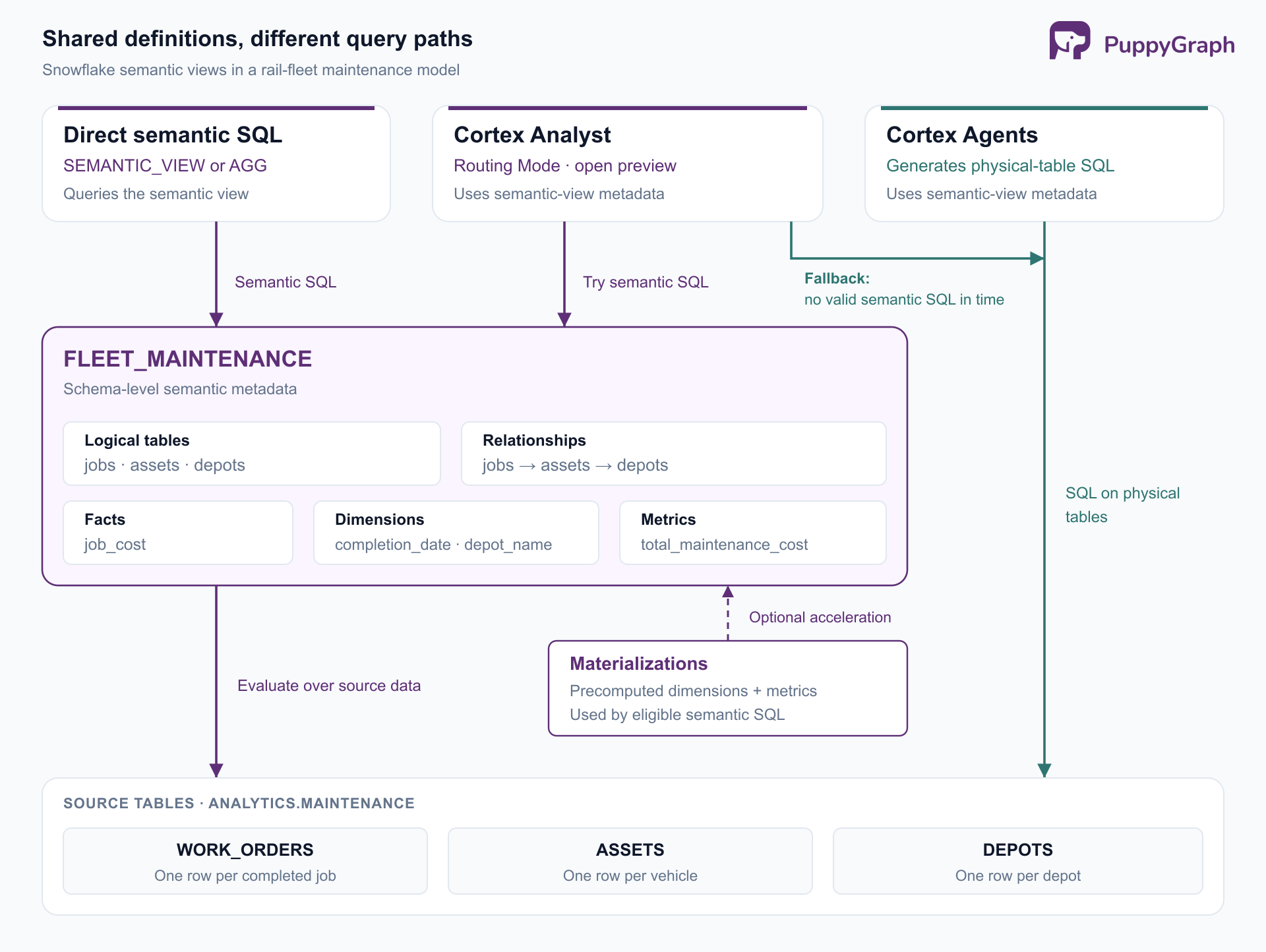
Optional materializations add a physical optimization: selected dimensions and metrics can be precomputed and refreshed within a configured staleness allowance. This can accelerate semantic SQL. Queries that Cortex executes directly against physical tables do not benefit from those semantic-view materializations. Model design and acceleration are therefore separate decisions.
For a daily maintenance dashboard, evaluate whether repeated depot-level summaries justify that refresh work. For an investigation that continually changes dimensions and filters, first inspect the actual query pattern. A semantic definition alone makes no promise about response time, and precomputing one useful summary does not mean every possible grouping has been precomputed.
Permissions also depend on the path. Direct semantic-view queries use owner's rights and require access to the semantic view rather than separate SELECT grants on its base tables. Cortex Agents executing physical SQL require access to the underlying tables as well. Relevant row-access and masking policies on underlying data still apply; descriptive metadata and sample values deserve separate attention because sample values are not masked. Snowflake explains these boundaries in its deployment and access guidance.
Relationships and Joins in Snowflake Semantic Views
A relationship describes how rows connect. For the maintenance model, jobs.asset_id references the asset key, and assets.depot_id references the depot key. Many jobs can belong to one vehicle, and many vehicles can belong to one depot.
Snowflake derives transitive relationships, allowing a job metric to be grouped by a depot dimension through the asset table. The model must still follow Snowflake's validation rules, including restrictions on circular relationships, self-references, and cross-table expressions. A diagram containing connected tables is not sufficient evidence that every proposed expression is valid.
Grain is the practical concern behind those rules. If a vehicle appears twice in an asset source that is supposed to contain one row per vehicle, a join can associate a job with multiple records. Before publishing the model, inspect duplicate keys, missing references, and the number of matches for each relationship. Declaring the intended key is not a substitute for checking the actual records.
This distinction is especially relevant on Snowflake standard tables, where primary-key, unique-key, and foreign-key constraints are informational rather than enforced. Keep source-data validation in the ingestion or transformation workflow, and investigate exceptions before treating a declared relationship as trustworthy. Snowflake's constraint documentation distinguishes this behavior from the enforced constraints on hybrid tables.
Multiple legitimate paths need business names. A job might have both a servicing depot and a vehicle's assigned depot. Those are different reporting questions. Snowflake supports selecting relationships for metrics with USING; name the paths so reviewers can see which interpretation a metric uses. Do not let a convenient join decide the attribution rule.
Many-to-many relationships deserve similar care. Current Snowflake documentation describes support through bridge tables and direct relationships, with this capability marked as public preview in its modeling guidance. Queries traversing these relationships cannot use multi-path metrics with USING, as the release notice explains. For example, a job can involve several technicians, and each technician can work on several jobs. Deduplication counts a job once within each technician group; it does not allocate the cost between technicians. The business must decide whether each technician receives the full job cost or an allocated share.
How to Create a Semantic View in Snowflake
Snowflake provides SQL DDL, YAML, and guided creation in Snowsight. SQL and YAML produce the same native object, although their authoring features are not completely identical. Choose the format that fits the team's deployment workflow, using Snowflake's DDL and YAML comparison when a particular feature matters.
For the following illustrative SQL, assume these tables already exist in ANALYTICS.MAINTENANCE:
| Table | Required columns |
|---|---|
WORK_ORDERS | WORK_ORDER_ID, ASSET_ID, COMPLETED_ON, LABOR_COST, PARTS_COST |
ASSETS | ASSET_ID, DEPOT_ID, ASSET_NAME |
DEPOTS | DEPOT_ID, DEPOT_NAME |
The ID columns identify the stated row grain. COMPLETED_ON is a date; costs are non-null numeric values in one reporting currency. The source contains completed jobs, and depot reporting follows each vehicle's current assignment.
Use a role with CREATE SEMANTIC VIEW on the destination schema, SELECT on the sources, and the necessary parent database and schema access. The CREATE SEMANTIC VIEW reference documents the required clauses and privileges.
CREATE SEMANTIC VIEW ANALYTICS.MAINTENANCE.FLEET_MAINTENANCE
  TABLES (
    jobs AS ANALYTICS.MAINTENANCE.WORK_ORDERS
      PRIMARY KEY (WORK_ORDER_ID),
    assets AS ANALYTICS.MAINTENANCE.ASSETS
      PRIMARY KEY (ASSET_ID),
    depots AS ANALYTICS.MAINTENANCE.DEPOTS
      PRIMARY KEY (DEPOT_ID)
  )
  RELATIONSHIPS (
    job_asset AS jobs (ASSET_ID) REFERENCES assets (ASSET_ID),
    asset_depot AS assets (DEPOT_ID) REFERENCES depots (DEPOT_ID)
  )
  FACTS (
    jobs.job_cost AS jobs.LABOR_COST + jobs.PARTS_COST
  )
  DIMENSIONS (
    jobs.job_id AS jobs.WORK_ORDER_ID,
    jobs.completion_date AS jobs.COMPLETED_ON,
    assets.vehicle_name AS assets.ASSET_NAME,
    depots.depot_id AS depots.DEPOT_ID,
    depots.depot_name AS depots.DEPOT_NAME
  )
  METRICS (
    jobs.total_maintenance_cost AS SUM(jobs.job_cost),
    jobs.work_order_count AS COUNT(jobs.WORK_ORDER_ID),
    jobs.average_job_cost AS AVG(jobs.job_cost)
  )
  COMMENT = 'Completed maintenance jobs by current vehicle depot';
The aliases organize the expressions. job_cost gives the row calculation a reusable name; the metrics define separate ways to summarize it. The comment makes the depot assumption visible to a reviewer.
For a larger model, add descriptions to individual entities and calculations, not just the view. Explain whether a cost includes tax, how refunds are represented, and what an absent value means. If source costs can be null, decide whether that means zero or unknown before adding a function that replaces nulls with zero. That choice changes the metric.
YAML is useful when the team prefers configuration files and structured diffs. This smaller example creates a separate, single-table view over the same jobs, rather than replacing the three-table model:
CALL SYSTEM$CREATE_SEMANTIC_VIEW_FROM_YAML(
  'ANALYTICS.MAINTENANCE',
  $$
name: MAINTENANCE_JOB_SUMMARY
description: Completed maintenance costs in the reporting currency
tables:
  - name: jobs
    base_table:
      database: ANALYTICS
      schema: MAINTENANCE
      table: WORK_ORDERS
    primary_key:
      columns: [WORK_ORDER_ID]
    time_dimensions:
      - name: completion_date
        expr: COMPLETED_ON
        data_type: DATE
    facts:
      - name: job_cost
        expr: LABOR_COST + PARTS_COST
        data_type: NUMBER
    metrics:
      - name: total_maintenance_cost
        expr: SUM(job_cost)
  $$
);
The YAML creation procedure accepts a fully qualified destination schema and the YAML text. Its optional third argument, TRUE, verifies that the definition can create a view without creating it. By default, it replaces an existing semantic view of the same name, which requires ownership of that view. Its COPY GRANTS behavior preserves grants except OWNERSHIP; the executing role owns the replacement.
After creation, compare results with a trusted source query before granting broader access. Test one vehicle, one depot, and one date interval first. Then test empty periods and missing relationships. These cases reveal whether the model matches its stated business meaning more clearly than a single fleet-wide total.
How to Query Snowflake Semantic Views
The explicit SEMANTIC_VIEW construct separates requested dimensions from requested metrics:
SELECT *
FROM SEMANTIC_VIEW(
  ANALYTICS.MAINTENANCE.FLEET_MAINTENANCE
  DIMENSIONS depots.depot_id, depots.depot_name
  METRICS jobs.total_maintenance_cost, jobs.work_order_count
  WHERE jobs.completion_date >= '2026-01-01'::DATE
    AND jobs.completion_date < '2026-04-01'::DATE
)
ORDER BY total_maintenance_cost DESC;
This requests first-quarter maintenance cost and job count by current depot. Grouping by depot ID as well as name keeps separate depots with the same name distinct. The semantic definition supplies the path from jobs through assets to depots and the aggregation formulas. The caller selects the reporting period and grouping.
The location of a filter matters. A date filter inside SEMANTIC_VIEW(...) restricts the input before the metrics are calculated. An outer WHERE can instead filter the resulting metric values, for example to retain depots above a spending threshold. Snowflake's querying guide explains this distinction.
You can also query the semantic view directly with familiar SQL grouping:
SELECT
  depot_id,
  depot_name,
  AGG(total_maintenance_cost) AS maintenance_cost,
  AGG(average_job_cost) AS average_cost
FROM ANALYTICS.MAINTENANCE.FLEET_MAINTENANCE
WHERE completion_date >= '2026-01-01'::DATE
  AND completion_date < '2026-04-01'::DATE
GROUP BY depot_id, depot_name
ORDER BY maintenance_cost DESC;
AGG evaluates the metric defined in the semantic view. It does not ask the caller to choose a new aggregation formula. Here, total cost still uses the model's sum, while average cost uses its job-level average. Use qualified metric names when multiple logical tables expose the same name.
For row-level investigation, request FACTS jobs.job_id, jobs.job_cost together in SEMANTIC_VIEW(...), without a DIMENSIONS or METRICS clause. The model defines job_id as a dimension, but it can still be selected through FACTS. Snowflake's row-query guidance distinguishes a field's definition from the clause used to retrieve it. This lets you inspect individual jobs before returning to the aggregate query.
For Cortex-based access, provide clear descriptions and representative verified questions, then inspect the generated SQL as well as the answer. “Which depot spent the most?” leaves a reporting period unspecified. An application should resolve that ambiguity consistently rather than silently comparing whichever period an individual request happens to imply.
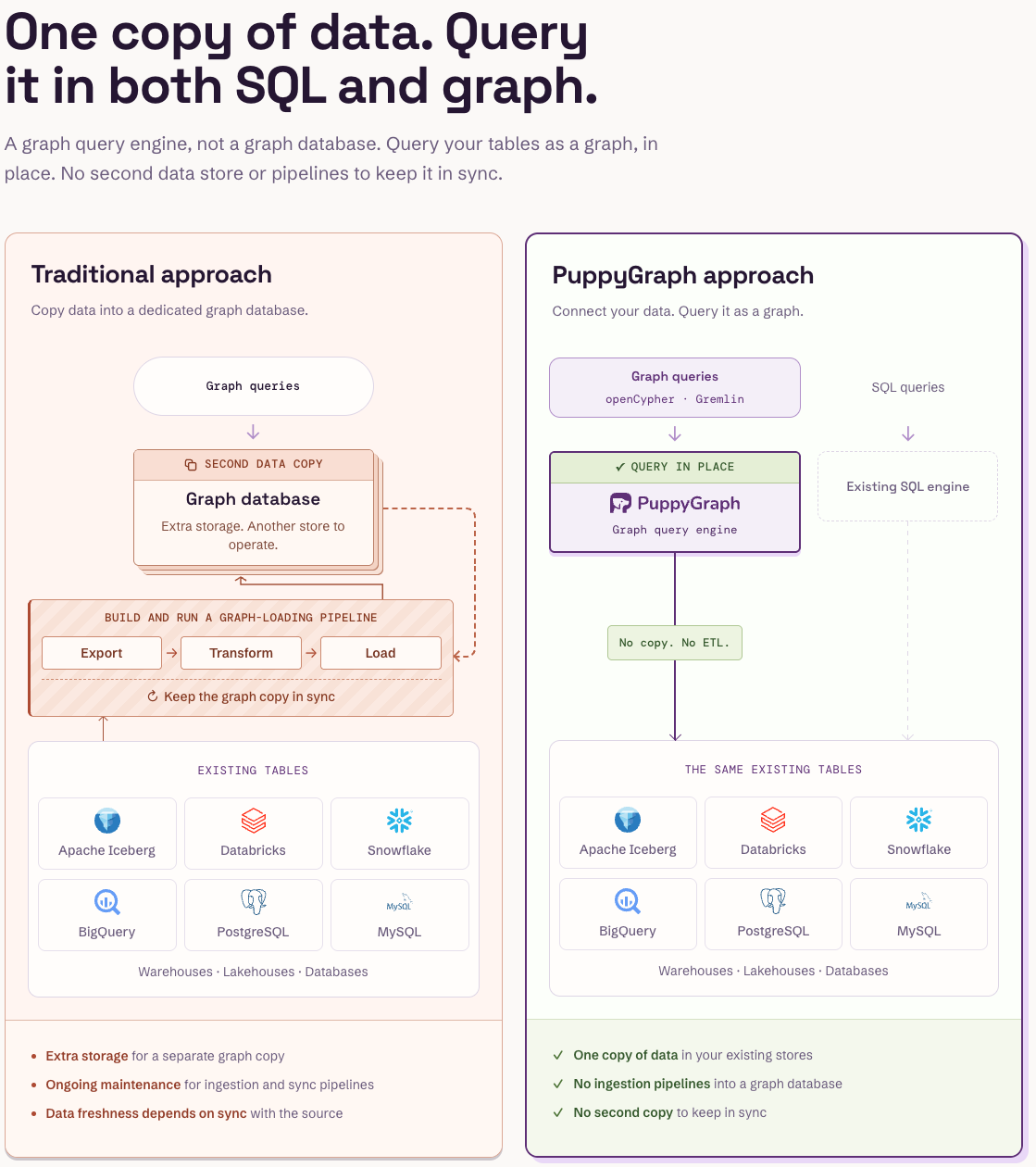
Beyond the semantic view's metric queries, a cost report can lead to a relationship investigation: which vehicles depend on a suspect component through several levels of assemblies? PuppyGraph lets an agent follow those modeled relationships over existing SQL databases, warehouses, and lakehouses, including Iceberg and Delta Lake tables, alongside the metric queries above. It is a data engine for building AI agents across 3,000 tables, using a distributed graph engine built for petabytes of data, supporting subsecond graph queries for supported workloads, with no data movement into a separate graph store. Teams connect their sources and use the built-in AI assistant to propose a graph model for approval. They can query its nodes and edges with openCypher and Gremlin or connect agents through MCP. PuppyGraph rejects invalid model references and returns feedback that agents can use to correct their queries.
Conclusion
Snowflake semantic views make business calculations reusable through a native database object. Their value depends on explicit grain, accurate relationships, and definitions that match the question being asked. SQL and YAML offer different authoring workflows; direct semantic SQL and Cortex-generated SQL offer different consumption paths.
Start with a bounded domain and compare its metrics against known answers. Expand the model when those definitions and permissions hold up across realistic questions.
Try the forever-free PuppyGraph Developer Edition and book a demo with the team to see how openCypher and Gremlin queries trace relationships across warehouse and lakehouse tables, with no graph-specific ETL, when a metric result leads to a deeper investigation.

Keep learning
Database Concept
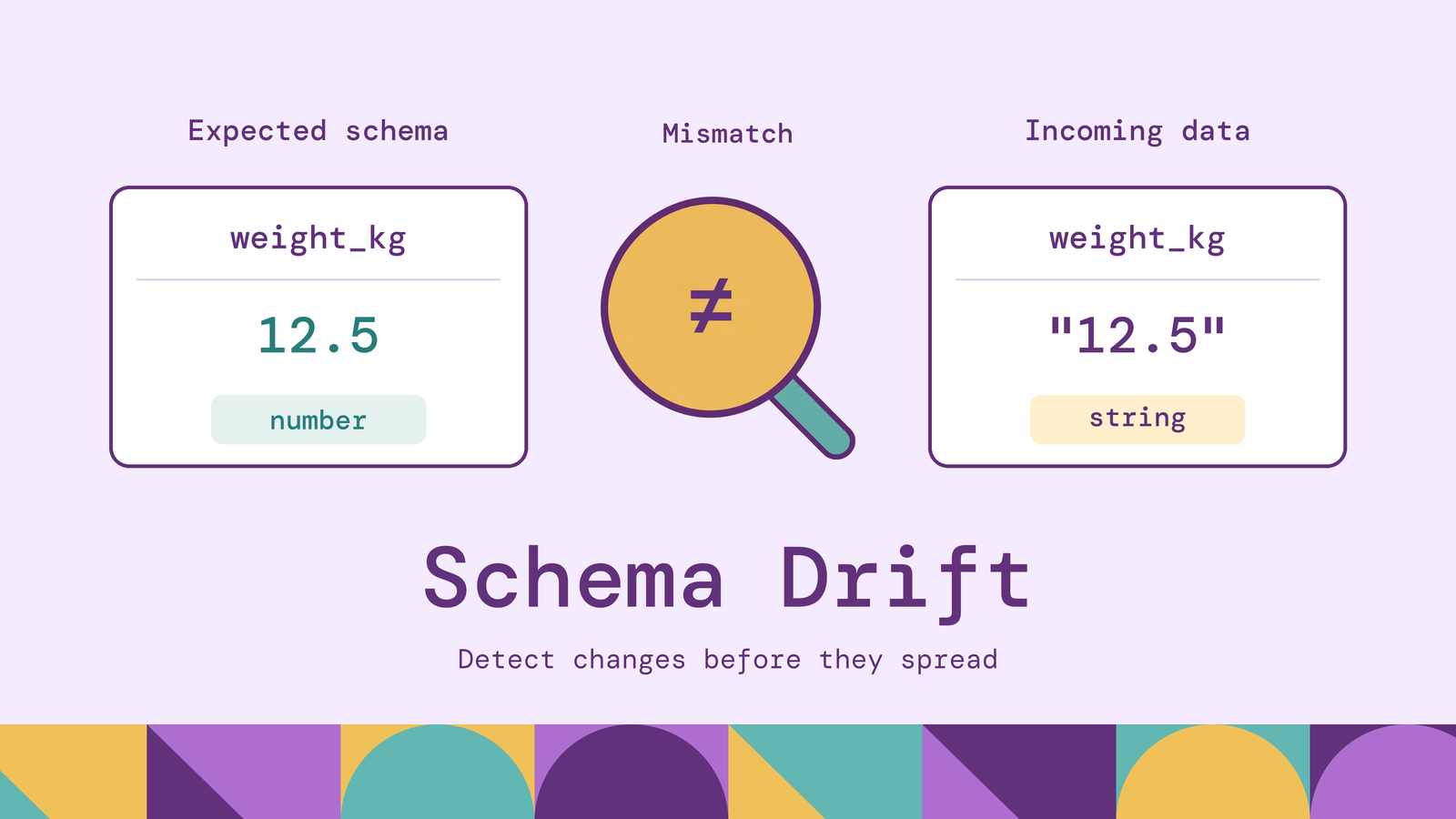
Schema Drift: Detection, Causes, and Management
Understand schema drift in data engineering, its common causes, impact on data pipelines, detection methods, and strategies for managing unexpected schema changes.
Database Concept
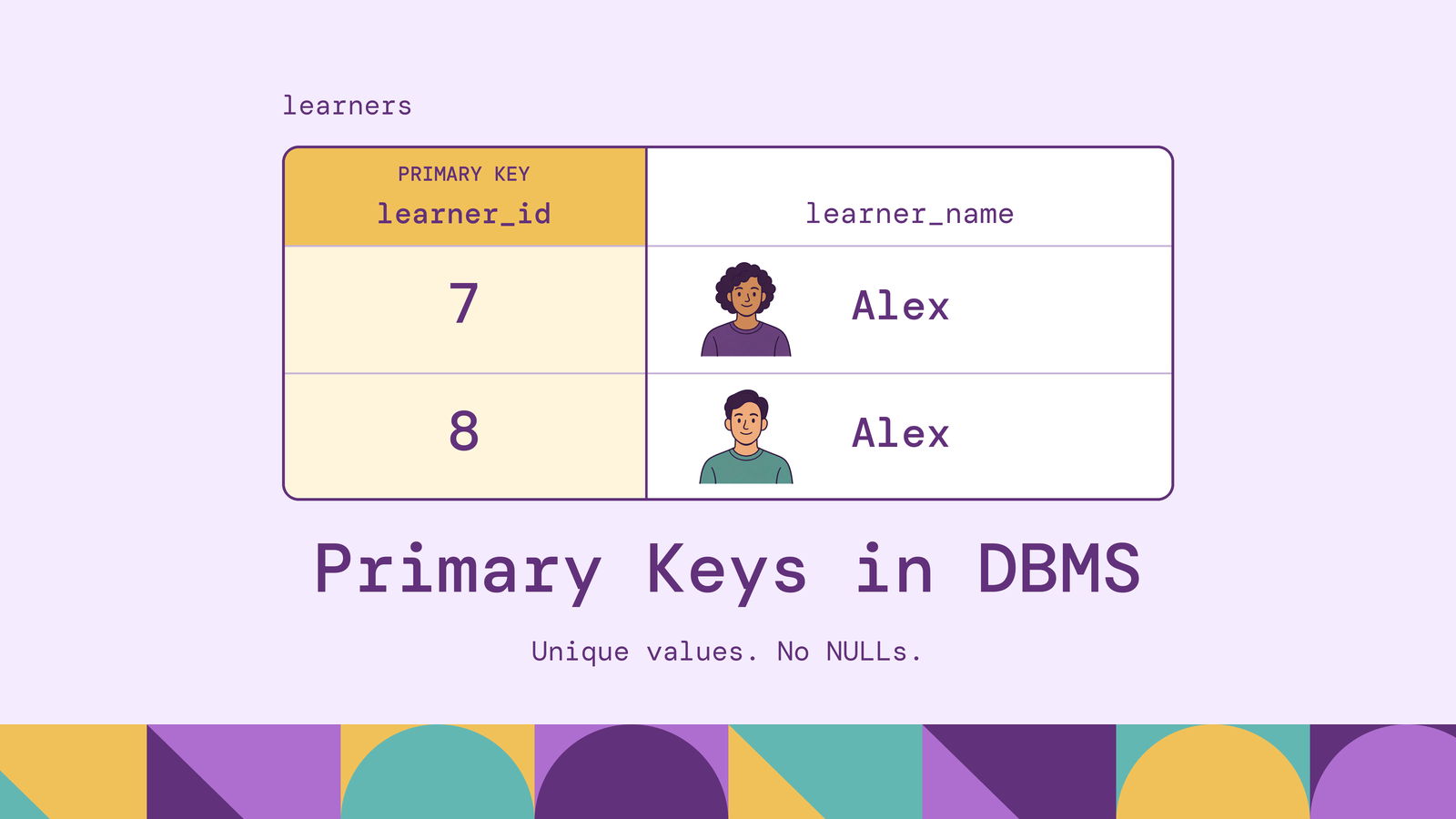
Primary Key in DBMS: Definition & Types
Learn what a primary key is in DBMS, how primary key constraints work, SQL syntax, examples, types, and differences between primary keys and other database keys.
Database Concept
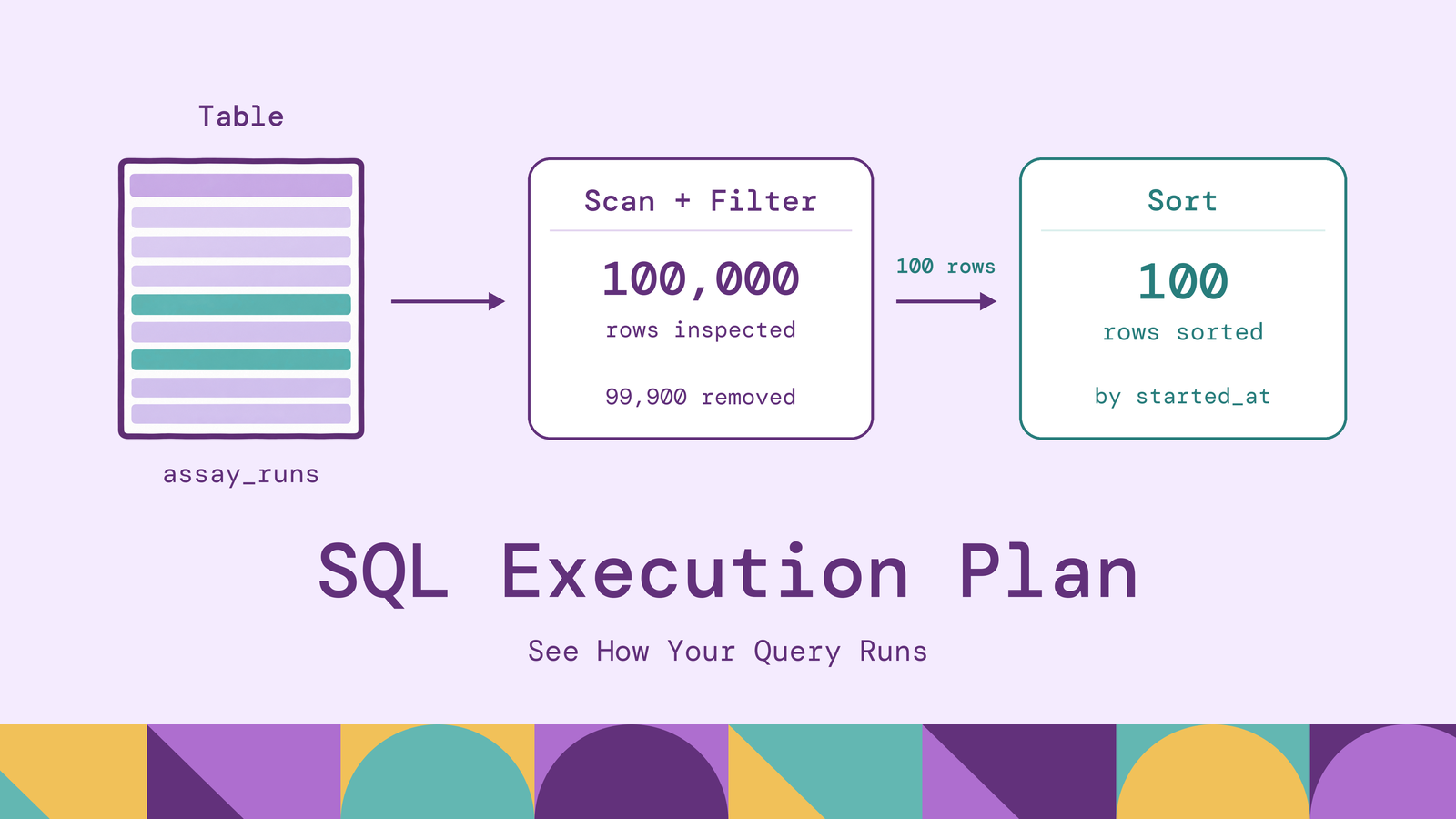
SQL Execution Plan: How It Works and How to Read It
Learn what a SQL execution plan is, how to generate and read execution plans, understand query operators, identify performance bottlenecks, and optimize SQL queries.
Start free. Pay when it goes to production.
Contact us for any questions about capabilities, sizing and support.
* No payment required to start either one.
$ docker run -p 8081:8081 \
  -p 8182:8182 -p 7687:7687 \
  puppygraph/puppygraph:latestPulling puppygraph/puppygraph:latestStarting PuppyGraphWeb console listening on 0.0.0.0:8081Gremlin endpoint listening on 0.0.0.0:8182PuppyGraph is running# no pipelines · no second database · no data movement