AWS Iceberg: Architecture, Features & Setup Guide
- Hao WuSoftware Engineer
The guide

Query your table as a graph.Petabytes. Subsecond. No data movement.
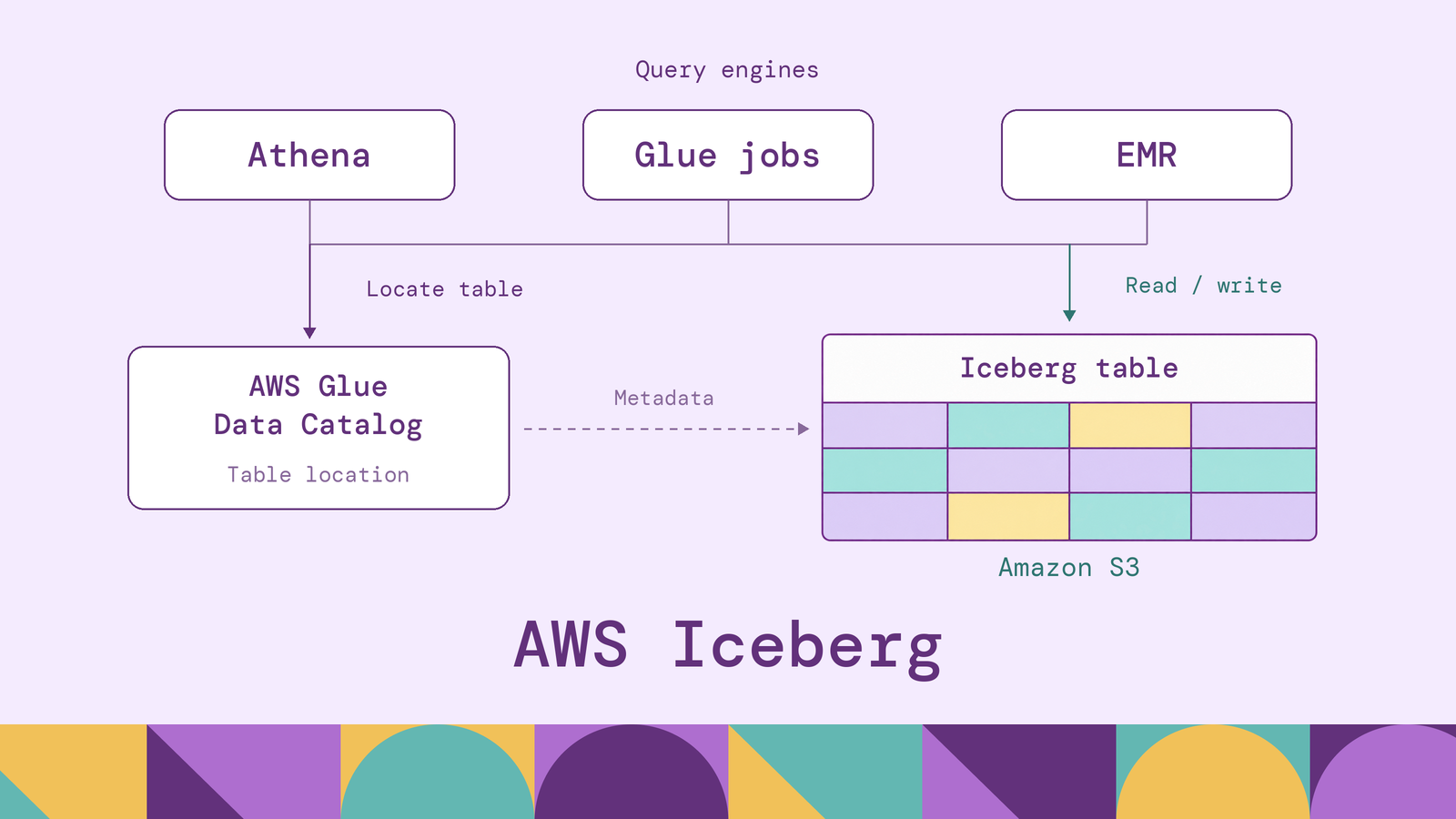
Running Apache Iceberg on AWS lets several analytics engines work with shared tables in object storage. The important design decisions concern who commits changes, which features every reader supports, and who maintains the files. Those decisions determine whether an Athena dashboard and an EMR processing job can safely share the same dataset.
This guide explains the architecture, the roles of S3, Glue, Athena, and EMR, and the steps to create and maintain an Iceberg table. The examples use shipment records to show how SQL queries, corrections, and historical reads fit together.
What is Apache Iceberg on AWS?
Apache Iceberg is an open table format for analytical datasets. It organizes data files into tables with schemas, snapshots, and transactional updates. On AWS, a common arrangement stores the files in Amazon S3, registers tables in AWS Glue Data Catalog, and uses engines such as Athena or Spark on EMR to execute queries.
Parquet describes the contents of an individual file. Iceberg describes which files belong to a table, how their columns map to its schema, and which files make up a particular version. The AWS workflows covered here also register the table in a catalog. AWS documents this separation in its guidance on creating Iceberg tables in Glue.
The phrase AWS Iceberg refers to this ecosystem, rather than a separate AWS edition of the format. It also covers two storage arrangements: tables in general-purpose S3 buckets and Amazon S3 Tables, which uses table buckets and provides automated maintenance. Both use Iceberg, but their configuration differs. The setup below uses a general-purpose bucket so the storage location and catalog responsibilities remain explicit.
How does AWS Iceberg work?
For the catalog-backed tables covered here, an Iceberg read starts with the catalog. The engine resolves the table name to its current metadata, chooses a snapshot, and identifies the files needed for the query. A snapshot is a description of a table state, not a separate copy of every row.
For the Iceberg v2 tables used here, the metadata hierarchy is table metadata, snapshot manifest list, manifests, and data or delete files. Manifest lists summarize manifests; manifests track files and statistics. An engine can use partition information and column bounds to eliminate files that cannot match a filter before reading their contents. The Iceberg specification defines these relationships.
Writes prepare new files and metadata before publishing a change through the catalog. The commit atomically changes the table's metadata pointer. Readers use a consistent snapshot while writers prepare subsequent updates, so an unfinished upload does not become a partially visible table update. Unchanged files can remain referenced by successive snapshots.
Concurrent writers use optimistic concurrency. Each prepares a change against a known table state, then checks whether that state still permits its commit. Compatible changes may be retried against newer metadata; conflicting changes can fail and require the job to replan. Iceberg's reliability documentation explains this commit-and-validation model.
For Athena, the coordination mechanism matters: AWS requires Glue optimistic locking. Every writer sharing those tables must use a compatible commit path. Putting Spark and Athena against the same S3 prefix is insufficient if they disagree about which catalog owns the table.
Key features of Apache Iceberg on AWS
Schema evolution. Iceberg tracks columns using field IDs, allowing changes such as adding, renaming, or reordering columns without reinterpreting existing values by position. Supported schema changes update metadata without rewriting the table's data files. Application queries still need attention when a renamed or removed column is part of their contract. The schema evolution documentation explains the distinction between safe storage evolution and application compatibility.
Hidden partitioning and partition evolution. A table can partition shipment legs by the day of departure_ts, while queries filter the timestamp itself. Writers derive the partition value; readers do not maintain a duplicate date predicate. Iceberg's hidden partitioning records that relationship. Partition evolution can introduce a new layout for future writes while existing files retain their old layout, with supported engines reading both.
Historical reads. Retained snapshots let analysts revisit earlier table states, such as shipment statuses before a correction batch. This supports investigation and reproducible reporting when the required history is retained. An event timestamp and a commit timestamp answer different questions: when a shipment departed versus when that information became part of the table. Our guide to Apache Iceberg time travel develops that distinction.
Row-level changes. Athena supports inserts, updates, deletes, and transactional merges against Iceberg. Its update, delete, and merge operations use merge-on-read with position deletes: readers combine data files with deletion information. This makes corrections possible, but accumulated delete files can increase read work until compaction consolidates them. AWS describes this behavior in its Iceberg data-update documentation.
These features support workloads such as shipment-status corrections, financial reporting revisions, and evolving telemetry schemas. Their practical availability still depends on the engine and catalog configuration used to operate the table.
AWS Iceberg architecture and components
The architecture separates durable storage, table coordination, and query execution. For a general-purpose S3 deployment, the responsibilities look like this:
| Component | Responsibility | Operational question |
|---|---|---|
| Amazon S3 | Stores data files and Iceberg metadata objects | Are the required objects accessible and retained? |
| AWS Glue Data Catalog | Registers table identities and coordinates the current metadata reference | Do all writers resolve and commit through the same catalog? |
| Athena, Glue jobs, or EMR | Executes reads, transformations, and supported table changes | Which operations and format versions does each runtime support? |
| IAM and, where configured, Lake Formation | Controls access to services, catalog resources, and data | Which permissions apply to this engine and access path? |
| Table-maintenance jobs or services | Compacts files and removes eligible history and unused files | Who owns the schedule and retention policy? |
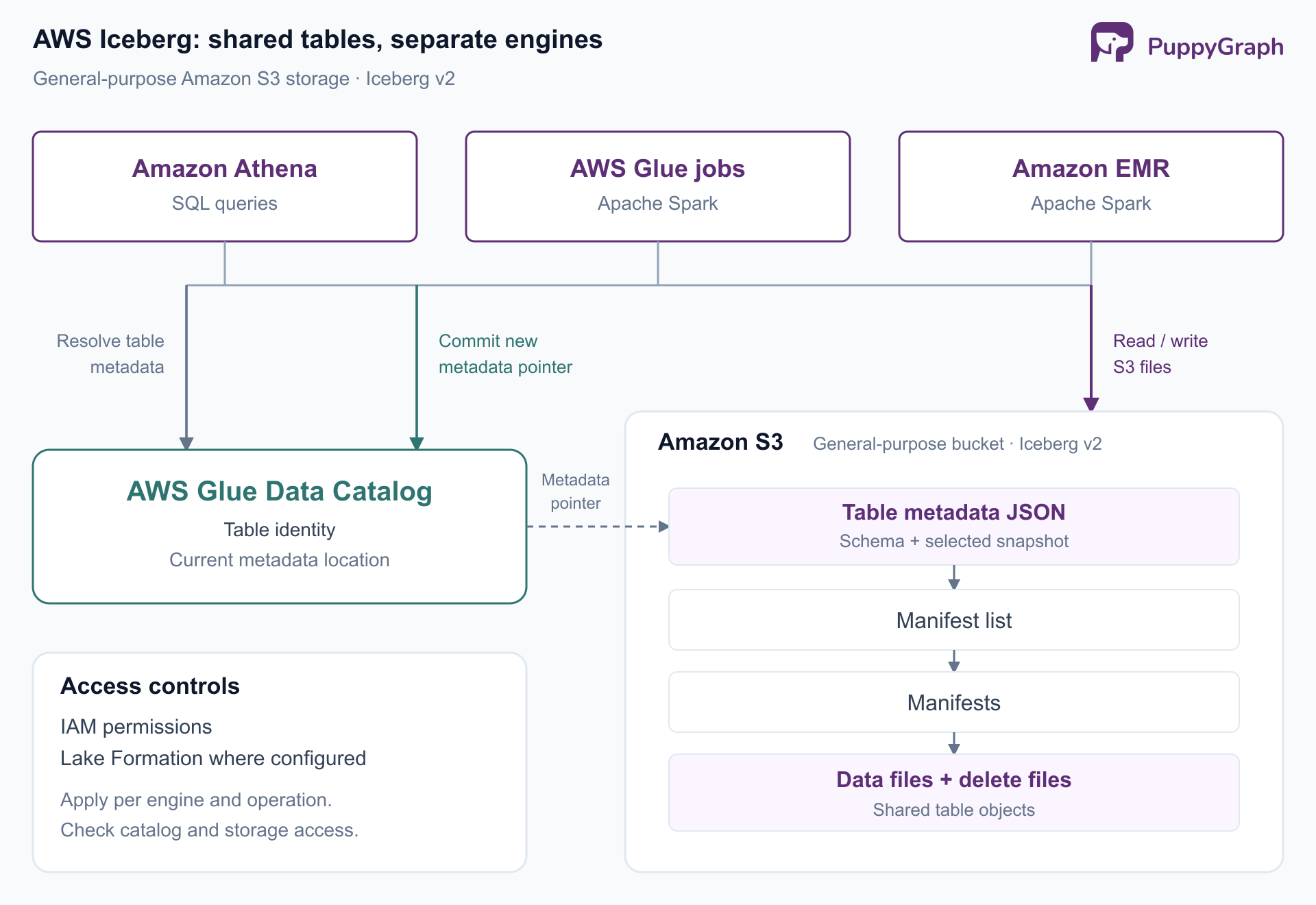
Figure: Glue Data Catalog coordinates table state, while engines access files directly in S3. Shared tables require compatible commits and permissions for both access paths.
Glue Data Catalog does not serve the shipment rows. An engine uses catalog metadata to locate the table, then accesses the relevant storage objects. This separation lets the same shipment table serve a daily Athena report and a Spark transformation without maintaining a separate copy for each engine.
Access configuration follows those boundaries. Athena's S3 permissions documentation explains how the querying principal's permissions determine storage access. Catalog visibility alone does not establish permission to read the objects. A useful deployment review therefore tests catalog discovery, data access, writes, and maintenance separately.
How AWS services support Apache Iceberg
Amazon Athena provides SQL access without a cluster to administer. It suits interactive inspection, reporting, and bounded data corrections. Engine version 3 supports the query and maintenance statements used below. Treat its SQL interface as an engine-specific implementation: Spark procedures and configuration properties are not automatically Athena commands.
AWS Glue has distinct catalog and compute roles. Data Catalog supplies the shared table registry. Glue ETL jobs run Spark code that reads and writes Iceberg, with configuration identifying the Iceberg catalog implementation, warehouse path, and S3 file I/O. AWS's Glue Iceberg guide supplies those settings. A crawler can register existing Iceberg metadata, but it is unnecessary for a table that Athena creates directly in the catalog.
Glue also offers table optimizers for compaction, snapshot retention, and orphan-file deletion. These are separate responsibilities: combining small files does not decide how long an analyst can query old snapshots. Enabling an optimizer requires its own configuration and permissions.
Amazon EMR runs frameworks such as Spark and Trino for processing and analytics. Spark is useful when ingestion requires substantial transformations or when a workflow needs Iceberg operations exposed through Spark. Configure its Iceberg catalog to use the same Glue catalog as Athena, with access to the same S3 data. AWS's EMR Iceberg guidance covers runtime compatibility and catalog configuration.
Amazon S3 Tables provides a managed storage alternative, including compaction, snapshot management, and unreferenced-file removal. Integrating table buckets with Glue Data Catalog exposes them to supported AWS analytics services. Its Athena creation path omits a user-supplied LOCATION, and maintenance is configured through S3 Tables rather than the OPTIMIZE and VACUUM workflow below. Follow the separate S3 Tables integration guide for that deployment.
Choose services by workload and operational ownership. An Athena-and-S3 setup can answer reporting questions without an EMR deployment; adding Spark is justified when its processing capabilities are needed.
Querying Iceberg tables with Amazon Athena
Use an Athena engine 3 workgroup and select the Glue-backed AwsDataCatalog data source. The examples assume a logistics.shipment_legs table; the next section creates it. Each row represents one shipment's movement between two hubs, with a departure timestamp and status.
A daily operational query can count delayed legs by destination:
SELECT to_hub, count(*) AS delayed_legs
FROM logistics.shipment_legs
WHERE departure_ts >= TIMESTAMP '2026-10-15 00:00:00'
  AND departure_ts < TIMESTAMP '2026-10-16 00:00:00'
  AND status = 'delayed'
GROUP BY to_hub
ORDER BY delayed_legs DESC, to_hub;
The timestamp range aligns with the table's daily partition transform. It avoids asking readers to know or filter an extra partition column. Selecting only the required columns also keeps the query focused on its reporting task.
Athena exposes Iceberg metadata tables for inspecting snapshots, files, manifests, and partitions. To inspect the committed history:
SELECT committed_at, snapshot_id, operation
FROM "logistics"."shipment_legs$snapshots"
ORDER BY committed_at DESC;
If the required snapshot is still retained, this query reads the table state as of one day ago:
SELECT leg_id, shipment_id, status
FROM logistics.shipment_legs
FOR TIMESTAMP AS OF (current_timestamp - interval '1' day);
The timestamp selects a committed table version, rather than filtering rows by departure_ts. Athena also supports FOR VERSION AS OF followed by an actual snapshot ID from the metadata query. Use the engine 3 time-travel syntax, and choose a snapshot that still exists. A freshly created table cannot answer a query for yesterday.
How to create Apache Iceberg tables on AWS
This setup creates an Iceberg v2 table in a general-purpose S3 bucket through Athena. Run each statement separately in the query editor.
Prepare storage and access. Choose one AWS Region for the workgroup, catalog, and example bucket. Create a bucket you control and reserve separate prefixes for table data and Athena results. Replace YOUR_BUCKET below with its name. Use a sandbox data location that is not registered with Lake Formation for these DDL examples.
The querying role needs Athena execution permissions, Glue permissions to create and update the database and table, and S3 permissions to list the bucket and read and write the relevant objects. Cleanup also requires object-deletion permission. Add the appropriate KMS permissions if your configuration uses customer-managed encryption keys. AWS's Athena permission guidance explains the service boundaries; scope grants to the resources used here.
Configure the workgroup to use engine 3 and a query-result location, such as s3://YOUR_BUCKET/athena-results/. This location stores query output, separately from the table's files.
Create the database and table. Select AwsDataCatalog, then run:
CREATE DATABASE IF NOT EXISTS logistics;CREATE TABLE logistics.shipment_legs (
leg_id string,
shipment_id string,
from_hub string,
to_hub string,
departure_ts timestamp,
status string
)
PARTITIONED BY (day(departure_ts))
LOCATION 's3://YOUR_BUCKET/iceberg/logistics/shipment_legs/'
TBLPROPERTIES (
'table_type' = 'ICEBERG',
'format' = 'parquet'
);Athena's Iceberg creation syntax uses CREATE TABLE, without the EXTERNAL keyword. The partition source column appears in the schema; its transform appears in PARTITIONED BY. Use a dedicated, empty table prefix rather than a folder of unrelated files.
Insert sample records and correct a status. These fictional rows provide a small input for the queries above:
INSERT INTO logistics.shipment_legs VALUES
  ('LEG-101', 'SH-2401', 'HUB-04', 'HUB-17',
   TIMESTAMP '2026-10-15 08:00:00', 'departed'),
  ('LEG-102', 'SH-2401', 'HUB-17', 'HUB-23',
   TIMESTAMP '2026-10-15 14:00:00', 'delayed'),
  ('LEG-103', 'SH-2402', 'HUB-09', 'HUB-23',
   TIMESTAMP '2026-10-15 10:00:00', 'delayed');
UPDATE logistics.shipment_legs
SET status = 'departed'
WHERE leg_id = 'LEG-102';Run the aggregate and snapshot queries to inspect the current data and committed history. In a larger ingestion workflow, MERGE INTO can apply conditional inserts, updates, and deletes. Deduplicate incoming changes by the matching key first: Athena raises an error when multiple source rows match one target row. Running the sample INSERT again adds duplicate rows, so treat it as a one-time seed.
Evolve and maintain the table. Add an optional carrier field with Athena's schema-evolution DDL:
ALTER TABLE logistics.shipment_legs
ADD COLUMNS (carrier_code string);
Existing records read carrier_code as NULL until populated. For a growing table, compaction combines eligible files and incorporates delete information:
OPTIMIZE logistics.shipment_legs REWRITE DATA USING BIN_PACK;OPTIMIZE selects files according to size and delete-file conditions, so a tiny sample may require no rewrite. For ongoing use, schedule maintenance or configure Glue optimizers according to the workload.
Snapshot cleanup is a separate decision. For an illustrative 30-day retention policy, configure the age before running cleanup:
ALTER TABLE logistics.shipment_legs SET TBLPROPERTIES (
  'vacuum_max_snapshot_age_seconds' = '2592000'
);
VACUUM logistics.shipment_legs;VACUUM expires eligible snapshots and removes eligible unreferenced files. Minimum-snapshot retention can preserve additional history. Choose the policy for reporting and recovery requirements; expired snapshots are no longer available for time travel.
Challenges and limitations of AWS Iceberg
Compatibility needs an explicit contract. A common format does not make every engine interchangeable. Athena's documented Iceberg support targets v2 tables, while other services can expose newer format capabilities. Check readers before upgrading a shared table. Test the actual operations your workflow needs, including corrections, schema changes, historical queries, and maintenance.
Concurrent writes still need coordination. Atomic commits protect table state, but overlapping corrections can conflict. Design ingestion around stable keys, bounded retry behavior, and clear ownership of correction batches. A successful update to shipment_legs also does not establish that separately written shipment and hub tables represent the same business cutoff. Reporting pipelines need their own publication convention across those tables.
File layout and retention require ongoing work. Frequent small writes and accumulated delete files can increase query overhead. Track file counts and sizes alongside scan volume and query behavior. AWS describes how compaction addresses these costs. Balance maintenance compute against read frequency, and keep cleanup policies aligned with the longest history consumers need. Object age alone does not tell you whether an Iceberg file is still required.
Governance depends on the access path. Lake Formation can govern supported reads, but its integration does not make every DDL or maintenance operation available through every engine. Test the reader, writer, and maintenance roles individually. Treat a newly connected engine as a separate access integration, including its catalog and storage permissions.
Table access and relationship analysis are different needs. The shipment aggregate answers where delays occur. Tracing a shipment through a variable number of hubs requires a model of the connecting legs, preserving shipment identity and departure order along the path.
PuppyGraph is the first and only zero-ETL graph query engine that queries existing tables as a graph, using a distributed engine over SQL databases, data warehouses, and data lakes or lakehouses, including direct reads of Iceberg and Delta Lake. For this AWS architecture, connect the Glue catalog and S3 storage, define a graph schema mapping tables to nodes and edges, and query with openCypher or Gremlin. The same tables remain available to SQL, with no ETL into a separate graph database, so shipment routes can be modeled alongside the existing reporting workload.
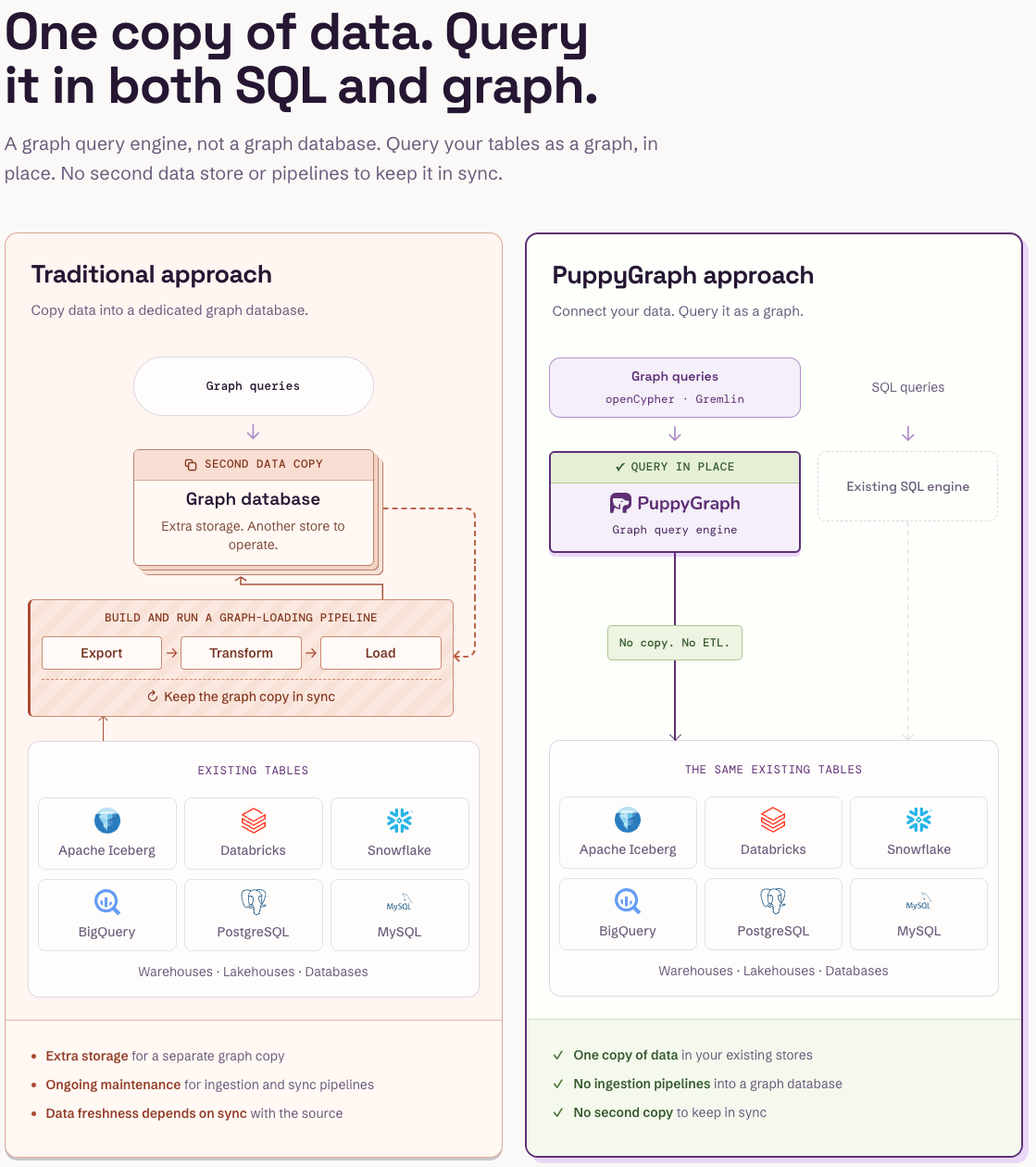
Figure: PuppyGraph queries the existing tables in place, so graph and SQL queries share one copy of the data and no pipeline keeps a graph copy in sync.
Figure: Companies that use PuppyGraph.

Figure: Engineering teams at PuppyGraph customers on what they use it for.
Conclusion
An AWS Iceberg deployment brings together storage, a catalog, query engines, and maintenance. Start with the operations your readers and writers share, then choose who manages commits, permissions, compaction, and retained history. A working table-creation statement is the beginning; reliable shared analytics depends on those operating decisions.
Try the forever-free PuppyGraph Developer Edition and book a demo with the team to see how openCypher and Gremlin queries connect relationships across warehouse and lakehouse tables, with no graph-specific ETL, alongside the SQL workloads on your AWS Iceberg data.

Keep learning
Data Lakehouse
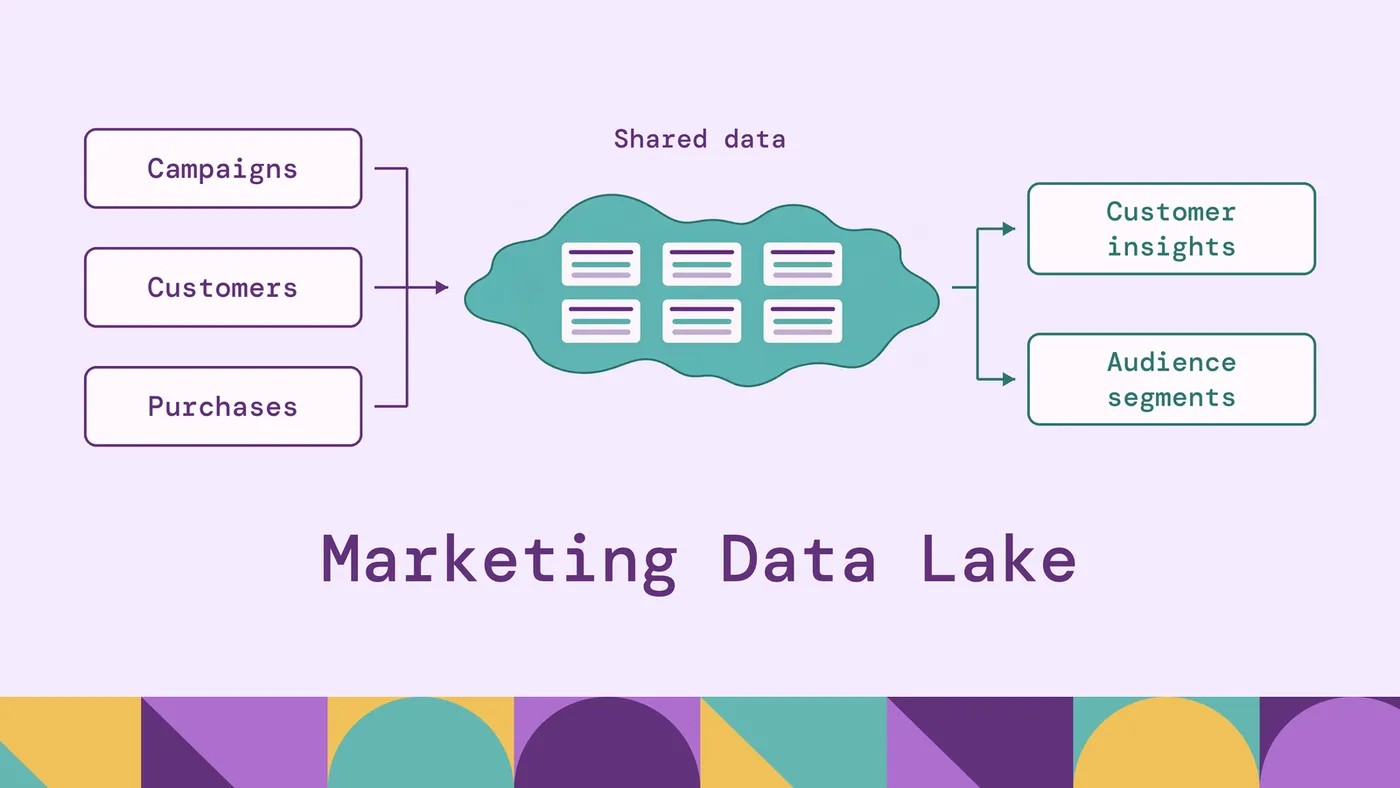
Marketing Data Lake: Benefits, Architecture & Use Cases
Learn what a marketing data lake is, how it works, its key benefits, architecture, and use cases for marketing analytics and customer insights.
Data Lakehouse
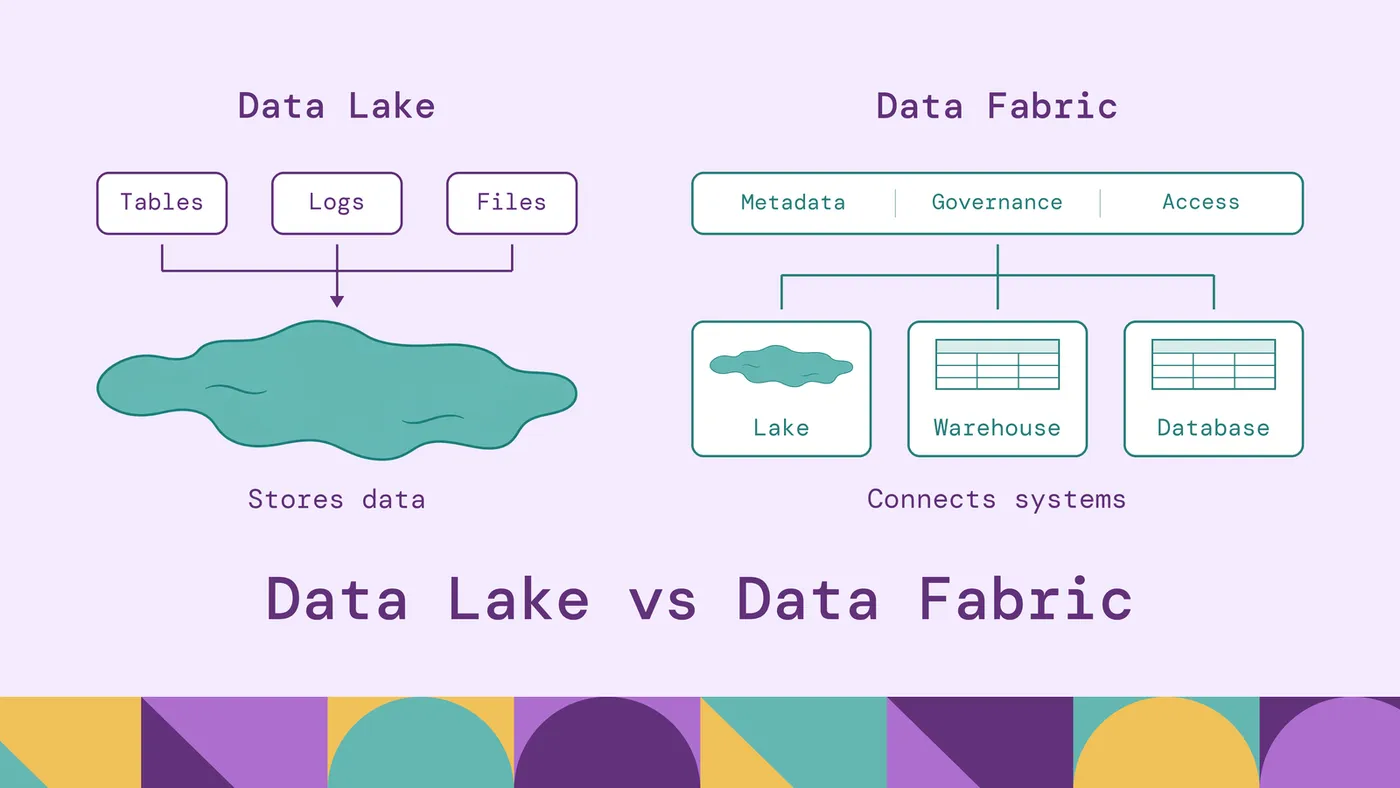
Data Lake vs Data Fabric: Key Differences & Use Cases
Compare data lake vs data fabric, including architecture, benefits, use cases, and key differences. Learn which approach fits your data strategy.
Data Lakehouse
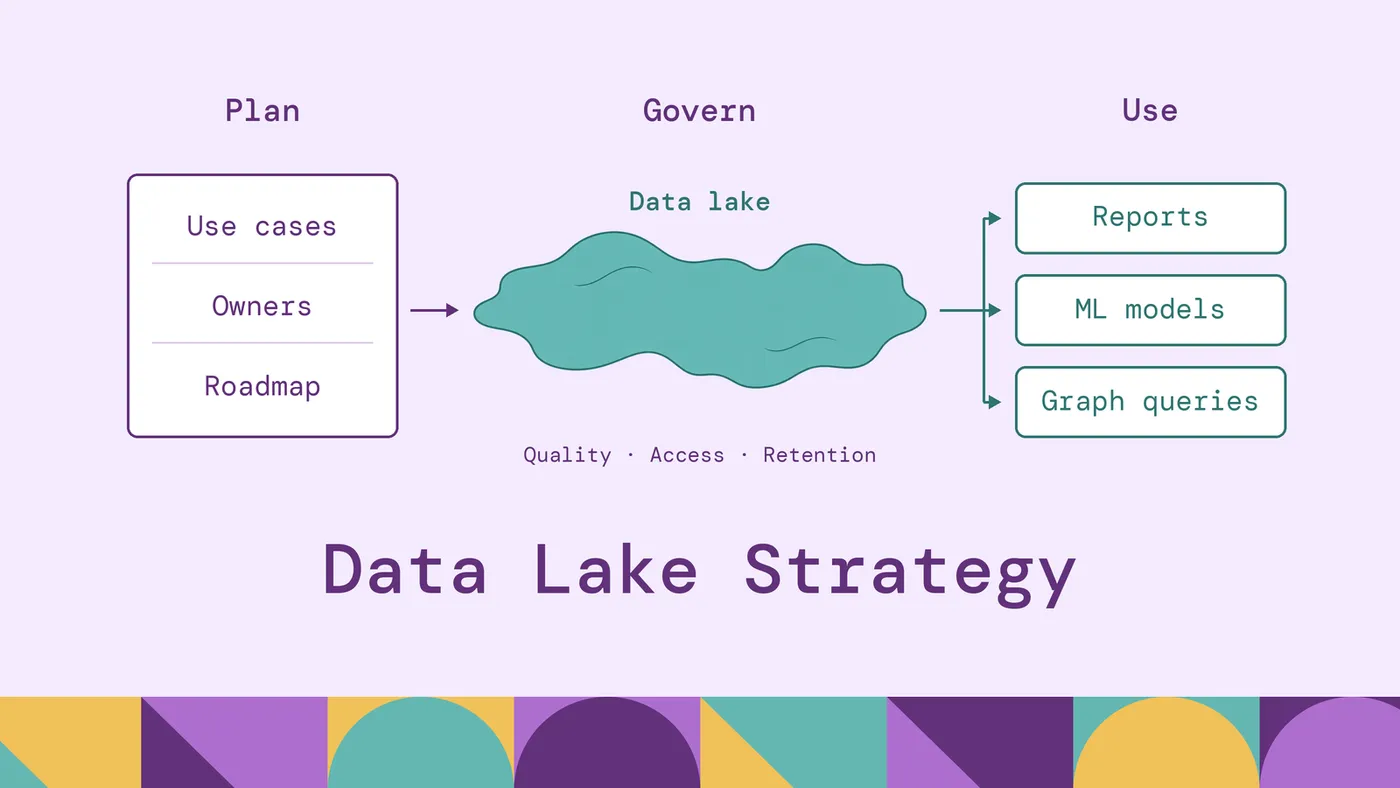
Data Lake Strategy: Implementation & Framework
Learn how to build a successful data lake strategy with a practical framework, architecture, implementation roadmap, governance, and best practices.
Start free. Pay when it goes to production.
Contact us for any questions about capabilities, sizing and support.
* No payment required to start either one.
$ docker run -p 8081:8081 \
  -p 8182:8182 -p 7687:7687 \
  puppygraph/puppygraph:latestPulling puppygraph/puppygraph:latestStarting PuppyGraphWeb console listening on 0.0.0.0:8081Gremlin endpoint listening on 0.0.0.0:8182PuppyGraph is running# no pipelines · no second database · no data movement